Why Professionals Trust MacSonik PST File to PDF Converter?

Cross-Platform Compatibility
Fast & Accurate Conversion
100% Data Security
Error-Free conversions
24/7 Technical Support

Reliable PST to PDF Conversion for Large Organizations

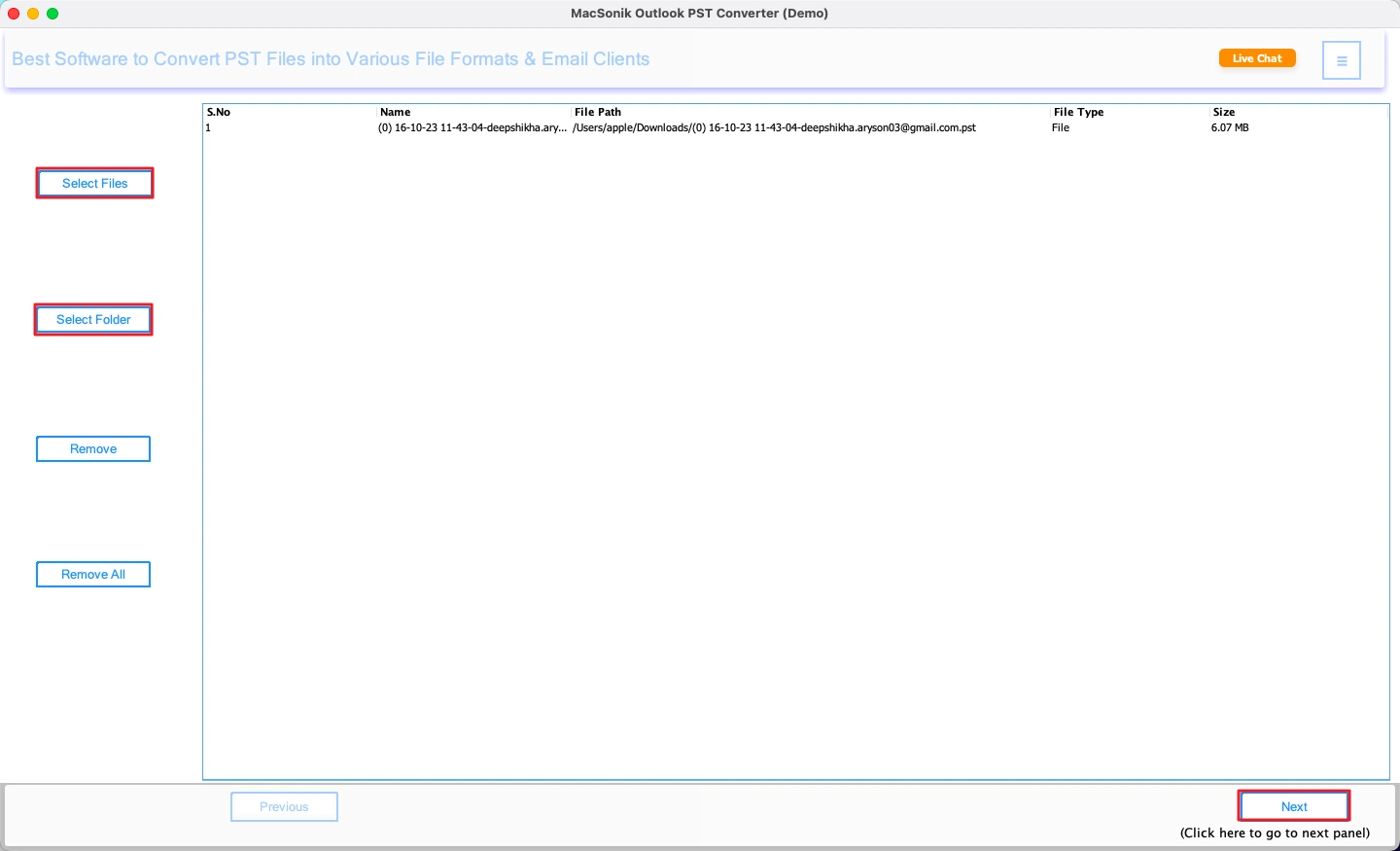
Enterprises frequently manage their large volumes of Outlook PST files across teams and systems. Our PST to PDF file conversion service helps organizations convert these emails into secure PDF documents for easy access, sharing, and long-term record keeping. Therefore, using the MacSonik PST to PDF Converter, enterprises can convert single or multiple PST files without installing Outlook. If needed, they can avail a secure one-time migration option that completes migration without requiring a full software installation. The process keeps original email content, folders, formatting, and attachments fully intact.

The tool supports bulk conversion, selective email export, date-based filtering, and duplicate removal to obtain clean and organized PDF output. Since the conversion runs locally, enterprise data remains secure and private at all times. Making it ideal for compliance, audits, legal records, and email archiving, this solution offers a reliable and scalable way to manage Outlook emails in PDF format.

Significant Features of MacSonik PST to PDF Converter

Designed with real-world user needs in mind, the tool is tested by experts to provide smooth, safe, and accurate PST File to PDF Converter operations.

No-size-limit PST to PDF Conversion

No-size-limit PST to PDF Conversion

Upload and convert PST to PDF format in bulk at once without any size limits. Whether you are dealing with small mailboxes or large enterprise PST files, the software reduces manual effort and saves valuable time.

100% Accurate Data Conversion

100% Accurate Data Conversion

The software preserves complete email integrity, including sender details, recipient information, subject, date, formatting, hyperlinks, inline images, and attachments. Every PST to PDF document conversion is accurate and reliable.

Outlook-Free PST to PDF Conversion

Outlook-Free PST to PDF Conversion

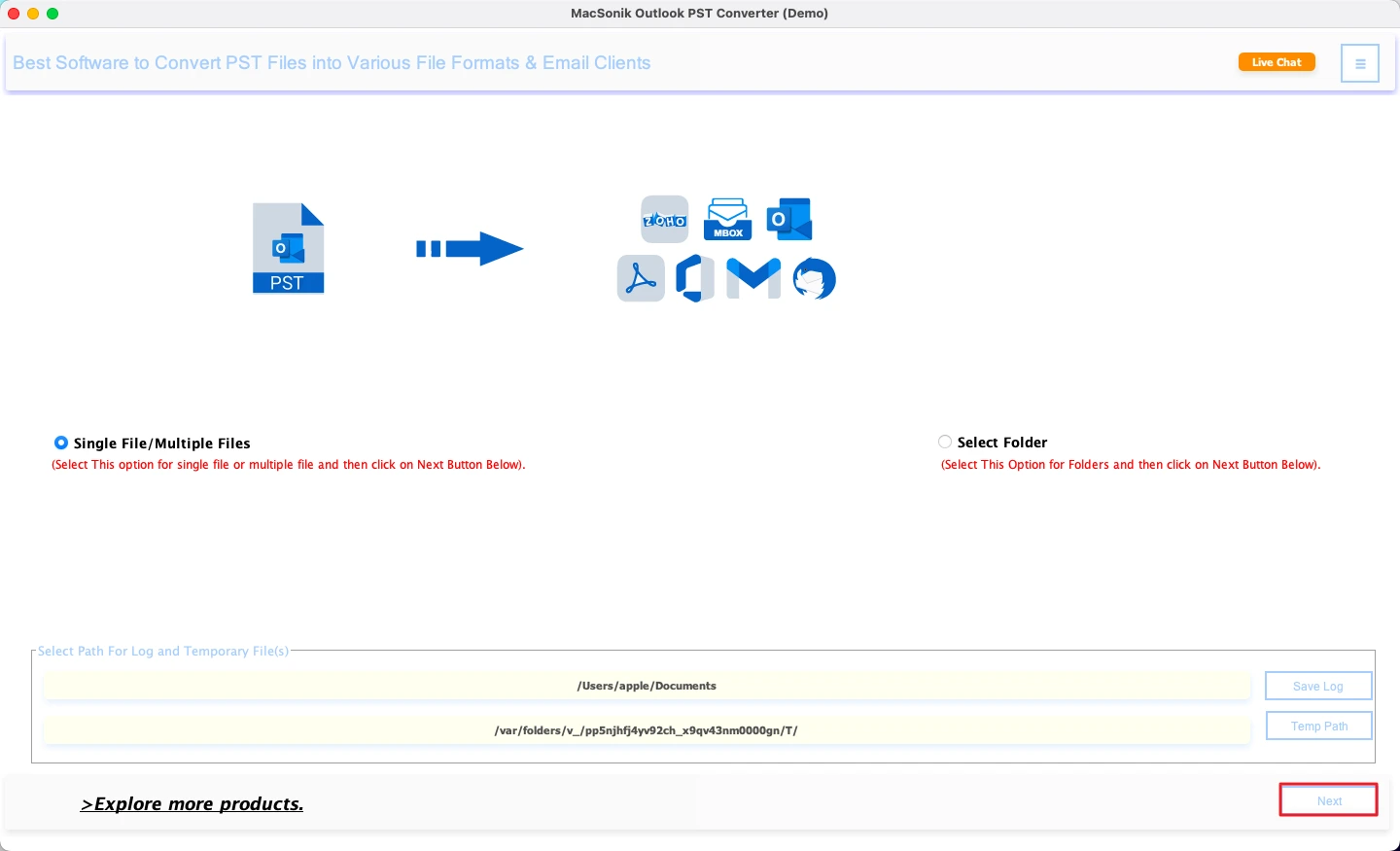
No need to install or configure Microsoft Outlook. Simply load ANSI or UNICODE PST files (including password-protected ones) and convert them into PDF format smoothly.

Advanced Preview with Folder Structure

Advanced Preview with Folder Structure

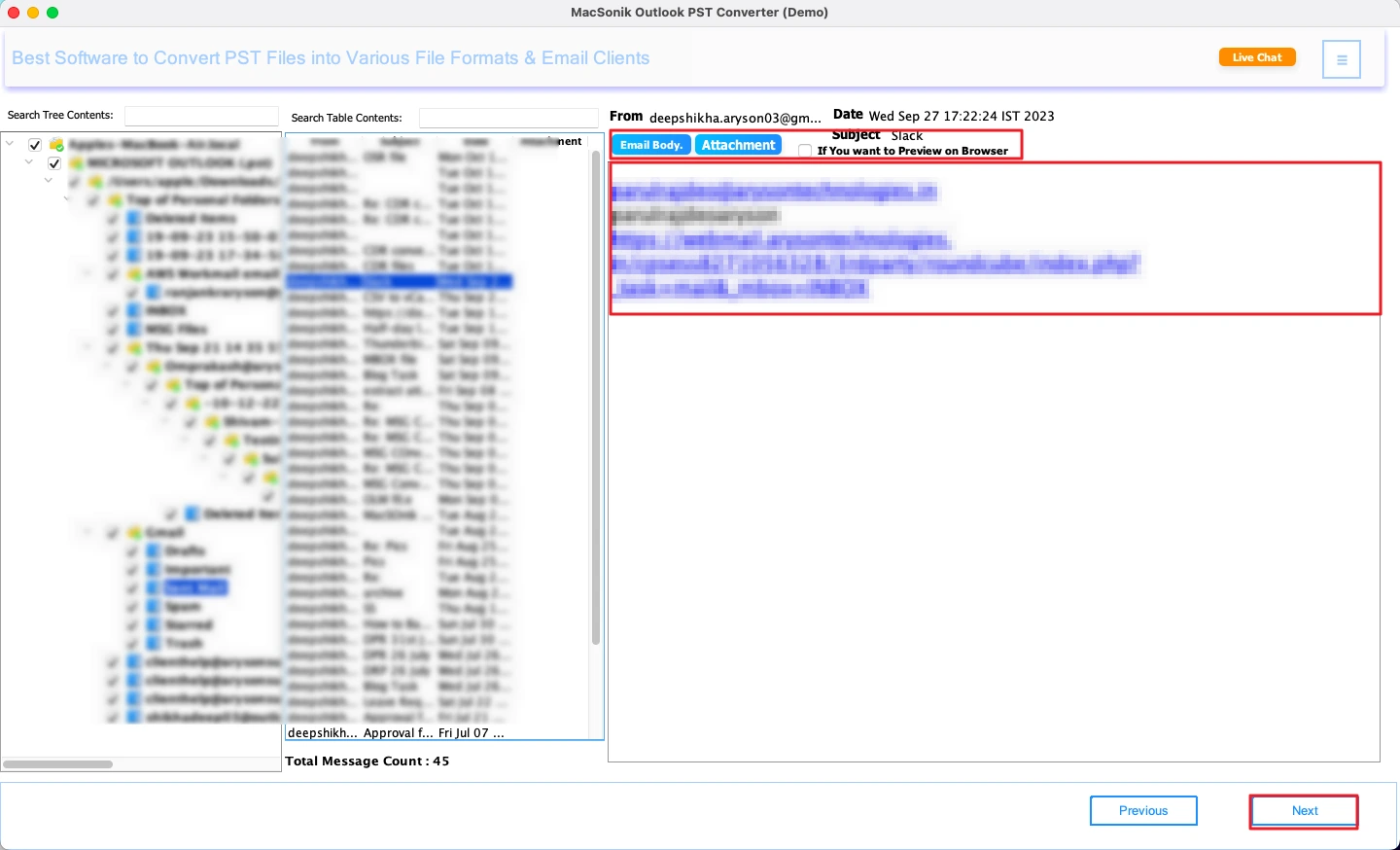
Preview the complete mailbox tree, emails, and attachments before conversion. PST to PDF document Converter allows you to select only the required folders or emails for conversions.

Date Filter and Duplication Removal

Date Filter and Duplication Removal

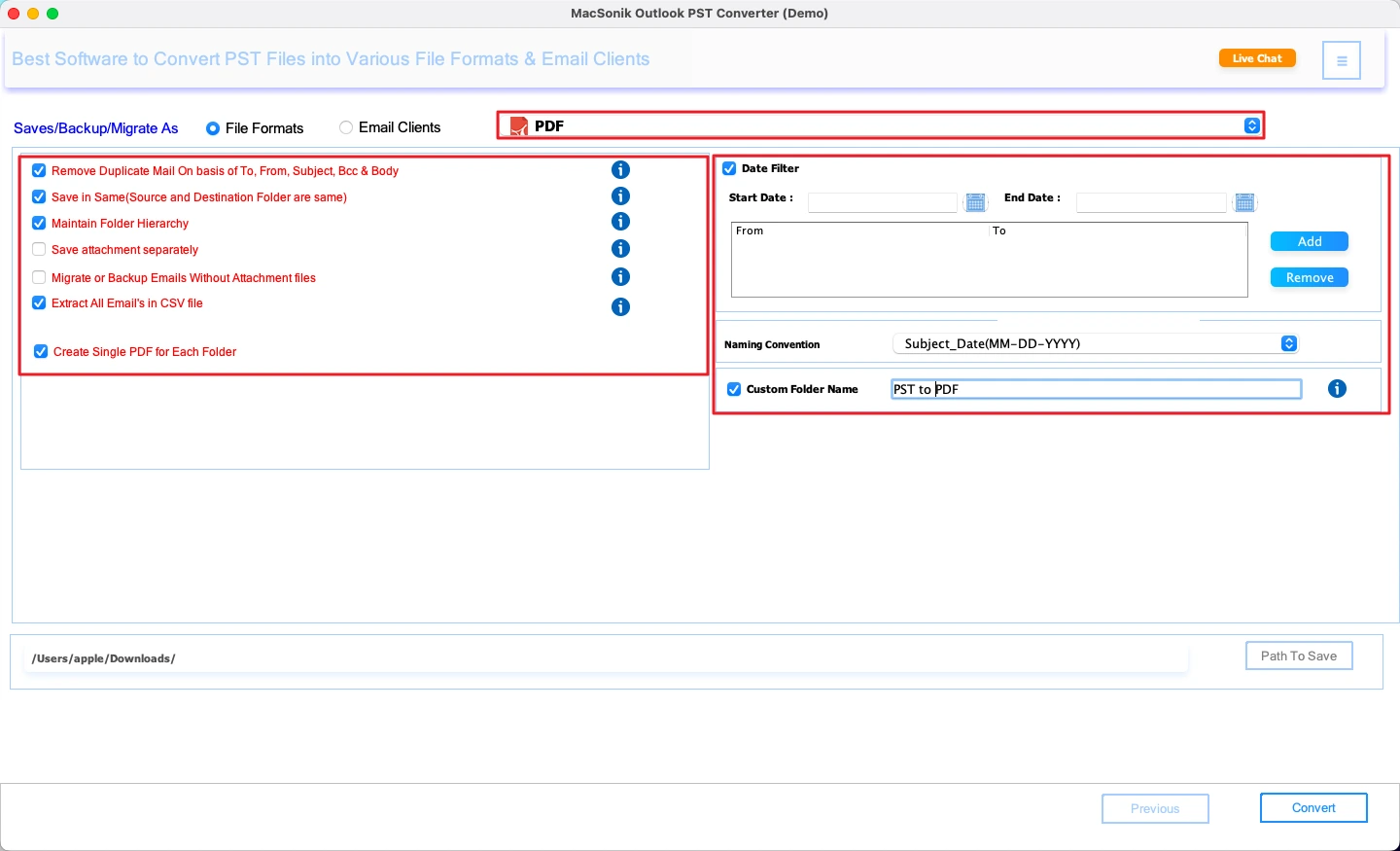
Export emails by date range using the Date Range filter option. The Duplicate Removal option will also facilitate the removal of duplicate emails based on Subject, Sender, Body, or BCC, resulting in a clean PDF export.

Attachment Selection Flexibility

Attachment Selection Flexibility

You may choose to insert email attachments or omit them while converting emails to PDF format. With this feature, you will maintain complete control over the file size and ease of sharing the converted documents.

Custom Naming and Saving Location

Custom Naming and Saving Location

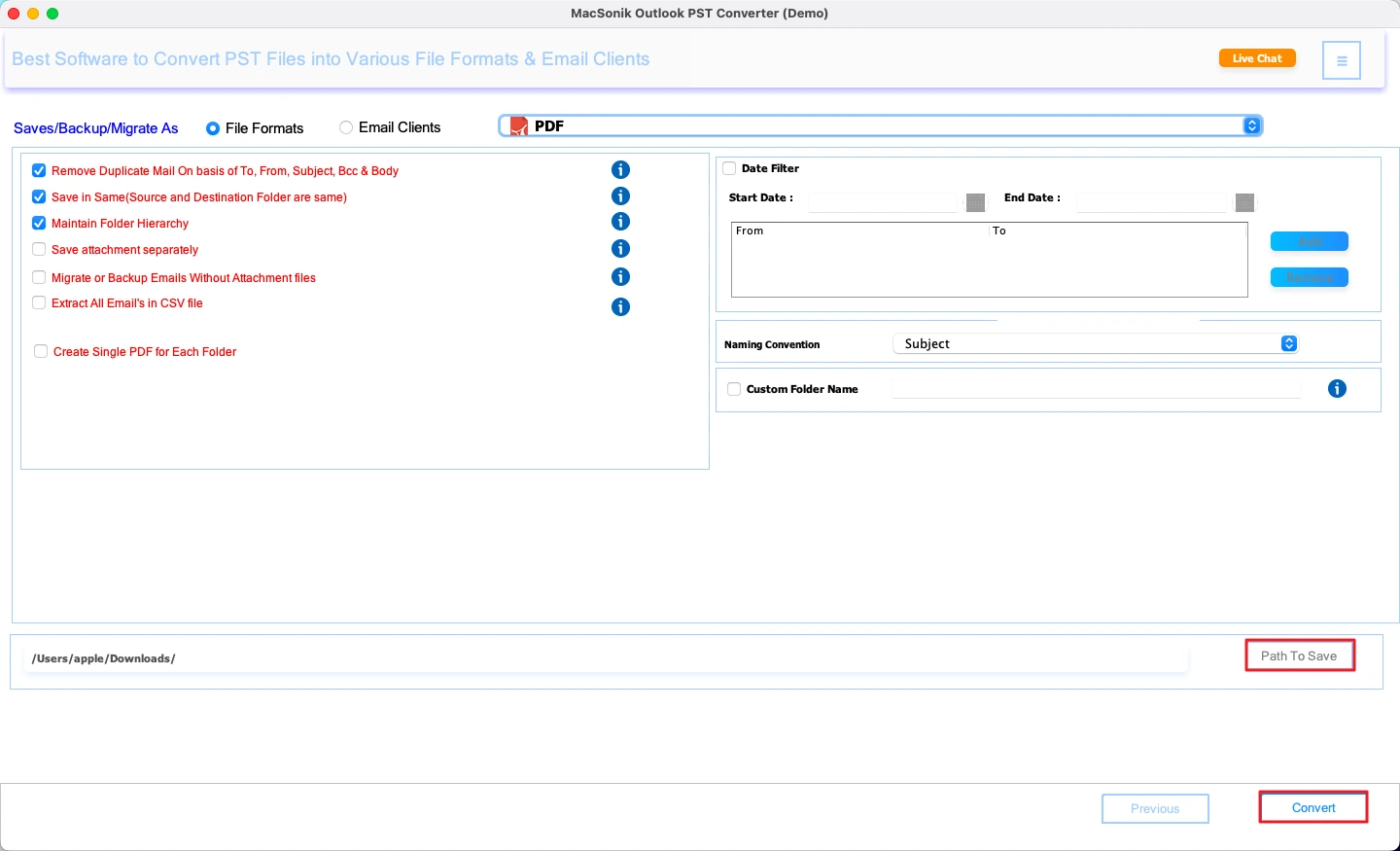
You may save the converted PDFs using a custom naming convention like Subject_Date_From. You can determine the destination location for the converted files or select an option to "Save Into the Same Folder" as the source emails.

View and Download Conversion Results

View and Download Conversion Results

You will also receive a full conversion report that provides details regarding the status of the files converted, the number of emails converted, and a summary of the conversion process.

Use Date Mail Filter

Free Demo with Complete Support

Try the free demo version and convert up to 50 emails per folder at no cost. Anytime upgrade to paid licenses: Home, Administrator, Technician, and Enterprise for full functionalities and hassle-free conversions.

Operating System Optimization

Operating System Optimization

The tool is completely optimized to run on both Windows and Mac systems. It has a simple interface and fast processing speed, and users without technical knowledge can easily convert PST to PDF.

System Requirements of MacSonik PST to PDF Document Converter

processor-img

Demo Version

The Demo version can convert up to 50 emails per folder for free. It helps you check tools' capabilities and features to make purchase decisions.


processor-img

System Requirement

Hard Disk Space: 500 MB of free hard disk space required

RAM: 4 GB of RAM (4 GB is recommended)

Processor: Intel® Core™ 2 Duo CPU E4600 @ 2.40GHz 2.39GHz"

Supported Windows: Windows 11 & its below versions


Windows Icon

Requirements & Supported Versions For Windows

Version: 25.09

Size: 204 MB

Release Date: February 2025

Supported OS: Windows 11 and below

License Types: Home, Administrator, Technician, and Enterprise

Disk Space: 500MB free

RAM: Minimum 4 GB (8 GB Recommended)

Processor: Intel® Pentium 1 GHz (x86/x64)


Mac Icon

Requirements & Supported Versions For Mac

Version: 25.09

Size: 233 MB

Release Date: February 2025

License Types: Home, Administrator, Technician, and Enterprise

RAM: Minimum 4 GB (8 GB Recommended)

Processor: Apple Silicon M1, M2, M3, M4, and newer Apple Silicon processors (including M5)

Supported OS: macOS 10.13 High Sierra, macOS 11 Big Sur, macOS 12 Monterey, macOS 13 Ventura, macOS Sonoma, and later versions macOS (10.15 "Catalina")


processor-img

Software Prerequisites

  • If you are operating Windows OS 11, 10, 8, or 7 (32-bit or 64-bit), then you must launch the tool as an Administrator.
  • Turn off the Windows Firewall for proper installation.
  • Disable the Antivirus programs.

processor-img

Additional Information

To run this tool smoothly on Mac, follow the below-mentioned steps:

  1. Launch Mac OS.
  2. Go to the Finder Bar >> Go menu.
  3. Select the Applications option.
  4. Choose System Preferences.
  5. Click on the Security & Privacy.
  6. Here, select the Firewall tab, and choose to Turn Off the firewall.

If Yes! Please disable your antivirus temporarily or allow access from its setting so that the software can carry out its function.

It is advised to avoid the source file from any shared drives or networks (NAS, SAN, LAN, and WAN) as it should be on the same working machine.

Feature Comparison of PST to PDF Converter Demo Version with the Licensed Version

Product Features Free Version Full Version
Convert PST to PDF, EML, MBOX, HTML, and more 50 Emails per Folder
Migrate PST to Gmail, Office 365, Thunderbird, and other email clients 50 Emails per Folder
Bulk PST to PDF Conversion 50 Emails per Folder
Preview Emails Before Conversion
Preserve Email Formatting
Include or Exclude Attachments
Date Range Filter
Duplicate Email Removal
ANSI & UNICODE PST Support
Selective Folder Conversion
24*7 Technical Support
Download and Purchase Download Buy Now

Frequently Asked Questions

Ans: MacSonik PST to PDF Converter is a professional tool that helps users convert Outlook PST emails into secure and readable PDF documents while preserving formatting, folders, and attachments without Outlook installation.

Ans: Yes. The PST to PDF Converter supports both ANSI (older) and UNICODE (newer) PST files for smooth conversion. The software allows you to convert PST files of any size without restrictions.

Ans: Yes. The tool supports bulk PST to PDF conversion, allowing you to process multiple PST files simultaneously. All email metadata and attachments are preserved during the conversion.

Ans: Yes. The built-in Duplicate Removal feature helps eliminate repeated emails based on Subject, Sender, Body, or BCC.

Ans: Yes. All conversion happens offline on your system, and your files never leave your device. This complete offline processing guarantees maximum privacy and makes the software safe for personal, business, and enterprise use.

avatar

Still have questions?

Can’t find the answer you’re looking for? Please chat with our friendly team.

Get in Touch

Client Testimonials for MacSonik’s Converter Tool

100%
Secure Software
24× 7
Technical Support
5M+
Downloads
30 Days
Money Back Guarantee