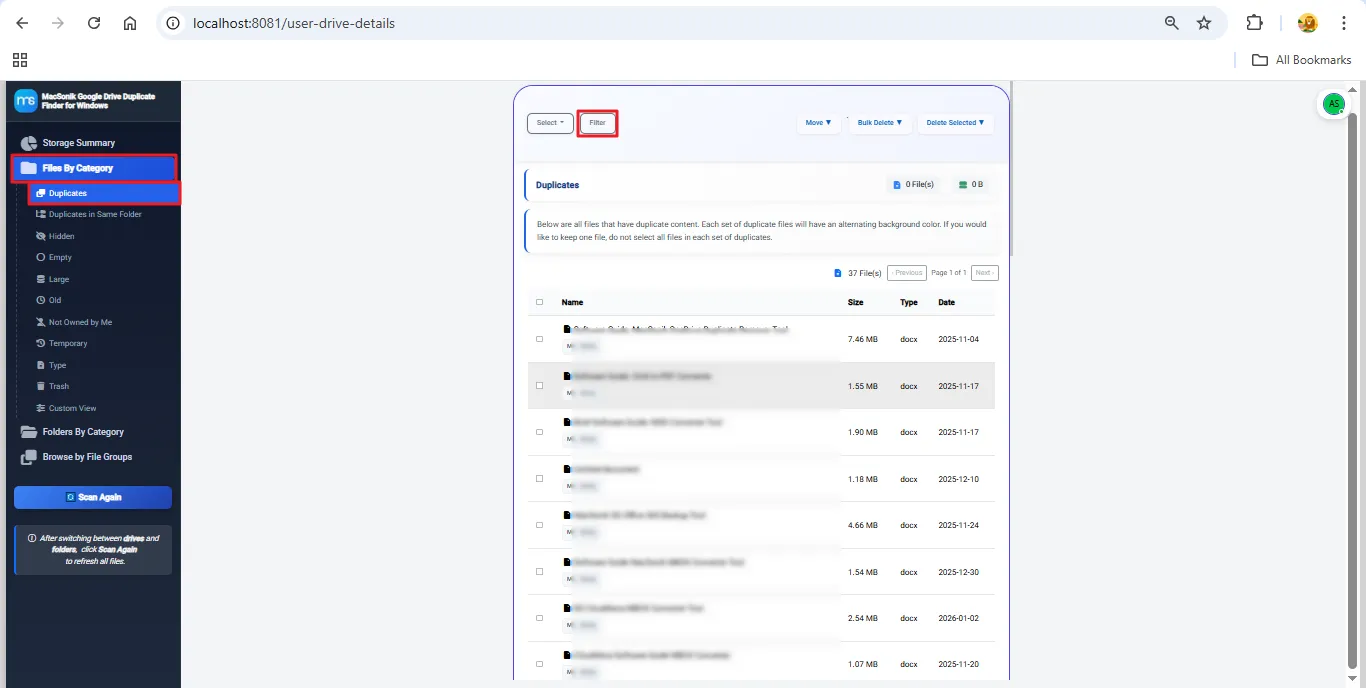
The advanced Google Drive Duplicate Cleaner categorizes data into multiple file groups to identify duplicates quickly and accurately. Each group helps users review specific file types without losing any information.
|
|
|
This proficiently developed and precision-tested duplicate finder delivers top-tier features, providing completely safe, accurate, and customized duplicate cleanup for every Google Drive user.

Secure Google Drive Duplicate Cleanup
MacSonik Google Drive Duplicate Cleaner safely removes duplicate files from Google Drive while keeping all original data accurate. Users can choose whether to scan My Drive or Shared with Me instead of scanning the whole Drive, helping save time and system resources.

Effortless Bulk File Management
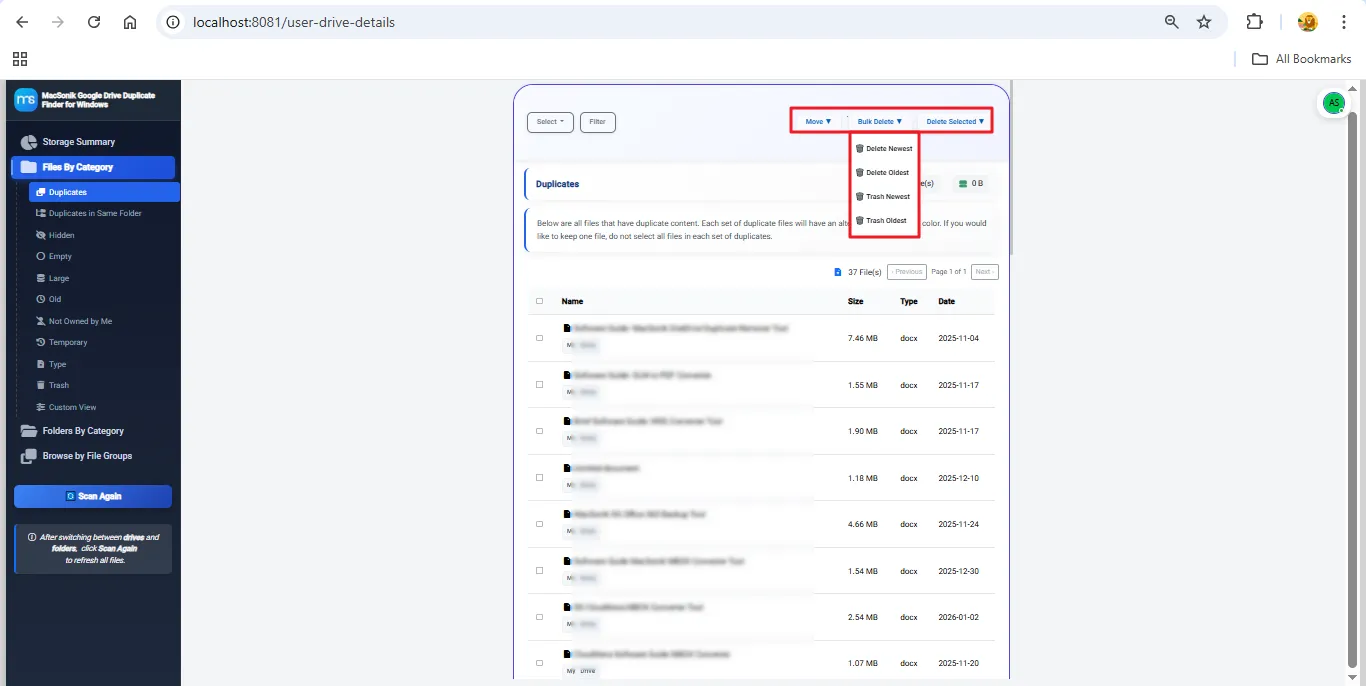
Users can select multiple files at a time and perform a delete or move to Trash operation using this Google Drive duplicate file remover software. Also, this makes the duplicate cleaning process fast, especially for large organizations handling big data sets.

Safe Delete and Trash Options
After duplicate selection, users can delete them permanently or move them to the Trash folder. Trash Selected option keeps your files safe for some time; however, permanent deletion clears storage completely.

Organized Display of Scan Results
Once the scan is completed, all duplicate files are shown in a clean and organized format. Users can easily switch between duplicates, hidden files, or empty files. This structured view makes the review process easy and fast for large amounts of data.

Category-Based File and Folder Sorting
Users can sort scanned items by categories like documents, images, PDFs, and more. It also groups files into duplicates, hidden files, not-owned files, and empty files. One click on any category shows the detailed file list instantly.

Flexible File Size Filtering
The tool allows filtering files by size using Greater Than or Less Than conditions. Users can enter the size value and choose units such as Bytes, KB, MB, or GB, which makes size-based filtering precise and flexible.

Creation Date Filter for Quick Search
Users can scan for duplicates within a specific creation date range by selecting a start and end date. This helps users find files created in a particular time period, whether they are old or new.
Ownership-Based File Sorting
With the Owners filter, users can sort files by who owns them. Also, you can pick one or multiple owners from the dropdown. This is especially helpful for shared Drives and team-based folders.

Filter by Specific File Extensions
Users can filter files by their extension through the Select File Types option. They can choose any format(s) available in their drive or folder like PDF, XLSX, ZIP, EML, and more. The Select All option includes every file type, and the search box makes finding a specific format quick.

Custom Drive and Folder Scanning Options
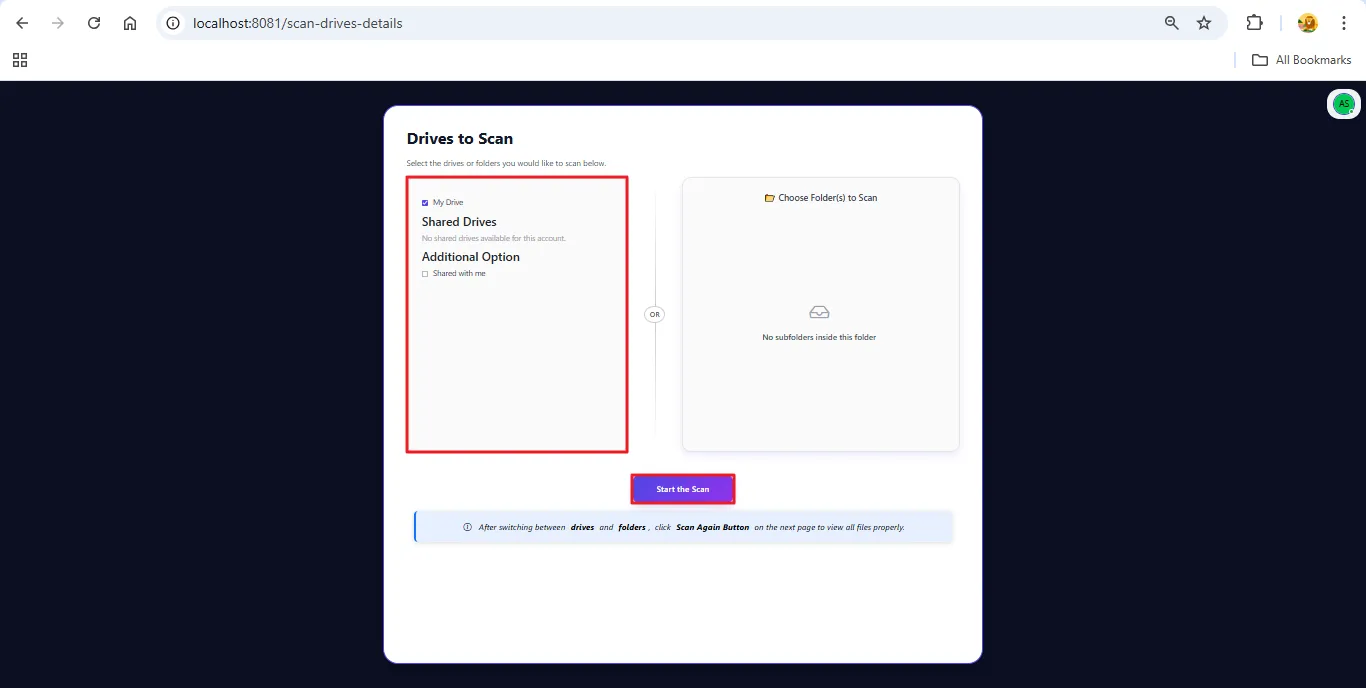
The tool offers complete flexibility with Drive-level and Folder-level scanning. Drive-level scanning checks the entire Google Drive for duplicates; meanwhile, Folder-level scanning scans only selected folders for a targeted cleanup.

Graphical Storage Usage Overview
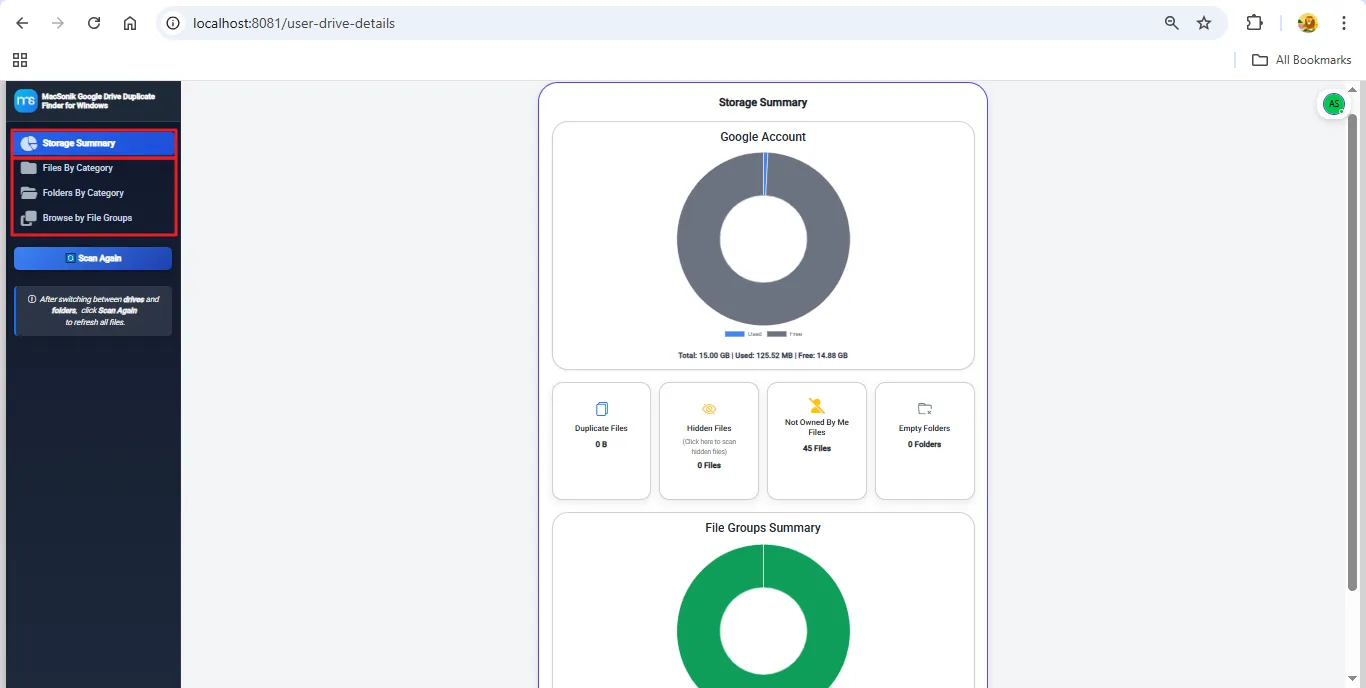
The tool provides a graphical chart showing total storage, used space, and free space. Users can instantly understand their storage usage. The Scan Again option updates results after any changes in Drive or folders.

Easy and User-Friendly Interface
Designed for beginners and professionals, the interface offers simple navigation, clear instructions, and quick access to key actions. Even large duplicate-cleanup tasks can be performed effortlessly without technical expertise.
Full Windows Compatibility
MacSonik Google Drive duplicate cleaner works smoothly on all major Windows versions. The Windows 11, 10, 8.1, 8, 7, Vista, and more previous versions provide full compatibility for all users.

Demo Version Available
The Demo version of this duplicate remover tool lets users scan for duplicate files in their Google Drive account. Additionally, users can preview duplicates, explore available key features, and evaluate the tool’s accuracy and performance before purchasing.
Get started with the Google Drive Duplicate Remover Demo Version to Scan Duplicates in your Drive.
Requirements & Supported Versions For Windows
Version: 26.01
Size: 141 MB
Release Date: January 2026
License Types: Home, Administrator, Technician, and Enterprise
Operating System: Windows 11, 10, 8.1, 8, and previous versions

Requirements & Supported Versions For Mac
Version: 26.1
Size: 149 MB
Release Date: January 2026
License Types: Home, Administrator, Technician, and Enterprise
Processor: Mac System with Apple Silicon Processor M1, M2, M3, and M4 series
Operating System: macOS 13 Ventura, macOS 12 Monterey, macOS 11 Big Sur, and earlier versions

Software Prerequisites
For Windows:

Additional Information
If Yes! Simply disable your anti-virus software for the time being or select it under its settings to allow the program to run.
| Features | Demo Version | Licensed Version |
|---|---|---|
| Scan Google Drive and Folders | Scan up to 100GB | 100GB /250GB /500GB or unlimited: Based on the License Type |
| Duplicate File Preview | ||
| Storage Summary | ||
| Files By Category Classification | ||
| Folders By Category Classification | ||
| Browse by File Groups Classification | ||
| Apply advanced filters based on date, file size, format, or owner | ||
| Delete Duplicate Files from Drive | ||
| Trash Duplicate Files from Drive | ||
| Remove Selected Duplicates | ||
| 24*7 Technical Support | ||
| Download and Purchase | Download | Buy Now |
Ans: Yes. The tool uses secure Google OAuth login, never stores your data, and scans files only with your permission. All processing happens safely within your Google Drive environment.
Ans: Yes. The demo version allows you to scan your Google Drive, preview detected duplicates, and explore tool features before upgrading to unlock full cleanup and bulk actions.
Ans: Absolutely. The tool lets you either permanently delete duplicates or safely move them to Trash, giving you the option to restore files later if needed.
Ans: Yes. You get a complete visual Storage Summary showing total storage, used space, free space, and category-wise insights such as duplicates, hidden files, empty files, and more.
Ans: Yes. The tool allows you to choose between full Drive-level scanning or Folder-level scanning. You can select only the folders you want to analyze, making the process quicker and more focused.

Can’t find the answer you’re looking for? Please chat with our friendly team.
Get in Touch