Enterprise IT Administrators
Manage storage optimization, duplicate cleanup, and workstation maintenance across multiple Mac systems efficiently.
SaaS and Remote Collaboration Teams
Maintain organized shared storage environments by reducing duplicate project files and unnecessary data clutter.
Educational and Research Organizations
Organize academic files, research datasets, and shared storage systems more efficiently with controlled cleanup workflows.
Developers and Software Engineers
Clean temporary build files, cache folders, and residual development data for better storage management.
Business Professionals and Enterprises
Simplify large dataset management and improve storage visibility across daily operational workflows.
Creative Agencies and Media Professionals
Identify duplicate media assets, outdated exports, and large project files to optimize creative workflows.

Advanced Duplicate File Finder
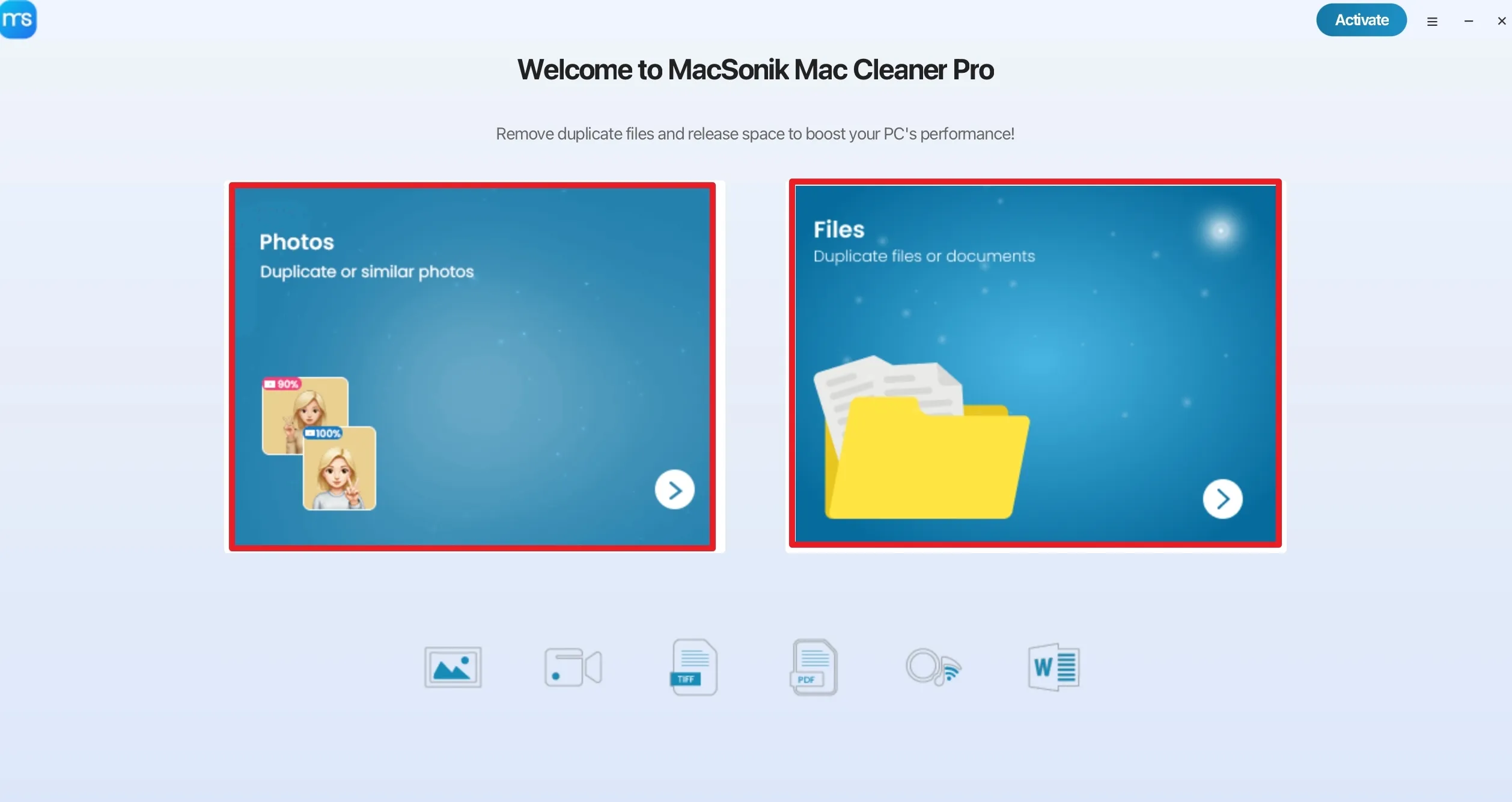
The Clean My Mac software deeply scans Mac storage environments to identify duplicate documents, videos, images, and additional supported file formats. Intelligent comparison technology helps users locate redundant files accurately and reduce unnecessary storage duplication. This maintains organized storage structures and minimizes manual efforts across environments.

Storage Analytics Dashboard
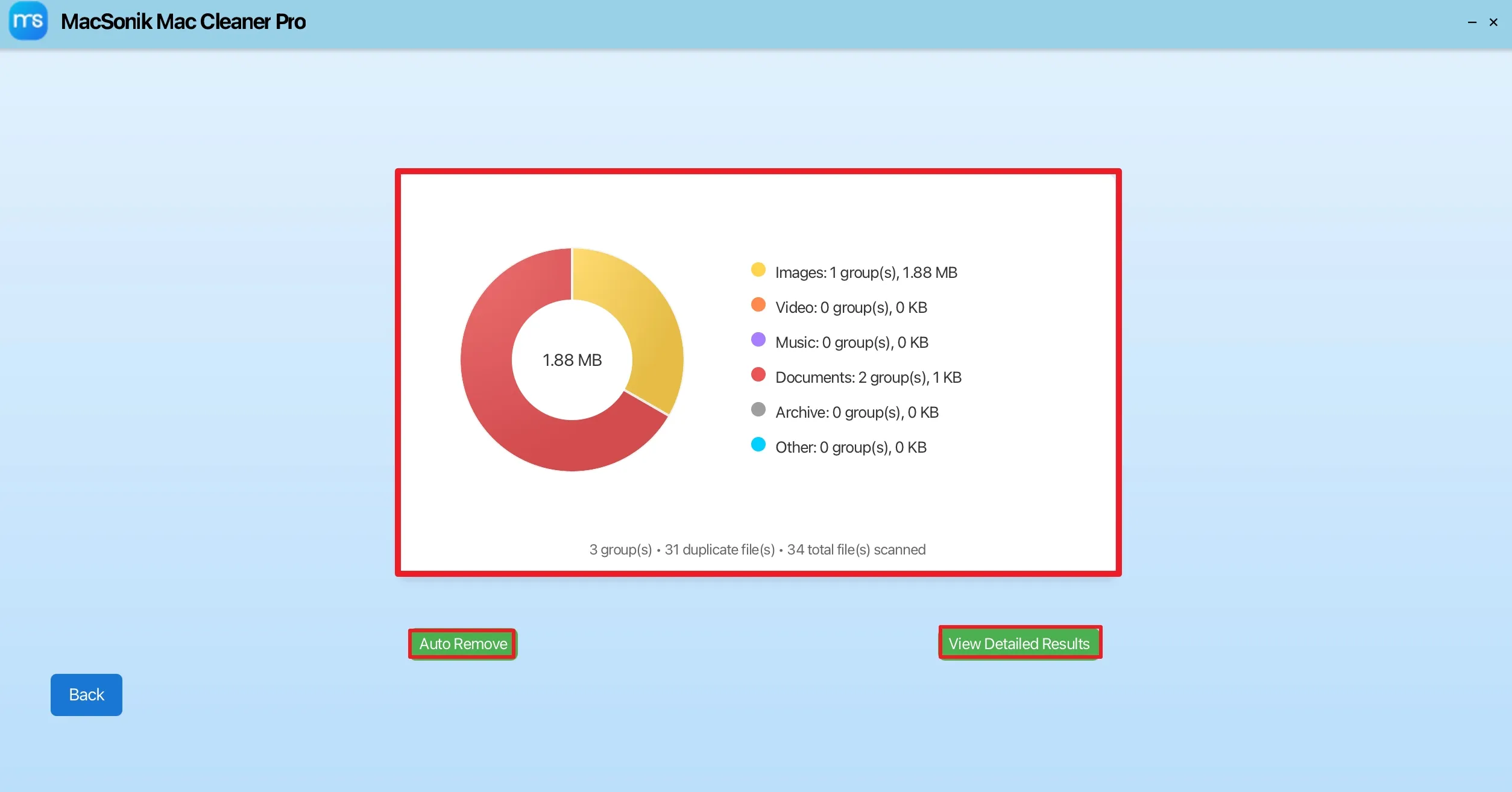
The MacSonik Mac cleaner provides categorized visibility into storage-heavy folders and large files. Users can review storage distribution and identify areas consuming excessive disk space for more efficient storage management. The dashboard simplifies storage analysis and helps users make faster cleanup and optimization decisions.

Deep Junk and Extra File Cleanup
The Clean My Mac software helps remove temporary files, data, logs, and unnecessary clutter generated through regular macOS usage. This helps maintain cleaner storage environments and reduces unnecessary storage accumulation. Regular cleanup can also help users maintain better storage organization and smoother system operations.

Preview Before Cleanup
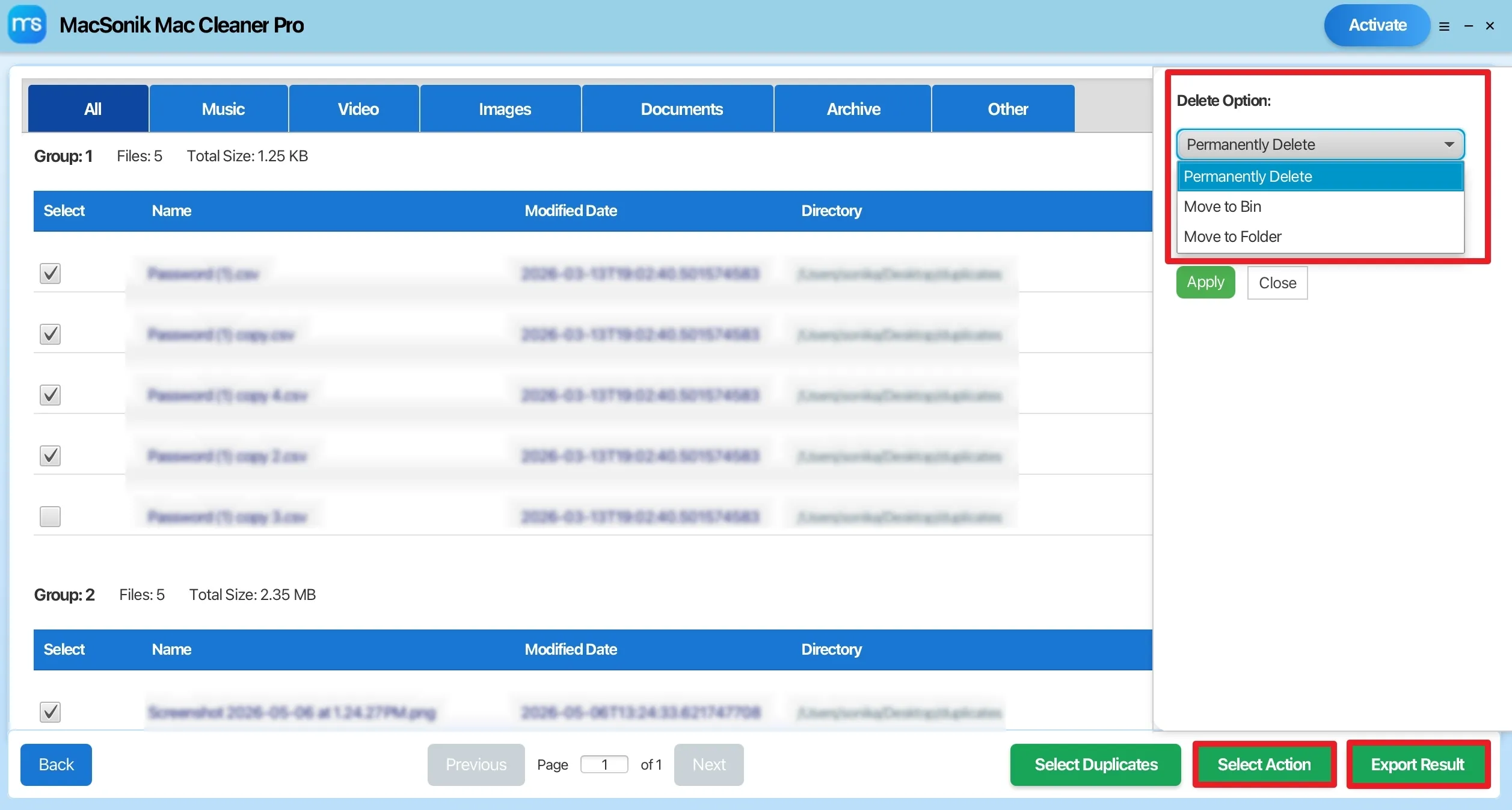
Before executing cleanup operations, the Mac cleaner provides detailed previews including file names, locations, sizes, and extensions. This review-based workflow helps users make informed cleanup decisions safely. It also adds an extra layer of control by allowing users to verify files before permanent removal.

Selective File Removal During the Process
Instead of forcing automatic deletion, the Clean My Mac software allows users to manually choose duplicate or unnecessary files for removal. This controlled cleanup process supports safer file management in professional environments. Users can selectively manage storage without affecting important project data or operational files.
External Drive and Shared Storage Support
The Mac cleaner supports scanning and cleanup operations across USB drives, SSDs, memory cards, and connected external storage systems. This helps businesses manage both internal and portable storage efficiently. It is useful for teams handling shared media, backups, and collaborative project assets.
Multi-Format File Compatibility
The Clean My Mac software supports duplicate detection and cleanup for various file formats, including DOC, DOCX, PDF, XLS, XLSX, PPT, JPG, PNG, ZIP, MP4, MP3, and more additional business and media file types. This broad compatibility helps users manage different storage environments without requiring multiple cleanup tools.

Fast Scanning Performance
The scanning engine is designed to process large datasets efficiently while maintaining stable system performance. This is particularly useful for media-heavy and enterprise-level workflows. Users can scan extensive storage environments without significantly interrupting ongoing operations.

User-Friendly Professional Interface
The dashboard of Mac cleaner is structured for both technical and non-technical users. Simplified navigation and categorized cleanup modules help users operate the software comfortably in professional environments. The organized interface also improves accessibility for teams managing regular storage maintenance tasks.

Supports all the macOS Versions
The Clean My Mac software works across major macOS environments and supports MacBook Air, MacBook Pro, iMac, Mac Mini, and additional Apple desktop systems. This allows users and organizations to maintain consistent cleanup workflows across multiple Apple devices and system versions.
Local Device Scanning
All scanning operations are performed directly on the user’s Mac system without cloud uploads.
User-Controlled Cleanup
Files can never be removed automatically without user review and approval.
Preview-Based Deletion
Users can verify duplicate and junk data before the cleanup execution process.
Safe Cleanup Design
The software is designed to help users avoid accidental removal of essential system-related data.
Privacy-Focused Storage Management
Supports privacy-conscious cleanup workflows for personal and professional environments.
Secure Storage Analysis
Analyzes storage data locally to help maintain better control over sensitive files and business data.

The trial version of MacSonik Clean Up My Mac Tool gives users a chance to test the tool before buying. All output formats and features are accessible in the demo, with a limit of 50 files per folder.

System Requirement
Hard Disk Space: 500 MB of free space required
RAM: Minimum 4 GB (8 GB Recommended)
Requirements & Supported Versions For Mac
Version: 26.05
Size: 230 MB
Release Date: April 2026
License Types: Home, Administrator, Technician, and Enterprise
Processor: Apple Silicon M1, M2, M3, M4, and newer Apple Silicon processors (including M5)
Operating System: macOS 10.13 High Sierra, macOS 11 Big Sur, macOS 12 Monterey, macOS 13 Ventura, macOS Sonoma, and later versions macOS (10.15 "Catalina")

Software Prerequisites
For Mac:

Additional Information
To run this tool smoothly on Mac, follow the below-mentioned steps:
| Product Features | Free Version | Full Version |
|---|---|---|
| Duplicate file scanning | 50 files per folder | All |
| Remove duplicate files | 1 file at a time | |
| Storage Analysis | Limited | |
| Junk data deletion | ||
| Preview scan results | ||
| Filter duplicate files | ||
| Option to move duplicates to the trash | ||
| Move duplicates in a folder option | ||
| Feature to permanently delete duplicates | ||
| Act on files individually or selectively | ||
| macOS Compatibility | ||
| 24×7 Technical Support | ||
| Download and Purchase | Download | Buy Now |
A digital media and video production team managing multiple Mac workstations faced continuous storage issues due to duplicate project exports, repeated media transfers, outdated archives, and temporary editing cache files. As project volumes increased, team members experienced difficulty locating the latest assets and maintaining organized storage environments.
The organization implemented MacSonik Best Mac Cleanup Software to analyze and delete duplicate files on Mac. Using the software’s preview-based cleanup workflow, the team selectively removed unnecessary files without affecting active projects.
The team now uses the software during regular maintenance cycles to help maintain cleaner and more organized macOS workstations.
Ans: The software helps users identify duplicate files, analyze storage usage, clean junk data, and optimize macOS storage environments for better organization and storage management.
Ans: The software can detect duplicate photos, videos, documents, music files, archives, spreadsheets, presentations, and other commonly used file formats.
Ans: Yes. The software provides a complete system scan option to locate duplicate and unnecessary files stored across multiple folders and storage locations.
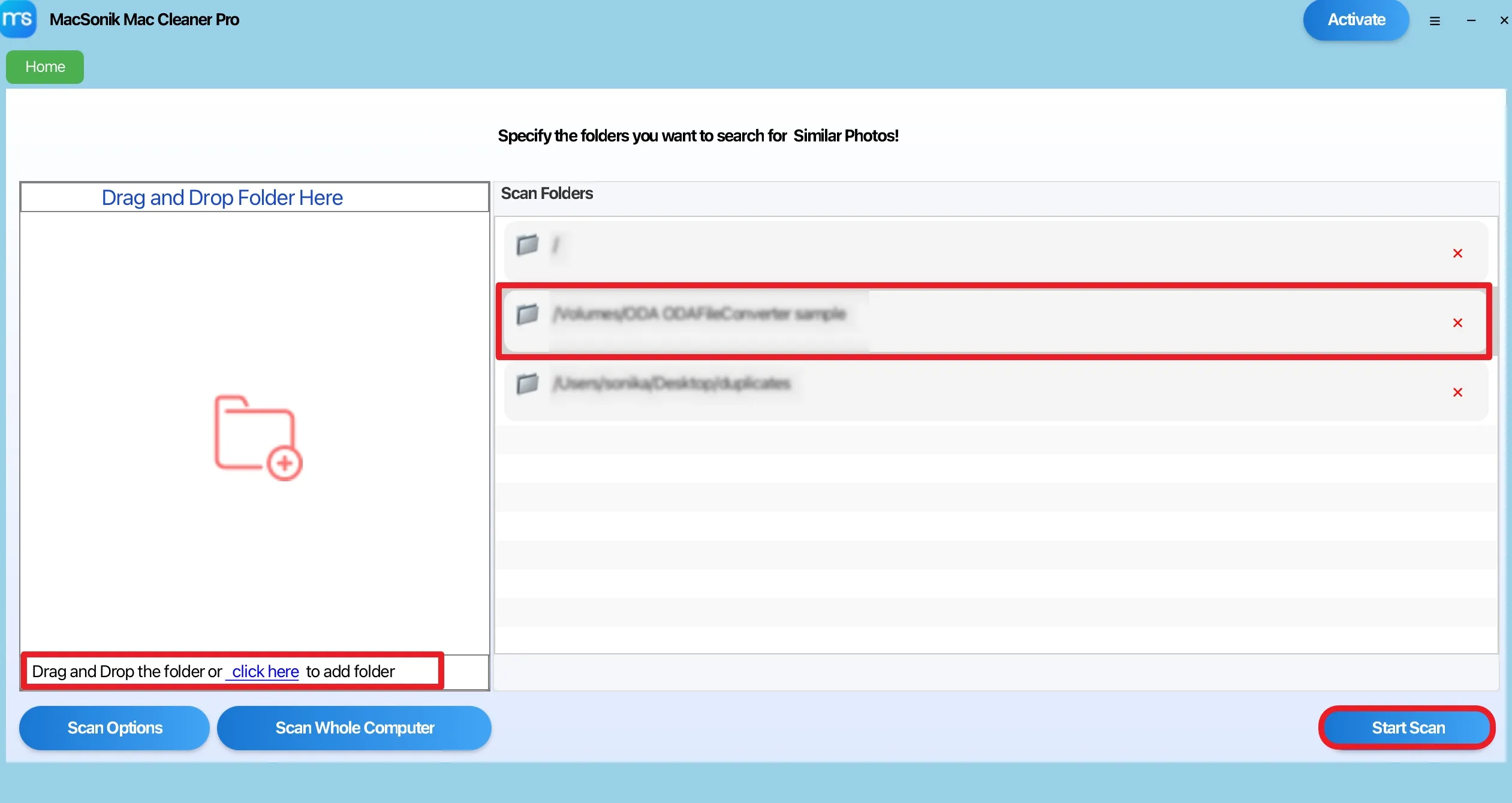
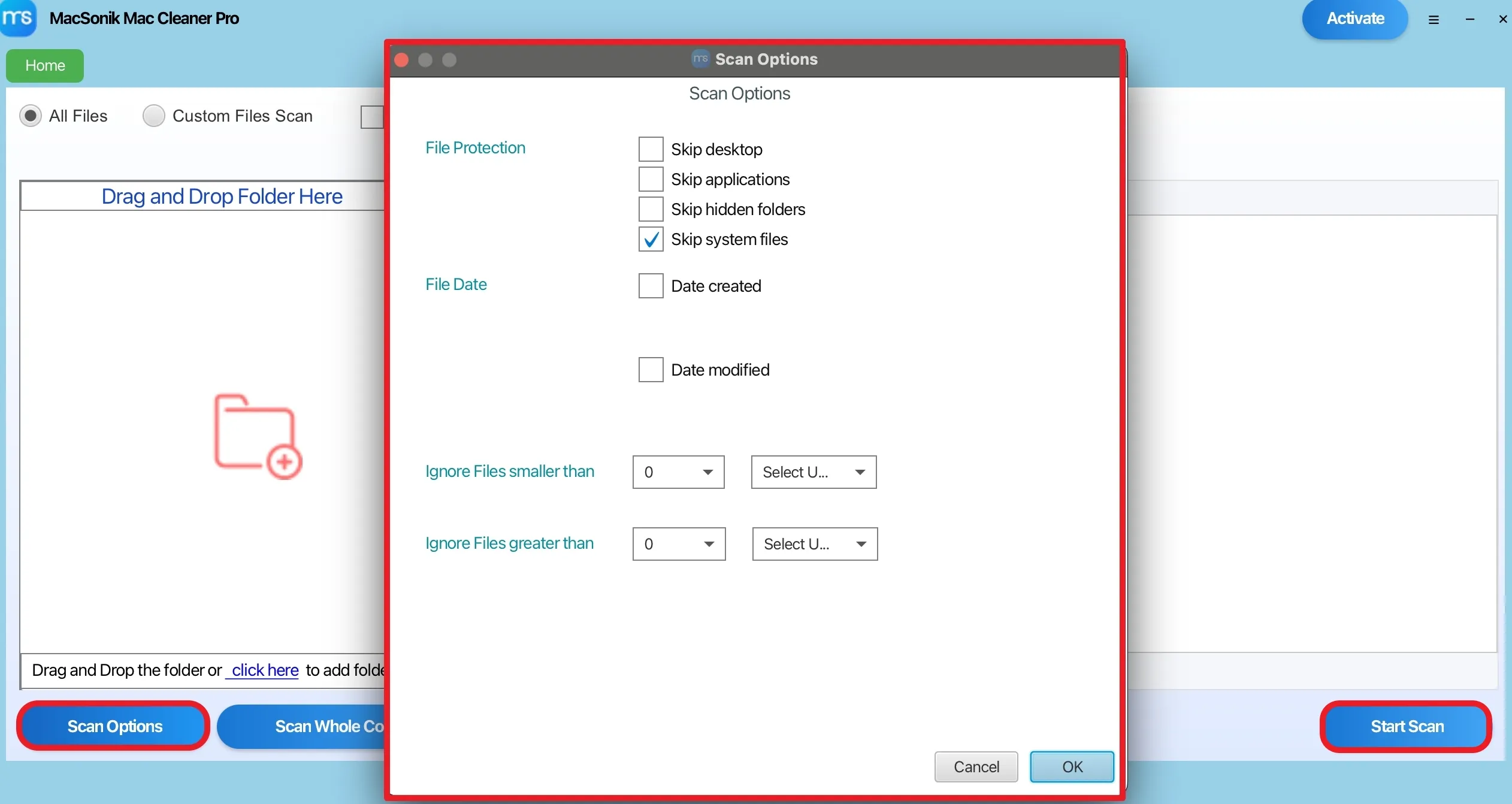
Ans: Yes. Users can scan selected folders, files, or external storage devices using custom scan options and drag-and-drop functionality.
Ans: Yes. The software allows users to review duplicate and junk data with details like file name, size, location, and modification date before removal.
Ans: No. MacSonik Mac Cleaner Pro Tool performs local scanning operations directly on the user’s Mac system without mandatory cloud uploads.
Ans: Yes. The software supports USB drives, SSDs, HDDs, memory cards, and additional external storage devices connected to Mac systems.
Ans: Yes. The software helps developers, designers, video editors, photographers, and creative teams manage duplicate assets, cache files, and large project data efficiently.
Ans: Yes. The tool supports storage analysis and duplicate detection for videos, images, archives, project exports, and other large media files.
Ans: No. Users can review scan results and selectively choose which duplicate files to remove before cleanup execution.
Ans: Yes. The software supports professional workflows involving large datasets, shared storage systems, collaborative environments, and media-heavy operations.
Ans: The demo version allows users to scan storage data, detect duplicate and junk data, and preview results, while some cleanup features may remain restricted.

Can’t find the answer you’re looking for? Please chat with our friendly team.
Get in Touch