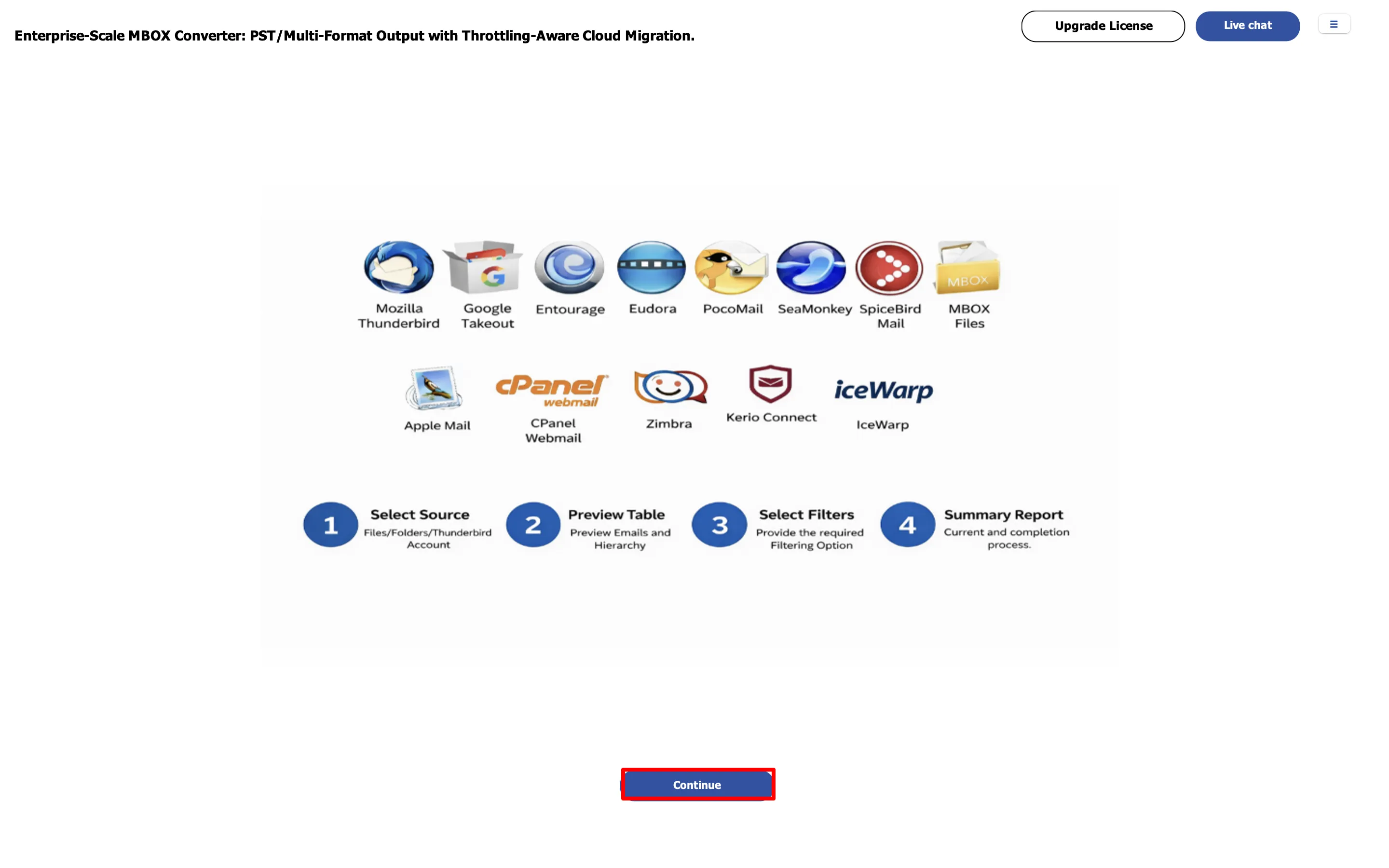
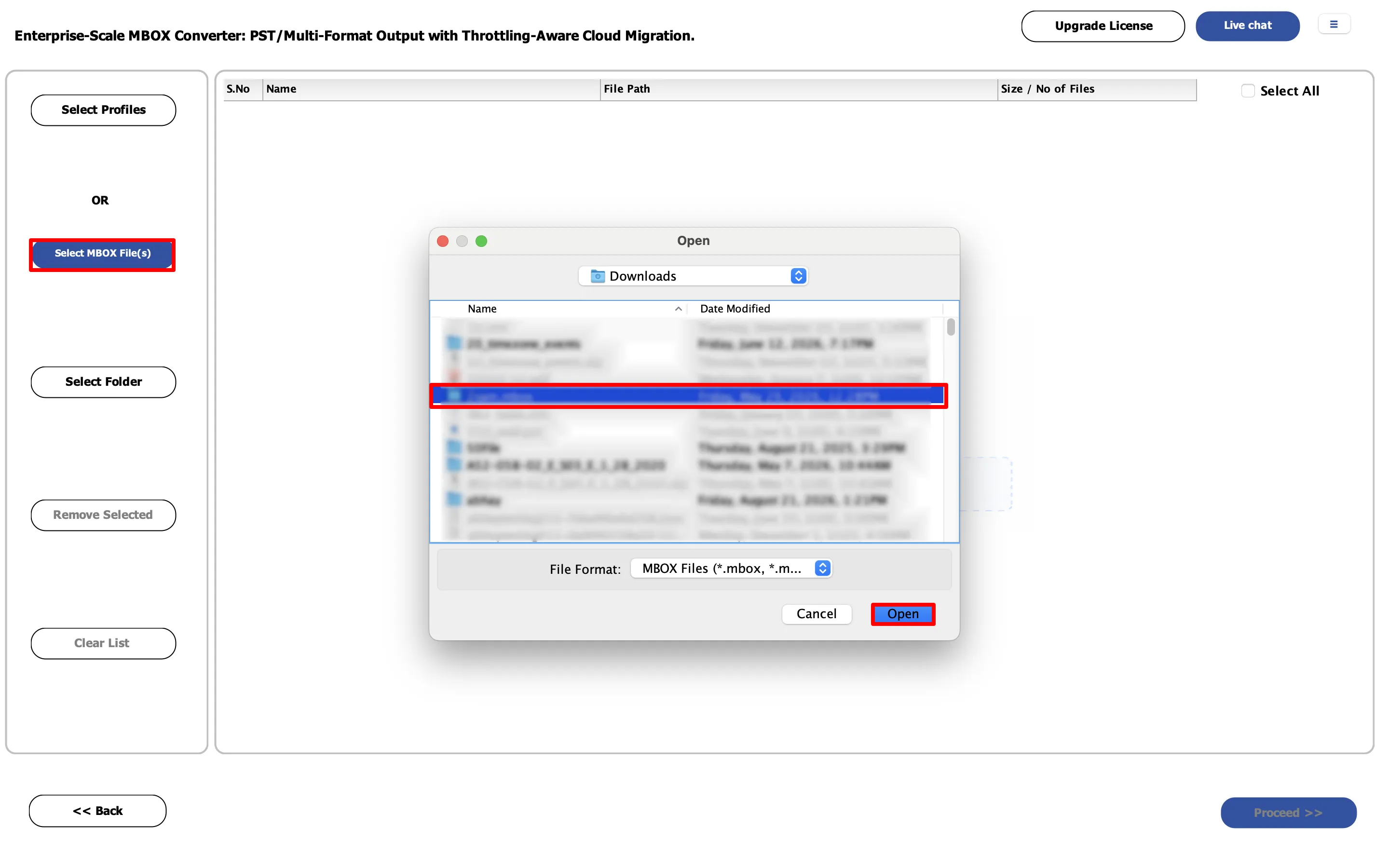
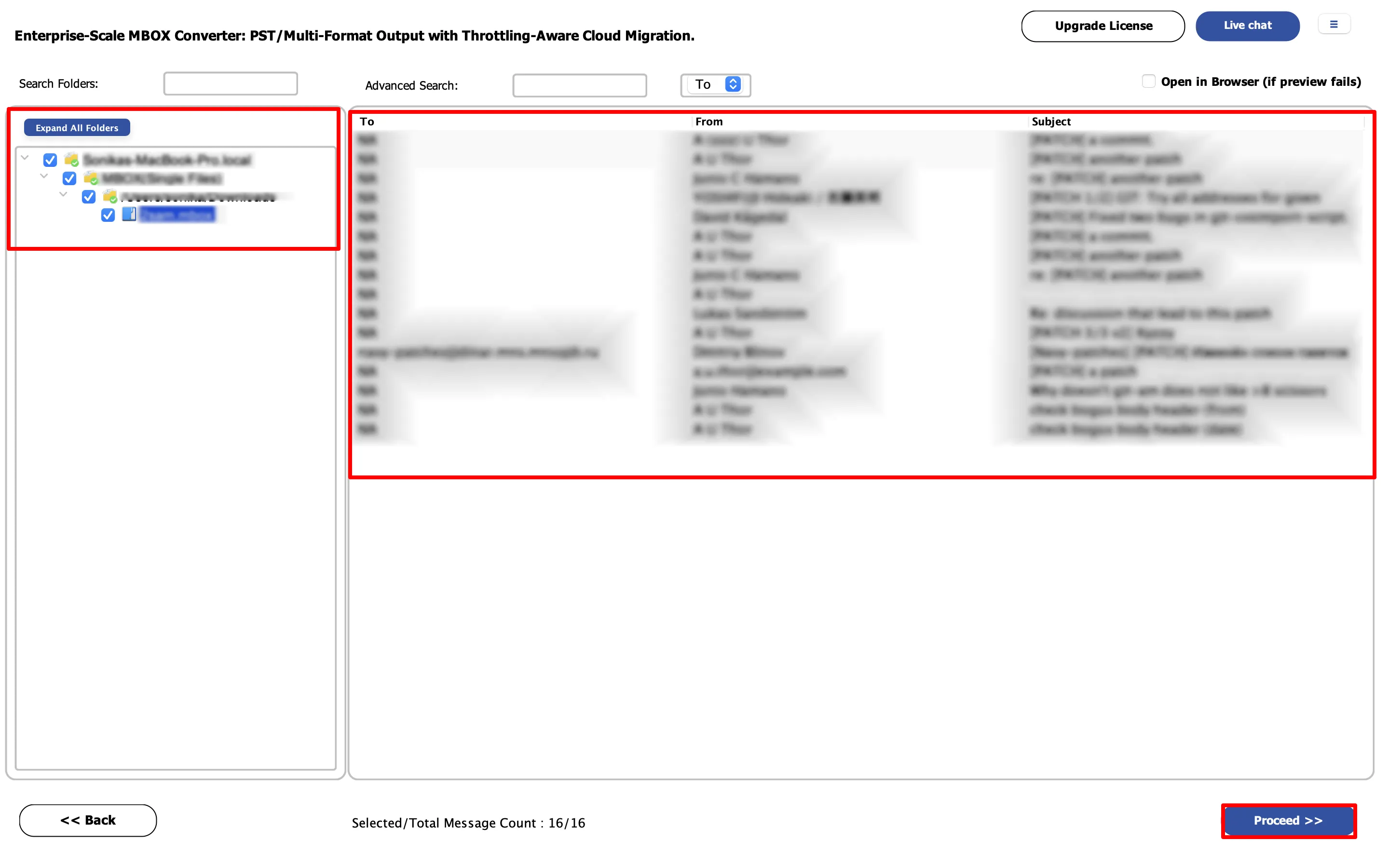
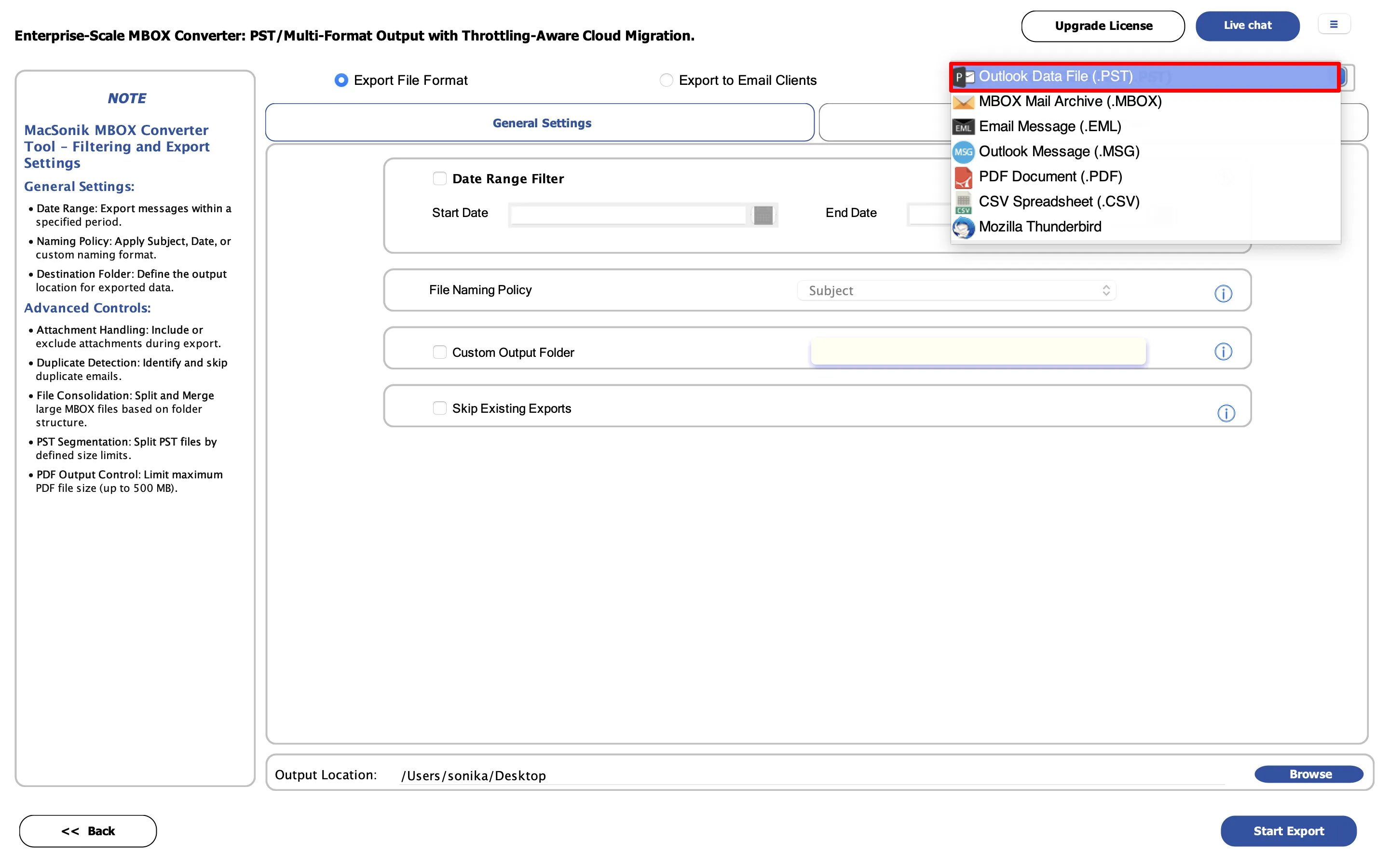
Most-trusted and virus-free software for mac to convert MBOX files into multiple formats such as PST, PDF, EML, CSV, and even import MBOX files to Outlook, IMAP, and many more on macOS.
When need to Convert MBOX to PST
Sometimes, users search for a solution to convert their MBOX files into PST format on the Mac operating system. Now, Using the MacSonik MBOX Converter, they can easily convert their MBOX files into PST.
To Migrate MBOX Files to Office 365
Due to various features of Office 365 webmail clients, users want to switch to Office 365. And Here, MacSonik MBOX Converter is the finest tool to migrate MBOX files to Office 365.
Export MBOX files into CSV Format
If you need to convert or export your MBOX files into CSV format, then you can opt for the most trusted converter tool for mac to do so. The software allows users to convert MBOX files into 20+file format/email client.
Import MBOX to iCloud
In case users need to import their MBOX files into iCloud on macOS. Then they can use the MBOX Converter for mac to import their files into iCloud. The Software allows users to import MBOX to 10+ email clients.
The Mac MBOX Migration Tool will help you to convert MBOX files to EML, PST, EMLX, PDF, MSG, TXT, and CSV file formats. Once you have converted all the emails into these file formats then you can easily import them to their respective email clients. This tool converts all the emails of an MBOX file with attachments on a Mac OS.
You can even export all the emails of an MBOX file with attachments to Gmail, Hotmail, Yahoo, IMAP and Outlook email applications. All you need is to provide the credentials of the respective email client and then initiate the exporting process.
This software also saves a lot of time for the individual. If you are having multiple MBOX Files and you can export or covert them then you can add all of them to this software at once. This tool will perform the conversion in bulk irrespective of the number of MBOX files you add to this tool.
There is no need to worry about your data because this software is 100% accurate and all the emails of an MBOX file are converted without any alteration. You will be able to see the emails with attachments in the respective email client where you have exported the MBOX files.
If you want to create a backup of all emails of your MBOX File as PDF then you can do so with the help of this software. It will save and download all the emails of an MBOX file on your Mac PC with attachments in the form of a PDF file. You can have a backup of all MBOX emails by using this tool.
MBOX Converter for Mac supports all types of MBOX files created on email clients like Thunderbird, Entourage, Eudora, Netscape, Horde Webmail, PowerMail, Mulberry, Postbox, Spicebird, Kmail, and SeaMonkey. The types of MBOX files supported by this software are MBOXO, MBOXRD, MBX, MBS, MSF, and SBD.
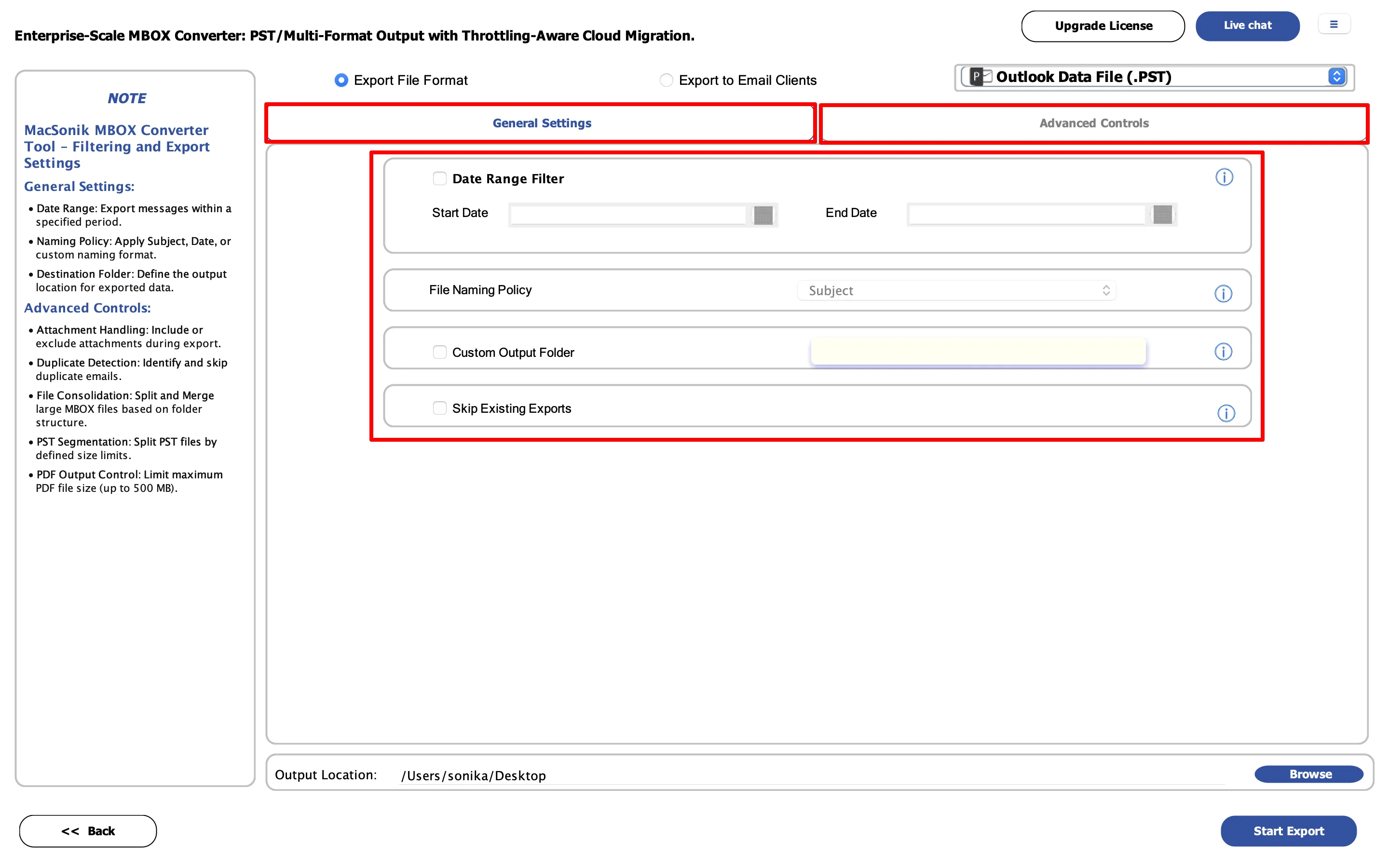
If your MBOX File is having thousands of emails and you only want to convert a few of them then you can use the Date Range File. You will have to select a starting date and an ending date in this feature. The software will convert only those emails that were received or sent during the date range you have chosen.
You can even add large MBOX files to this software for exporting it to Gmail, Hotmail, Yahoo, and other email clients. There is no limitation for adding an MBOX file to this software. On the other hand, it allows you to convert an MBOX file of any size.
This software converts each and every detail of the emails like To, Cc, Bcc, From, Subject, Date, Inline Images, Signature, Headings, Text, Colour, and Hyperlink. So, you will find all the details of the emails in the email client application to which you have converted the MBOX files.
MacSonik MBOX File Converter is compatible with all the versions of the Mac Operating System. It supports the versions of Mac like 10.15 Catalina, 10.14 Mojave, 10.13 High Sierra, 10.12 Sierra, OS X 10.11 El Capitan, 10.10 Yosemite, 10.9 Mavericks, 10.8 Mountain Lion, Mac OS X 10.7 Lion, 10.6 Snow Leopard, 10.5 Leopard, 10.4 Tiger, 10.3 Panther, 10.2 Jaguar, 10.1 Puma, and 10.0 Cheetah.
You can download the Free Mac MBOX exporter to evaluate the performance of the full version. The interface and performance of the demo version are exactly the same as the full version. The only difference between them is that the demo version will convert only the first 25 emails of the MBOX file.
If you are using this tool for the first time then there is no need to worry because it has a user-friendly interface. You can run this tool easily without taking any help from a technical expert. It is the best solution for managing the MBOX files as per your choice.
| Product Features | Free Version | Full Version |
|---|---|---|
| Add Large MBOX Files on Mac | ||
| Converts Multiple MBOX Files in Bulk | ||
| Embedded with Date Range Filter Option | ||
| Directly Exports MBOX Files to other Email Clients | ||
| Exports MBOX Files to Gmail, Hotmail, Yahoo, Outlook, and IMAP | First 50 Emails only | All Emails |
| Converts all MBOX File Emails to PDF, PST, MSG, EML, EMLX, TXT, and CSV | First 50 Emails only | All Emails |
| Supports all the versions of Mac OS including the Latest Version | ||
| 24x7 Technical Support on Call and Email | ||
| 100% Safe, Secure, and Accurate | ||
| Price | Free | $39 |
| Download | Buy Now |
Your System Requirement
Version 21.4
Size - 134MB
Release Date 14 April 2021
Mac System with Intel Processor
(1 GB Recommended) RAM 500 MB Required
Operating System Mac OS 10.8, 10.9, and above versions.
Questions
You must follow the steps given below in order to migrate an MBOX File to MS Outlook:-
Yes, you can save the MBOX File as PDF on your Mac PC. You just have to add the MBOX file to the software and then choose PDF as the file format. Finally, choose the location of the file and then start the saving process.
No, this software doesn’t support a Windows operating system. You will have to download the MBOX Converter for Windows in order to manage the MBOX files on Mac. This software is only compatible with the Mac operating system.
Yes, you can export MBOX files to Gmail using the demo version of MacSonik MBOX Converter Software but only the first 25 emails of your MBOX file will be exported to Gmail. In order to export all the MBOX Emails to Gmail, you will have to download the full version of this tool.
Yes, this software supports the bulk conversion of the MBOX Files. You can add multiple files to this software and convert them in the needed file formats.
It is really an amazing tool to migrate MBOX files on Mac to Gmail and Outlook. I must say that the developing team has done one of the finest inventions that have resolved many problems of the Mac users
The user-interface of this software is amazing and I felt that I have used it before even I was using it for the first time. All the instructions are easy to follow and I saved my entire MBOX file as PDF on my Mac Laptop.
I want to thank the developers of MacSonik who have developed such a utility. Finally, I was able to migrate all my emails from thunderbird to Yahoo without any hassle. Thanks to MacSonik for helping me out during my tough situations
Z-388A/12, NOIDA G.B. NAGAR, NOIDA Gautam Buddha Nagar UP 201301
2880 Zanker Road, Suite 203, San Jose, CA-95134, USA
© Copyrights 2022 by MacSonik - All Rights Reserved