Convert OLM to PDF Format on Mac
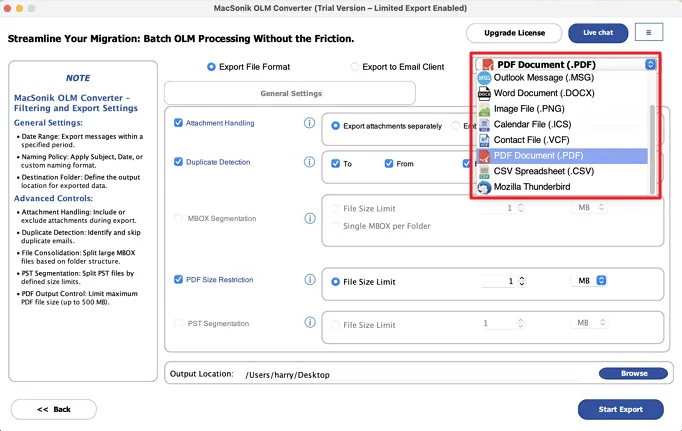
The Mac Outlook Data to PDF Converter is a reliable and effective tool for OLM to PDF export. This powerful application allows users to convert their Outlook OLM files into PDF format. Also provides a variety of useful features for the conversion process.
Allow Bulk Conversion of OLM Files
The OLM File to PDF Converter Tool is a smart and powerful utility that facilitates conversion for both single and multiple OLM files. With this program, users can easily convert multiple Outlook OLM files into PDF format without complication or delay.
Option to Save in Same Folder
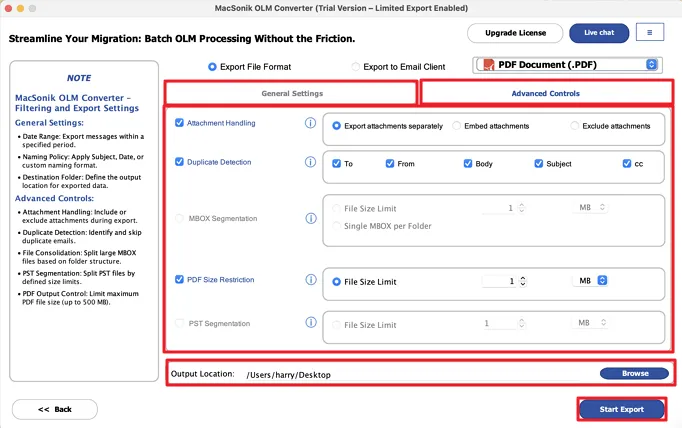
This enhanced OLM to PDF Exporter allows users to save converted OLM files into the same directory as the original files. If you select the “Save in Same Folder” feature, the software will automatically save all converted PDFs to their original directory. It is for easier organization and management of your files..
Feature to Remove Duplicate Mail
It allows users to convert OLM files to PDF effortlessly. The software includes multiple advanced features, such as filtering out duplicate emails from the selected OLM files. The user just needs to enable the “Remove Duplicates” option to ensure a clean and organized PDF conversion.
Supports Preview Before Conversion
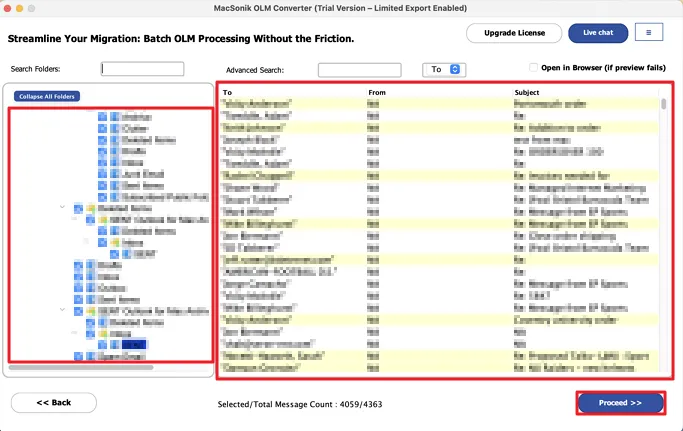
The OLM File to PDF Conversion Tool easily converts OLM files to PDF. It provides a preview feature that allows users to view their emails with attachments. This ensures that only the desired files are converted to make the process more efficient.
Save Without Attachment
MacSonik provides the best OLM to PDF Converter online with useful features for users. The one key feature allows you to convert or back up emails without attachments. This means you can exclude attachments and convert only the email content. It makes the process faster and more focused.
Support Selective Conversion
The OLM to PDF File Exporter for Mac allows users to convert specific files. This tool provides the mail filter feature, and you can set custom start and end dates using the date range filter. It ensures that only the selected emails you need will convert to PDF.
Option to Rename the Output File
Mac OLM to PDF Converter allows users to rename their converted OLM files for easy searching of files. Check the custom folder name and enter any name. The software will save the converted OLM files by your given name.
Ensure that all the mentioned requirements of the software are fulfilled to operate it smoothly.
Trial Limitations
Use the Free OLM to PDF Converter for Mac to check all of the utility's options without purchasing. It is limited to converting only 50 OLM files.
Software Requirement
Hard Disk Space: 256 GB of free hard disk space required
RAM: Minimum 4 GB (8 GB Recommended)
Processor: Apple Silicon M1, M2, M3, M4, and newer Apple Silicon processors (including M5)
Operating System: macOS 10.13 High Sierra, macOS 11 Big Sur, macOS 12 Monterey, macOS 13 Ventura, macOS Sonoma, and later versions macOS (10.15 "Catalina")
About Software
Version: 23.11
Size: 215 MB
Release Date: 13th September, 2025
License Tyes: Home, Administrator, Technician, and Enterprise
Software Prerequisites
Additional Information
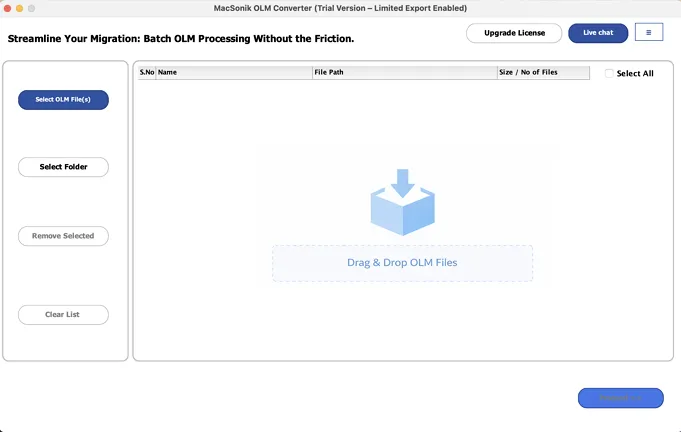
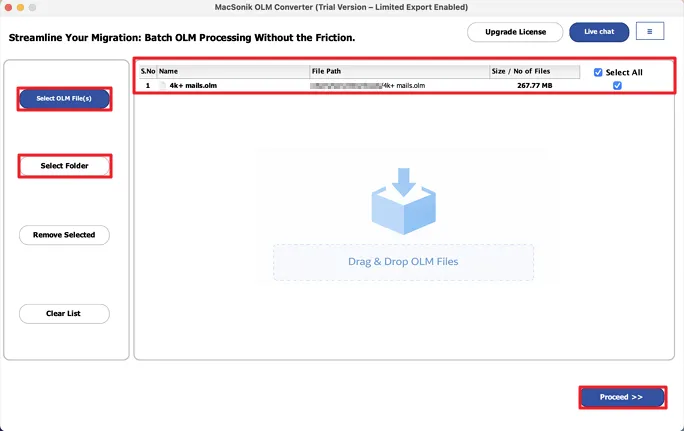
To run this tool smoothly on Mac, follow the below-mentioned steps:
Difference between the demo and the full version of the Best OLM to PDF converter online free
| Product Features | Free Version | Full Version |
|---|---|---|
| Convert OLM to PDF, CSV, PST, EML, MSG, and other formats | 50 items per folder | |
| Handle 50 items per folder | ||
| Directly import OLM files to Gmail, AOL, Office 365, iCloud, and more | 50 items per folder | |
| Batch export using OLM Exporter Tool | ||
| Remove duplicate emails from OLM files | ||
| Migrate only selected emails with date-based filtering | ||
| Backup OLM data without attachments | ||
| Preserve original folder structure while migrating | ||
| 24/7 technical support | ||
| Download and Purchase | Download | Buy Now |
Ans: Follow the step-by-step guide to export OLM files using MacSonik OLM to PDF Converter for Mac:
Ans: Yes, the built-in preview feature allows you to view emails along with attachments before the conversion. This ensures that you only export the required data.
Ans: The OLM to PDF Converter software offers a “Remove Duplicates” option to the users. Using this feature, you can filter out all duplicate emails automatically.
Ans: Certainly, the “Save in the Same Folder” option allows you to place the converted PDF files in the same folder.
Ans: Yes, the OLM to PDF Converter Software provides a “Save Without Attachments” option, which allows you to save or convert only the content of the email, and the attachments will not be saved.
Can’t find the answer you’re looking for? Please chat with our friendly team.
Get in TouchCheck here the Verified Purchase Reviews of the OLM Converter Software.