Backup IMAP to PDF
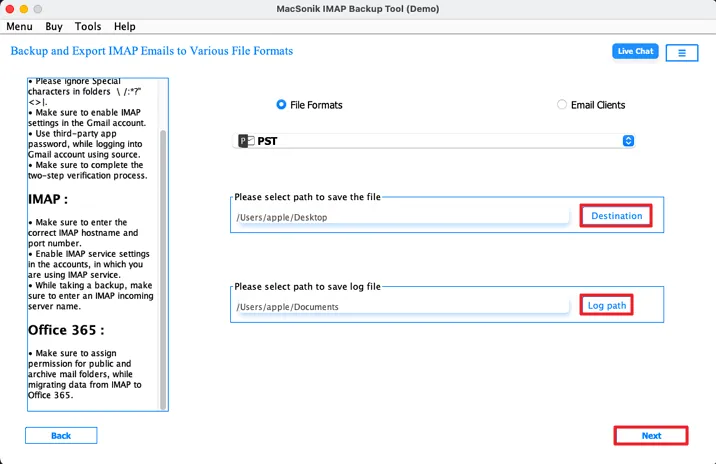
MacSonik IMAP Backup Tool for Mac is designed and developed to back up IMAP email effectively and efficiently. It can back up IMAP emails into numerous file formats such as PST, PDF, MBOX, EML, MSG, CSV, DOC, and DOCX. Besides, it preserves the data integrity throughout the process.
Move IMAP to Different Email Services
Using this advanced software, users can migrate emails from IMAP into multiple email programs. This utility enables users to move IMAP to Gmail, Office 365, IMAP, and G Suite (Google Workspace) directly. Moreover, it keeps the original folder hierarchy the same as it was before.
No Size Restriction
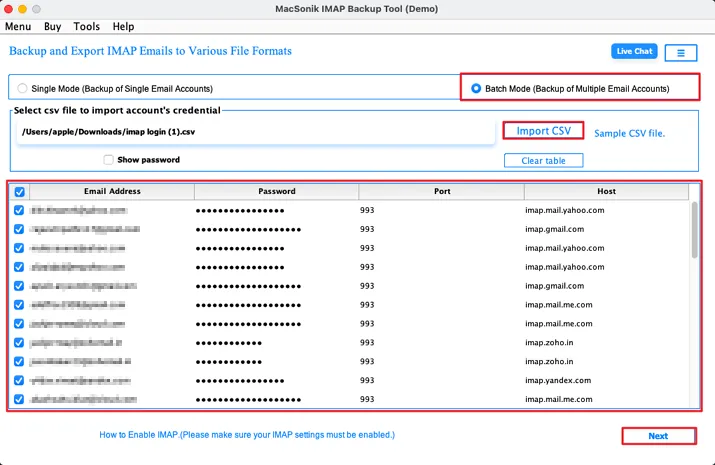
You can use this wizard to backup single or multiple IMAP mailboxes into required saving options without hassle. Additionally, it enables users to backup multiple user's account data in one go. Apart from this, the process will end efficiently and without any risk involved.
Preview and Move Required Mailbox
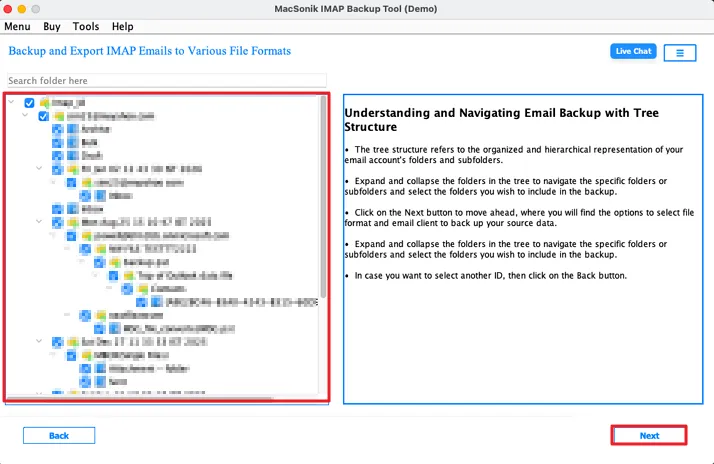
With the help of the IMAP Backup Tool for Mac, users can use it to perform multiple tasks. You can use it to open and read IMAP data. Afterwards, tick the desired folders you want to move. Besides, it will help you end the process quickly while maintaining data integrity.
Migration With No Identical Emails
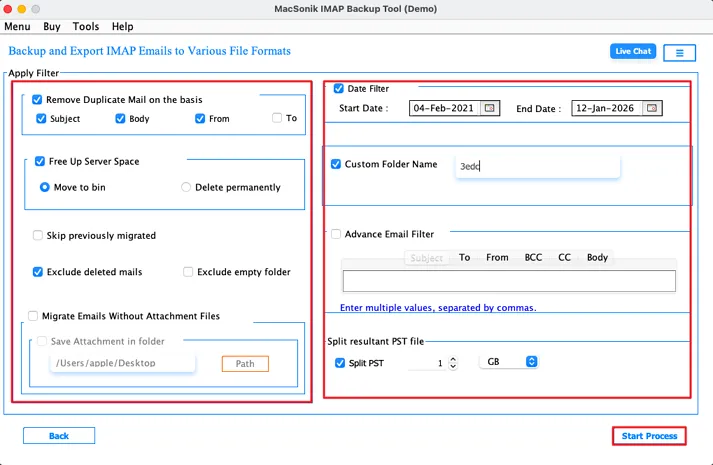
This IMAP Mail backup tool is equipped with numerous incredible features that make the process easier. Using this tool, you can eliminate the identical emails from the process. To do this, set the criteria on the basis of it will identify and remove duplicates such as To. From, Subject, and Body.
Migrate IMAP Enabled-Email Client Email
This is the best multifunctional software that allows users to backup IMAP emails or all the domains supported by IMAP such as Gmail, Yahoo, and others into desired file format or email client without any issues. Additionally, the process will be completed within a few simple steps without data disruption.
Selective Email Backup
The IMAP Server Email Backup Tool has innovative features such as mail filter feature that allows users to migrate or backup selective emails from the IMAP mailboxes. All you need to do is set the date range by providing the start date along with the end date and the tool will automatically fetch the emails between the dates.
Transfer Emails without Attached Files
Using this wizard, you can manage your attached files. This software provides an option to save or migrate emails with or without attachments. If you want to move emails without attachments, tick the box near this feature to enable it. Otherwise, skip this feature to backup emails with attachments as it is the default setting of this tool.
Save Attachments as PDF
This IMAP Backup Tool is a feature-rich utility that allows users to save their attached files in a separate folder as PDF instead of removing them from the migration process. Moreover, the original folder hierarchy will be the same regardless of the use of this feature.
Divide Output PST File
An advanced IMAP Email Backup Tool provides exclusive features to manage data. With this utility, users can break up large output PST files into smaller ones at desired file size like 1 MB or GB, 5 MB or GB. Still, the data remains intact during the entire process.
| Product Features | Free Version | Full Version |
|---|---|---|
| Backup IMAP to PST, MBOX, PDF, and more. | 50 emails per folder | |
| Migrate IMAP-enabled accounts to Gmail, Office 365, and so on. | 50 emails per folder | |
| Import multiple users' account data using the Import CSV Feature | ||
| View and move the selected folder | ||
| Delete similar emails | ||
| Transfer emails without attachments | ||
| Selective email migration feature | ||
| Saving attachments separately as PDF | ||
| Splitting large output PST files | ||
| Assign the required name and place | ||
| Download and Purchase | Download | Buy Now |
System Requirement
Operating System: macOS 10.13 High Sierra, macOS 11 Big Sur, macOS 12 Monterey, macOS 13 Ventura, macOS Sonoma, and later versions macOS (10.15 "Catalina")
Processor: Apple Silicon M1, M2, M3, M4, and newer Apple Silicon processors (including M5)
Ram: Minimum 4 GB (8 GB Recommended)
About Software
Version: 26.01
License Tyes: Home | Corporate | Technical
Additional Information
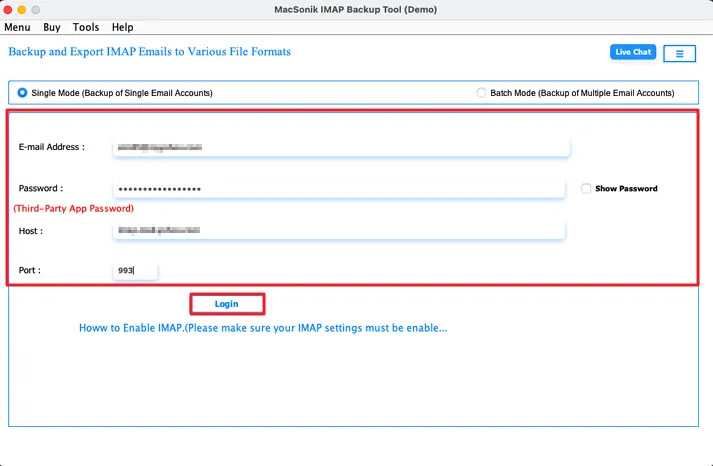
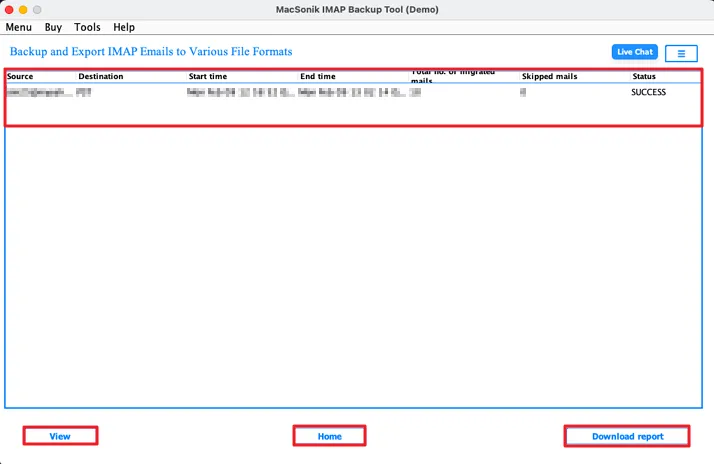
To run this tool smoothly on Mac, follow the below-mentioned steps:
Ans: You have to follow the below steps carefully to backup IMAP emails into PDF format.
Ans: This is one of the most recommended and secure solutions to save bulk IMAP emails efficiently without risk.
Ans: Yes, you can use this tool to backup emails from multiple user accounts without hassle.
Ans: You can save IMAP emails into
Ans: Using this software, users can easily move their emails without similar emails.
Ans: You can use it effectively on all the latest and oldest versions of Macintosh and Windows operating systems.
Ans: When an application requests access that is broader than a single user’s data, Admin consent is required, For instance, access that includes organization-wide or multiple-user resources. In these instances, only a Microsoft 365 administrator can grant the login because this ensures compliance while securing data access throughout the tenant.
Ans: Yes. It is compulsory to enable user sign-in for Modern Authentication. To generate the authentication token, it is necessary to enable the sign-in access for Modern Authentication. If it is disabled, the application will not to be able to access the user data. Therefore, before using Modern Authentication, make sure the user sign-in is enabled for accessing the data.
Can’t find the answer you’re looking for? Please chat with our friendly team.
Get in TouchRead about the experiences of a few MacSonik clients who have used these well-versed tools.