Transfer iiNet Emails to Gmail on Mac in Bulk: Best Methods Explained

Neeru Kuchhal

June 15th, 2026
User-Query:
“I have 8–10 years of emails stored in my iiNet Mail account. It contains 50,000+ emails, 20+ GB of data, important attachments, and multiple folders that I don’t want to lose. What is the safest way to transfer iiNet emails to Gmail in bulk while preserving data without any loss?”
— Posted by “Andrew Collins”
Introduction: iiNet Mail is a popular email service used by many individuals and businesses for daily communication. Over time, mailboxes accumulate important emails, invoices, attachments, client discussions, and business records. However, many users decide to move to Gmail because of its better storage, cloud accessibility, and integration with Google services. Migrating iiNet emails to Gmail can be challenging when dealing with large mailboxes containing multiple folders and attachments. Therefore, this guide explains the best methods to transfer iiNet webmail to Gmail in bulk. Further, covers the MacSonik IMAP Backup Tool for a secure migration process.
Gmail vs iiNet Mail: A Detailed Comparison for Web Users
Let’s understand the difference between the two email platforms:
|
Major Features |
iiNet Mail |
Gmail |
|
Provider-based mailbox |
Cloud-based mailbox |
|
Webmail and device access |
Anywhere access |
|
Basic communication |
Google Workspace integration |
|
Standard protection |
Advanced Google security |
|
Limited by provider |
Scalable cloud storage |
|
Existing mail usage |
Business and personal productivity |
Why Gmail is the Smartest Alternative to Your iiNet Mailbox?
The following are the various reasons why users need to transfer iiNet emails to Gmail:
- Gmail provides better accessibility across devices.
- Google Workspace integration improves productivity.
- For advanced spam and security protection.
- Because of better storage options.
- Easy search and organization features.
- Also, for reliable cloud-based infrastructure.
Guide to Transfer Emails From iiNet to Gmail Manually
If you don’t want to depend on a third-party application, you can complete this task manually. But make sure that this approach consumes a lot of time and has its own limitations.
Approach: Configure iiNet and Gmail in an Email Client
- Open an email client such as Apple Mail or Outlook.
- Add your iiNet Mail account using IMAP settings.
- Then add your Gmail account to the same email client.
- Wait for both accounts to sync completely.
- Drag and move emails from iiNet folders to Gmail folders.
- Lastly, allow synchronization to complete.
Limitations to Manually Transfer iiNet Emails to Gmail
- Time-consuming for large mailboxes.
- Requires manual folder migration.
- There is a risk of duplicate emails.
- No advanced filtering options.
- Depends on internet speed and sync stability.
- Moreover, not suitable for bulk business migration.
The All-in-One Solution to Migrate iiNet Email to Gmail Account
If you want a simple and faster solution, using the MacSonik IMAP Backup Tool is highly recommended. The tool supports the bulk migration while preserving the metadata, formatting, and structure intact. It maintains the folder hierarchy with no data leakage and complete accuracy. Additionally, it enables users to transfer sympatico email to Gmail effortlessly. Apart from this, this software comes with a accessible and beginner–friendly interafce suitable for technical and non–technical users.
Steps to Transfer iiNet Emails to Gmail Professionally
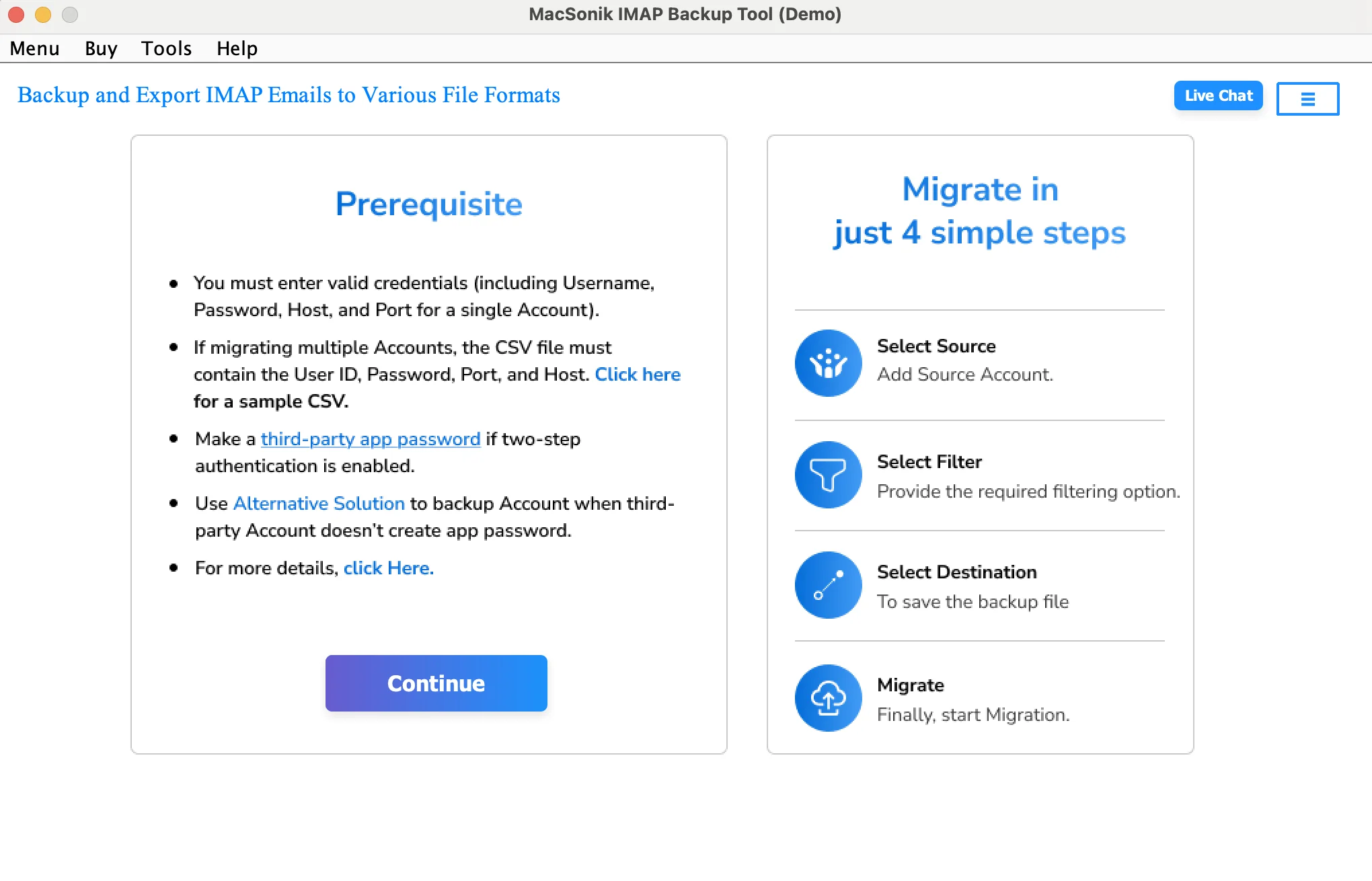
- First, download and execute the MacSonik IMAP Backup Tool.
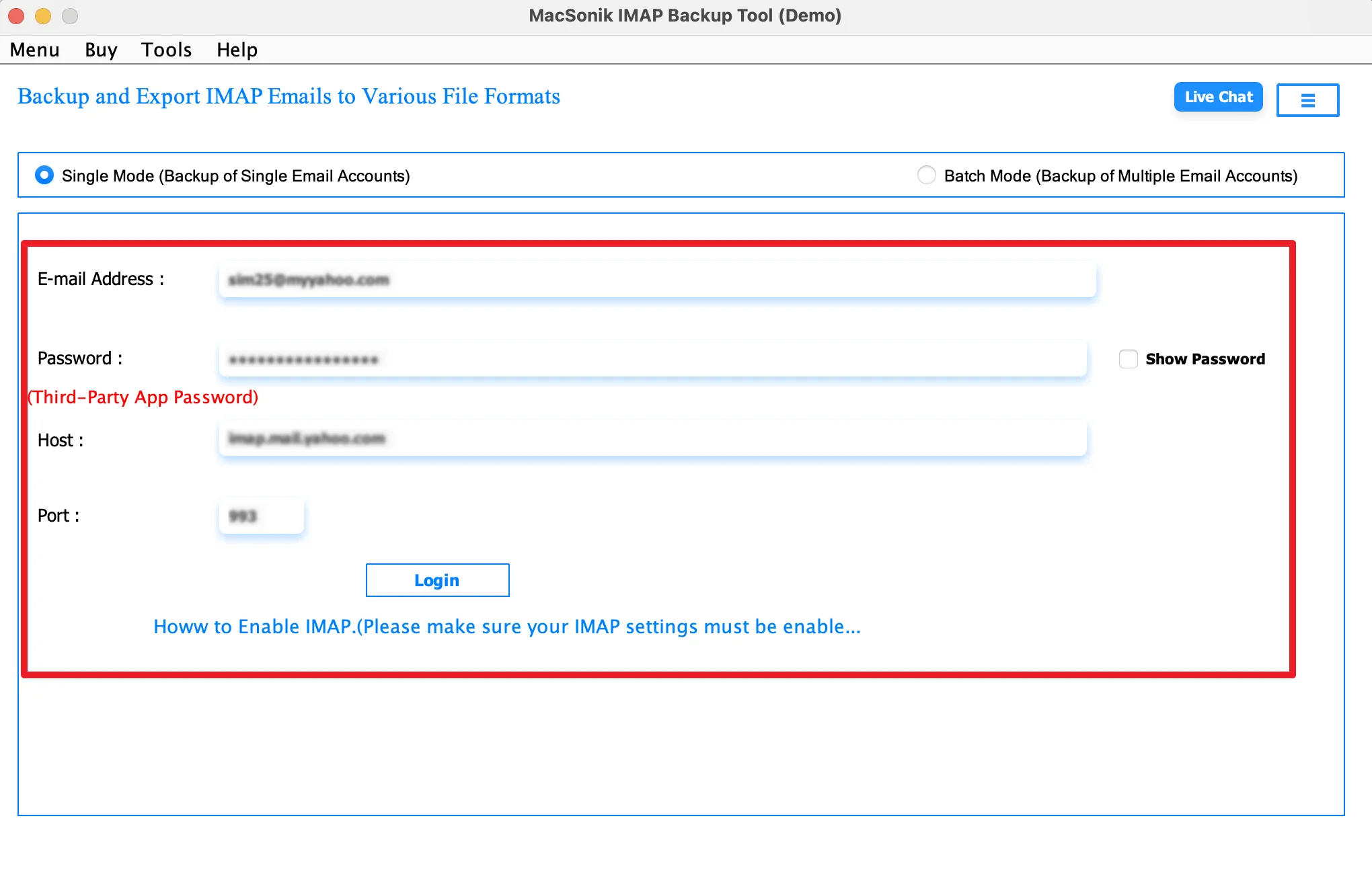
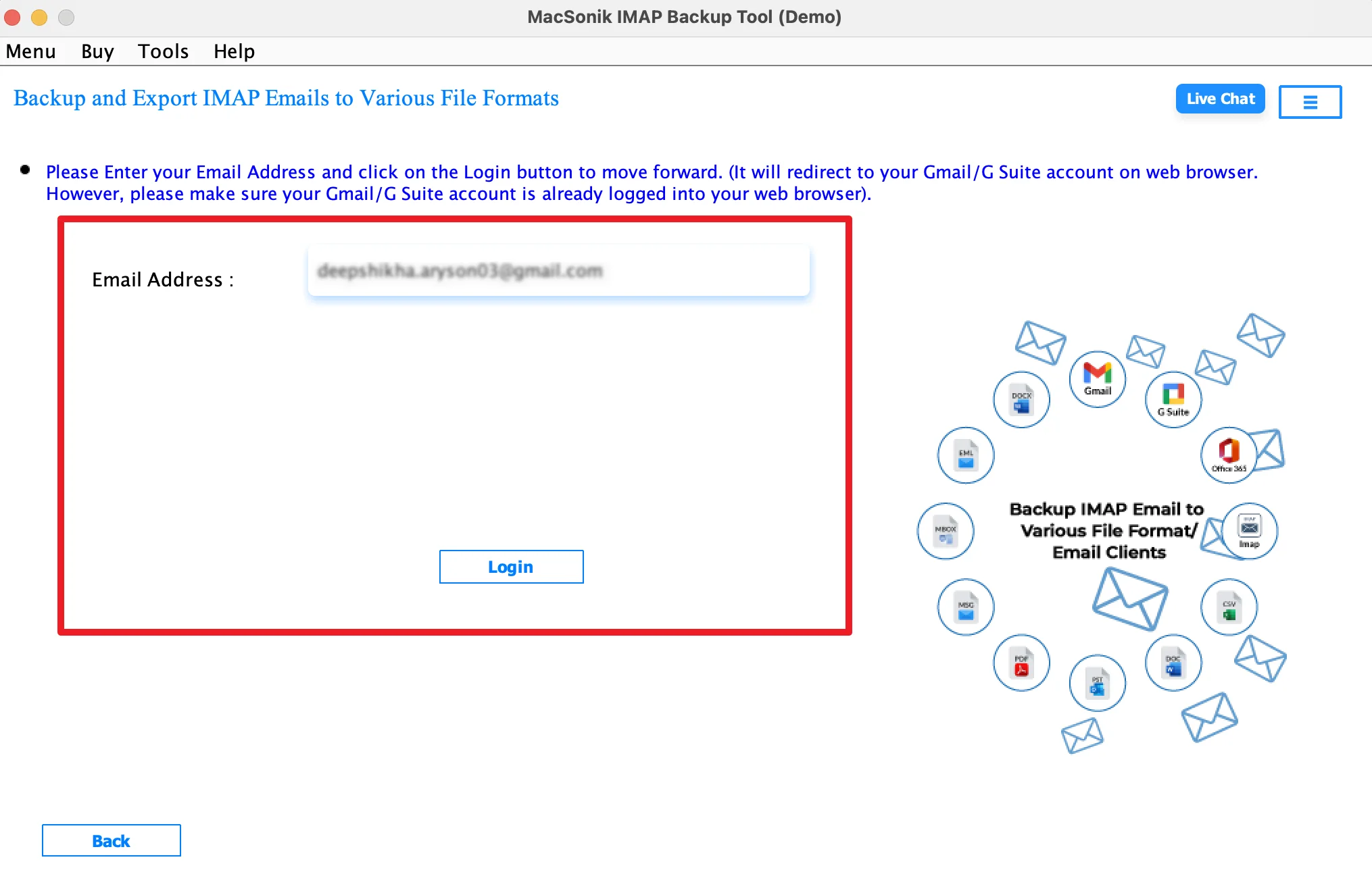
- Now, log in securely using the iiNet account credentials.
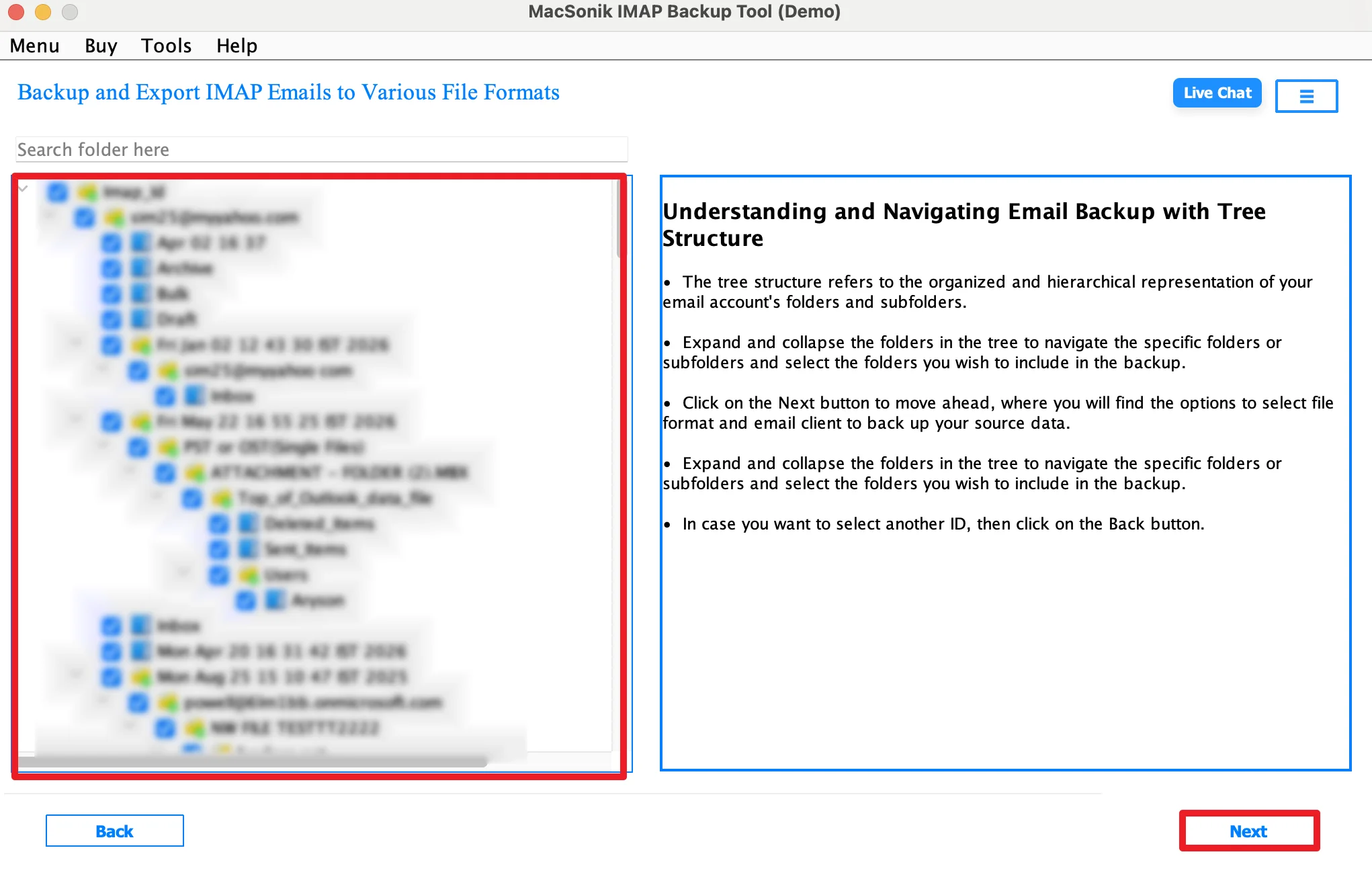
- Expand the folder hierarchy and preview the complete structure.
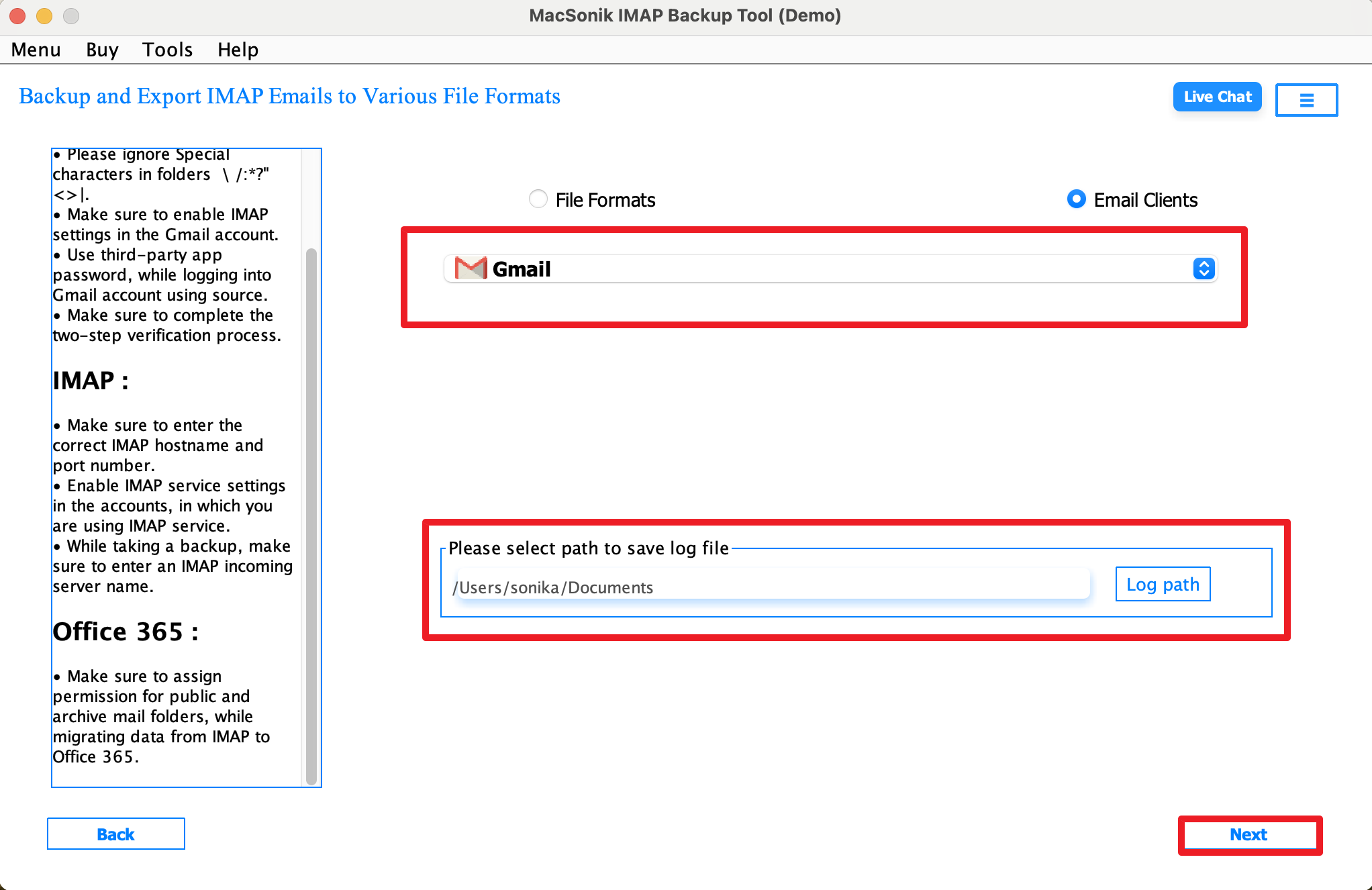
- Choose Gmail as the saving email client and select the path to save the file.
- Furthermore, log in using the Gmail account credentials carefully.
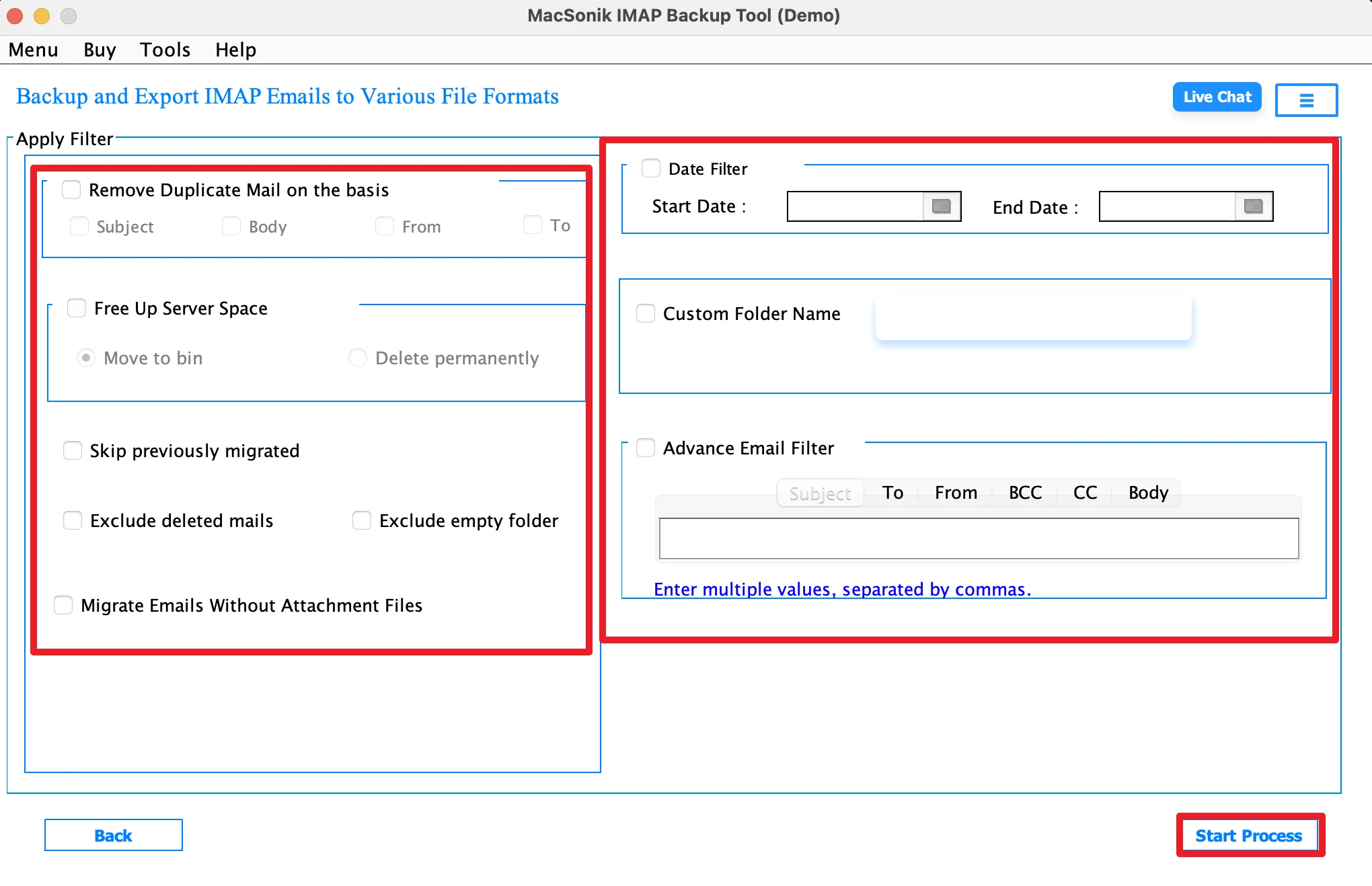
- Finally, apply the features as needed and start the export.
Security & Privacy You Can Trust
- No mailbox content is shared during migration.
- Selective migration by folder, sender, or date.
- Safe bulk migration for large mailboxes.
- Maintains original email properties and formatting.
- Read-only migration keeps source mailbox unchanged.
- Suitable for enterprise-level email migration projects.
Real-Life Scenario: Small Business Email Upgrade
A small eCommerce business had been using iiNet Mail for customer communication for several years. As the business grew, the team needed a more scalable and collaborative email platform. They decided to move to Gmail but found manual migration too slow for thousands of emails. Using the MacSonik IMAP Backup Solution, they transferred all iiNet emails, attachments, and folders to Gmail successfully. This allowed the team to continue operations smoothly with improved accessibility and storage.
Conclusion
In conclusion, transferring iiNet emails to Gmail helps users improve accessibility, storage, and overall email management. While manual methods are available, they often become slow and difficult for larger mailboxes. Therefore, using the IMAP Backup Tool is the most reliable solution to transfer iiNet emails to Gmail. Besides, it ensures a fast, secure, and accurate migration on Mac. In case you face any problem related to the software or process, reach out to our support team immediately.
Frequently Asked Questions
Ans. To share iiNet emails to Gmail, you generally need the iiNet IMAP server details, port number, email address, and password. These settings help establish a secure connection between the source iiNet mailbox and the destination Gmail account. Correct server configuration is important for smooth and complete migration.
Ans. Yes, the advanced MacSonik IMAP backup tool supports incremental migration, which means only newly arrived emails are transferred after the initial migration. This helps avoid duplicate emails and makes it easier for businesses to keep mailboxes updated during an ongoing migration process.
Ans. Some common issues include authentication errors, slow migration speed, duplicate emails, missing attachments, and folder mapping problems. These issues are more common with manual methods, especially for large mailboxes. Using a professional IMAP backup tool can reduce these risks significantly.
Ans. Yes, a reliable MacSonik solution preserves both email folder hierarchy and attachments during the transfer process. This ensures that Inbox, Sent, Drafts, custom folders, and all associated attachments remain organized and accessible in your Gmail account after migration.
About The Author:
I am Neeru Kuchhal, a Technical Content Writer who focuses on turning complex ideas into clear, engaging, and impactful content. I combine creativity with strategy to write blogs, web content, and technical articles that connect with the right audience and support brand goals. I believe great content is not just written. It is thoughtfully created to inform, build trust, and drive action.
Related Post
