Convert Netscape Mail to Outlook PST: Complete Migration Guide

Neeru Kuchhal

June 19th, 2026
User-Query:
“I have around 18,000 old emails stored in Netscape Mail. This includes nearly 7 years of business communication, client attachments, and archived project folders. The mailbox size is approximately 12 GB, and many of these emails contain important data that I cannot lose. I now want to move everything to Microsoft Outlook for better accessibility and management. What is the safest and easiest way to convert Netscape mail to Outlook without risking data loss or folder disruption?”
— Posted by “Jonathan Miller”
Introduction: Netscape Mail was a widely used email client for managing personal and business communication. It stores mailbox data in MBOX format, which makes it suitable for archiving emails and attachments. However, since Netscape Mail is outdated and no longer actively maintained, many users now prefer moving to modern email clients. Outlook offers advanced mailbox management, calendar integration, better security, and business collaboration features. The challenge is that Outlook does not support direct Netscape Mail imports.
Therefore, to overcome this challenge, the guide explains the safest methods to import Netscape Mail into Outlook. Likewise, it covers a professional MacSonik IMAP Backup Tool.
Netscape Mail vs PST: Which One Should You Actually Use?
|
Major Factors |
Netscape Mail |
PST |
|
MBOX mailbox |
Outlook Data File |
|
Legacy email client |
Outlook for Windows |
|
Local mailbox files |
Outlook mailbox storage |
|
Supported |
Supported |
|
Supported |
Supported |
|
Legacy email archives |
Outlook backup and migration |
Why Convert Netscape Mail to Outlook? Top Reasons Explained
There are several reasons why users prefer PST over Netscape Mail:
- Outlook offers better email management.
- Easier mailbox backup and portability.
- Improved security and compliance features.
- For better Microsoft 365 integration.
- Access archived Netscape emails in Outlook.
- Centralized communication and collaboration.
- Furthermore, no valid MBOX files were found.
Do It Yourself: Manual Steps to Convert Netscape Mail To PST
As Outlook PST does not directly support the conversion of Netscape emails, you need to complete this task manually. But make sure that this solution has some limitations that make the process slow and time-consuming.
Solution 1: Import Netscape Mail into Thunderbird and Export to Outlook
- Firstly, locate the Netscape Mail MBOX files.
- Now, import them into Mozilla Thunderbird using ImportExportTools.
- Configure the same mailbox in Outlook via IMAP.
- Move emails from Thunderbird to the IMAP account.
- Sync the mailbox in Outlook.
- Lastly, export the mailbox data into PST format.
Limitations: Manually Convert Netscape Mail to Outlook
- This is multi-step and time-consuming.
- Requires Thunderbird and Outlook installation.
- There is a risk of duplicate emails.
- Complex for non-technical users.
- Sometimes there are possible formatting issues.
- Moreover, not suitable for large mailboxes.
The Trusted Solution to Export Netscape Mail to Outlook
To overcome the manual challenges, use the MacSonik IMAP Backup Software. This software can directly perform the bulk migrations securely. It has built-in features that make the process easier while maintaining every metadata intact. Apart from this, it allows users to export PowerMail to Outlook PST and other formats with no data loss. Similarly, the tool provides a trial version, enabling users to convert 50 emails per folder before purchase.
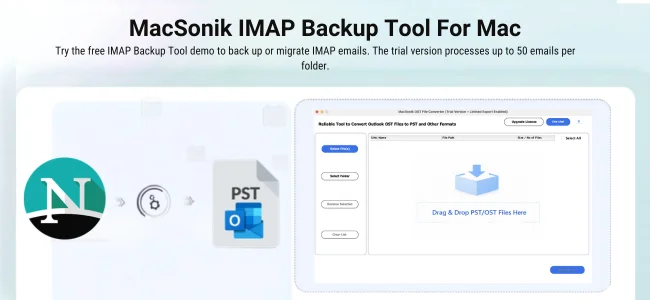
There are some of the key features mentioned below:
- Direct Netscape Mail to PST conversion.
- Bulk mailbox conversion support.
- Preserves attachments and metadata.
- Maintains folder hierarchy with any changes.
- Selective email conversion.
- This software has a fast processing engine.
- Additionally, it comes with a user-friendly interface.
Easily Convert Netscape Mail to Outlook: Here’s How
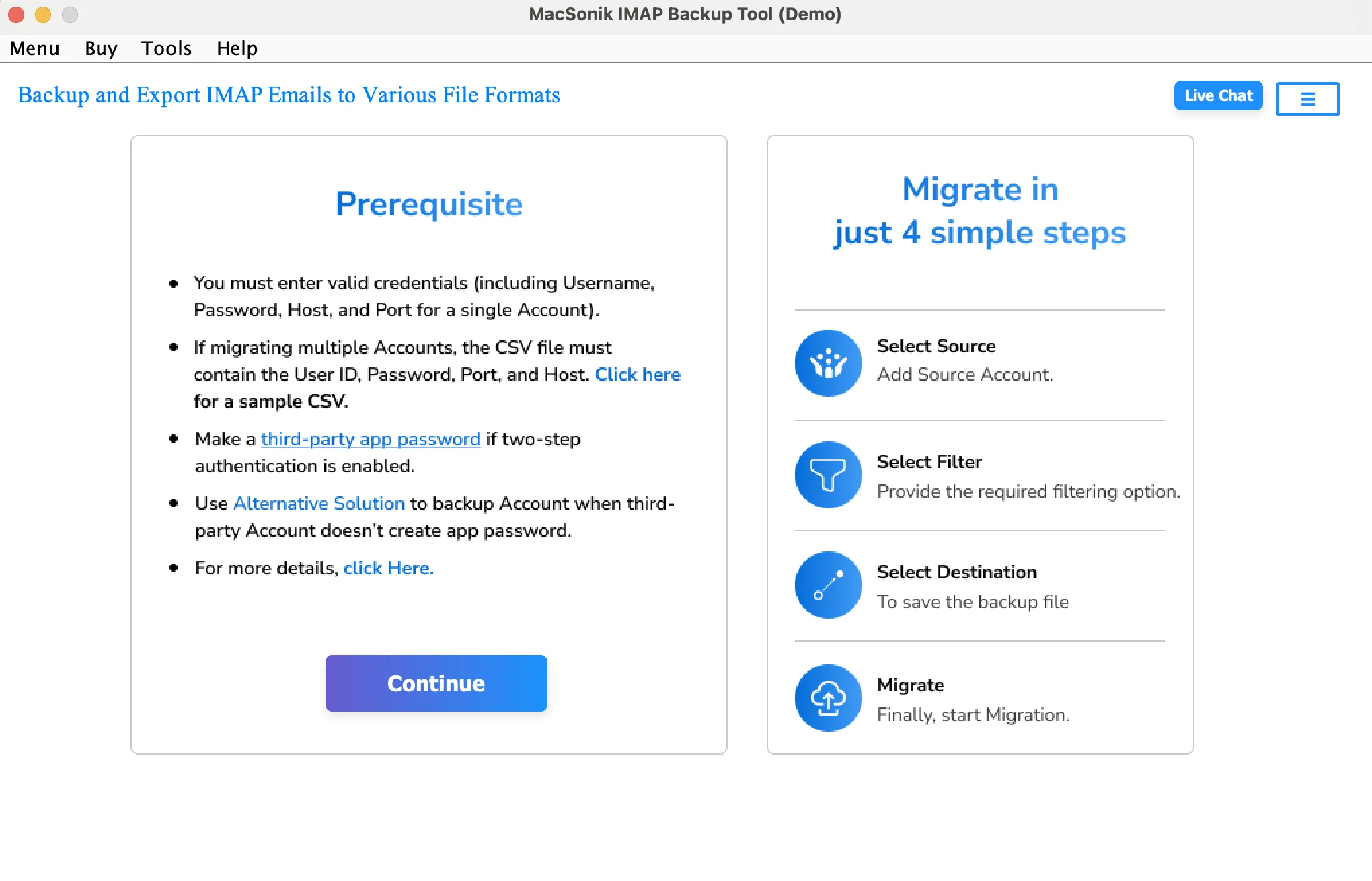
- First, install and run the MacSonik IMAP Backup Tool.
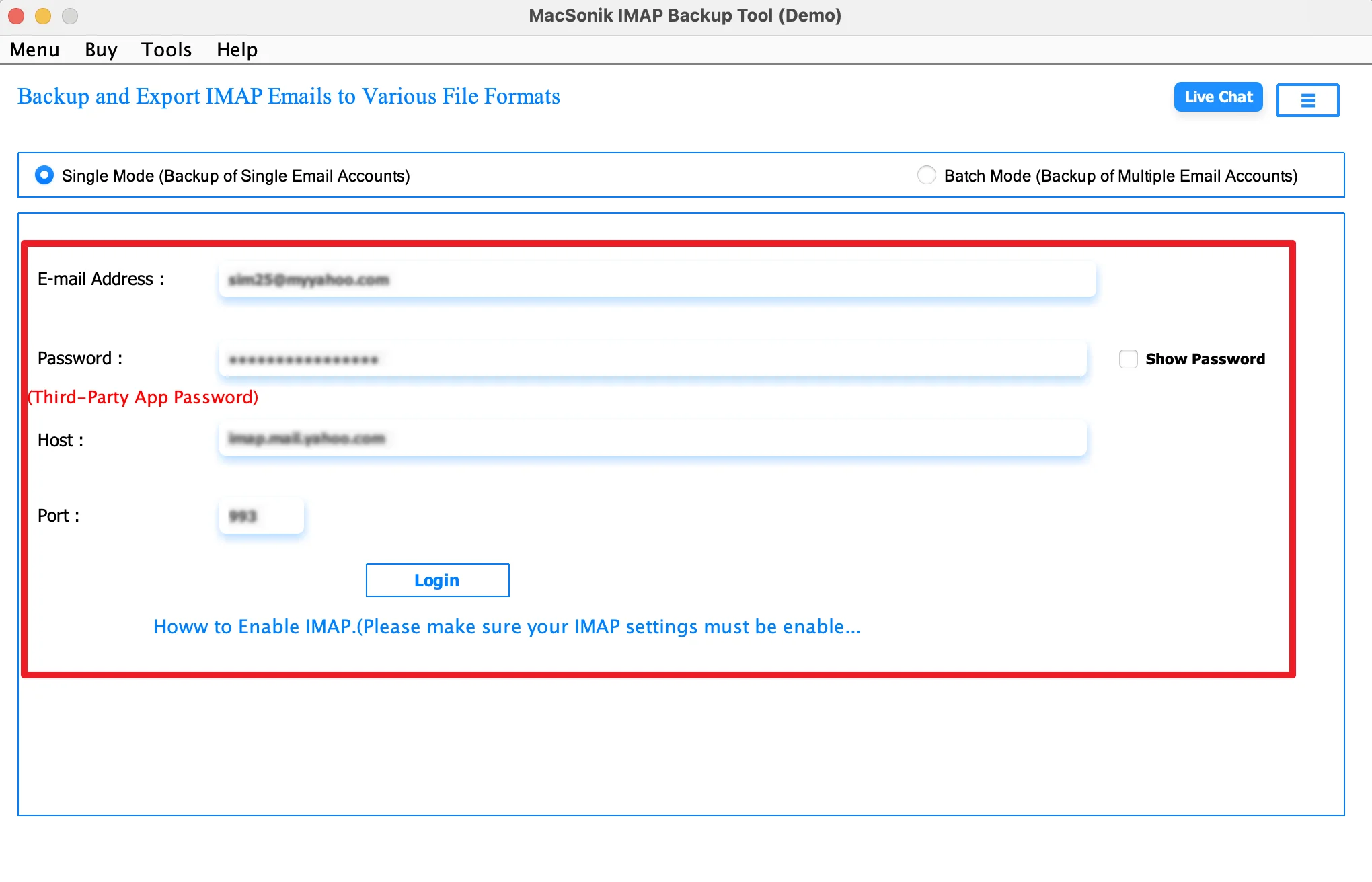
- Now, log in using the Netscape Mail account credentials.
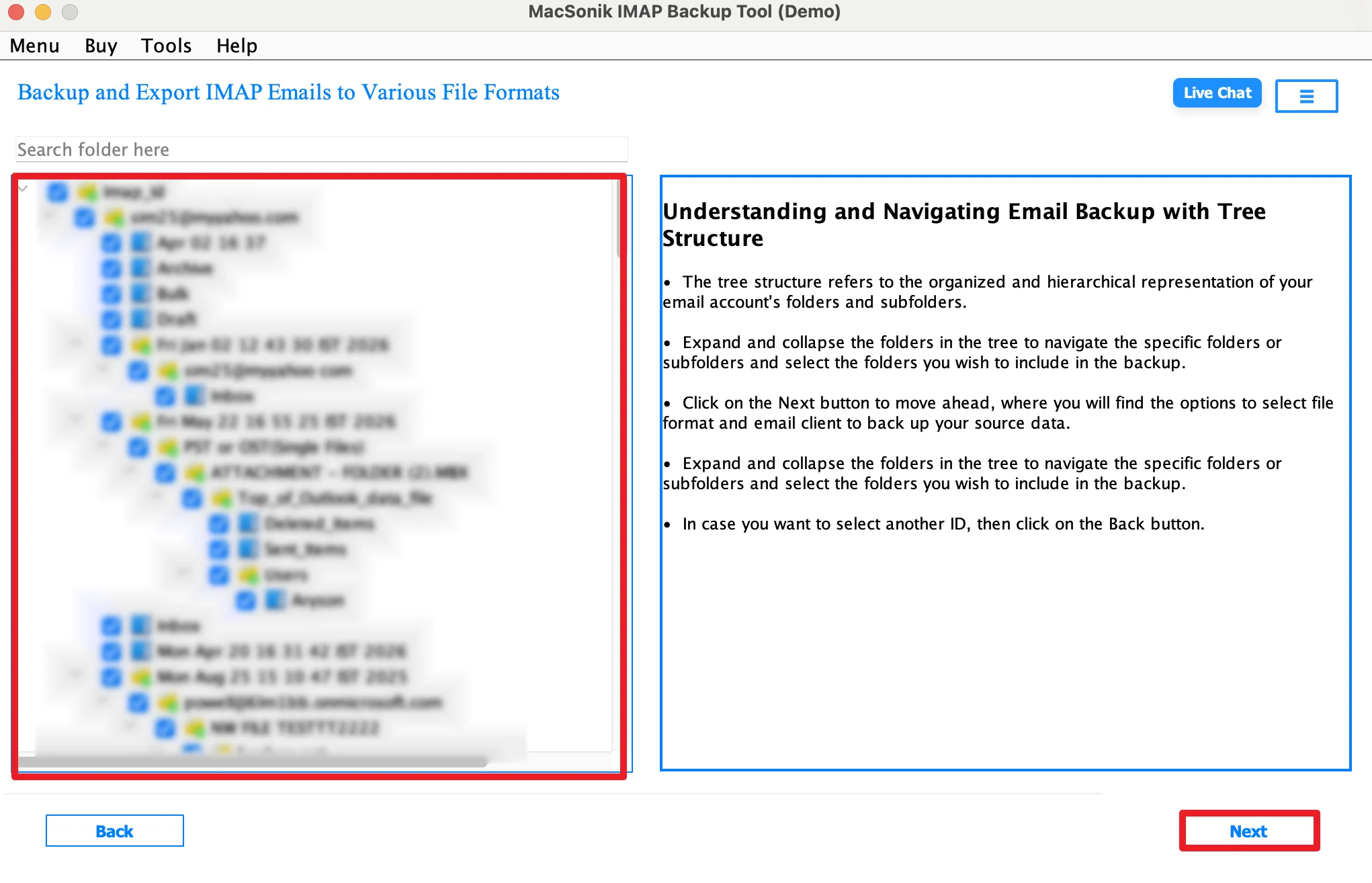
- After that, select the folder, preview the structure, and click Next.
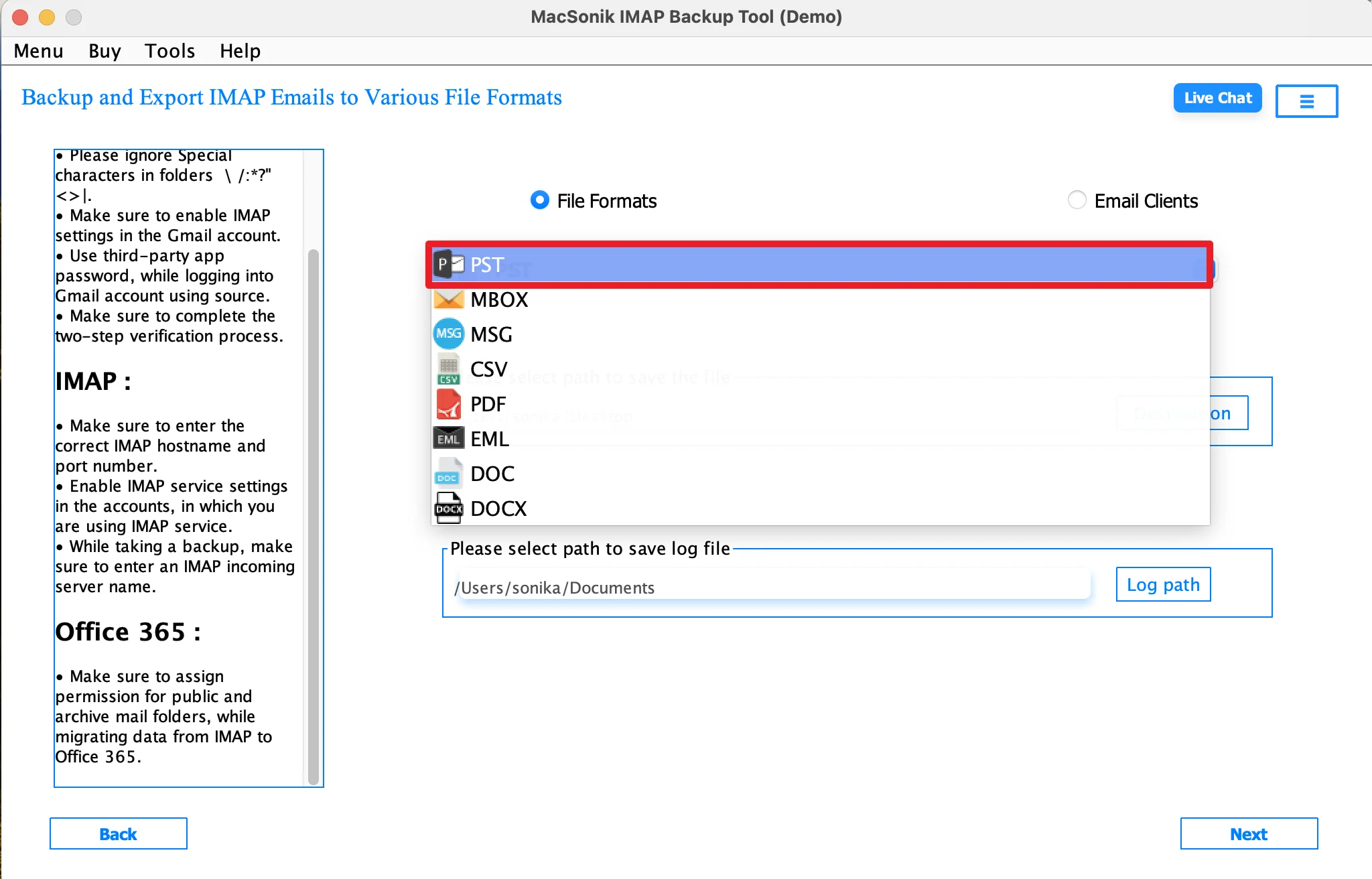
- Furthermore, choose PST as the saving file format.
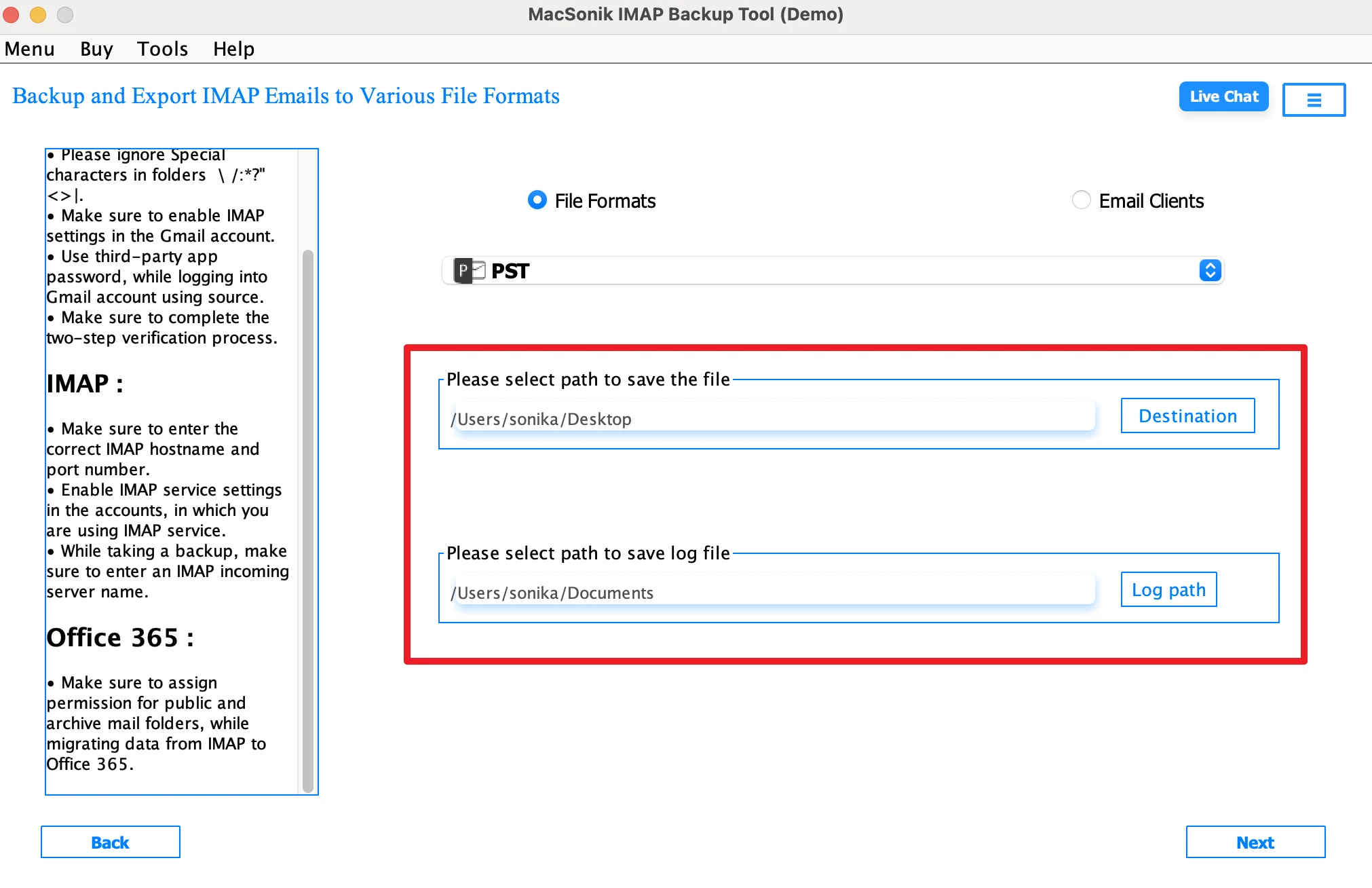
- Choose the destination and log path to save the file.
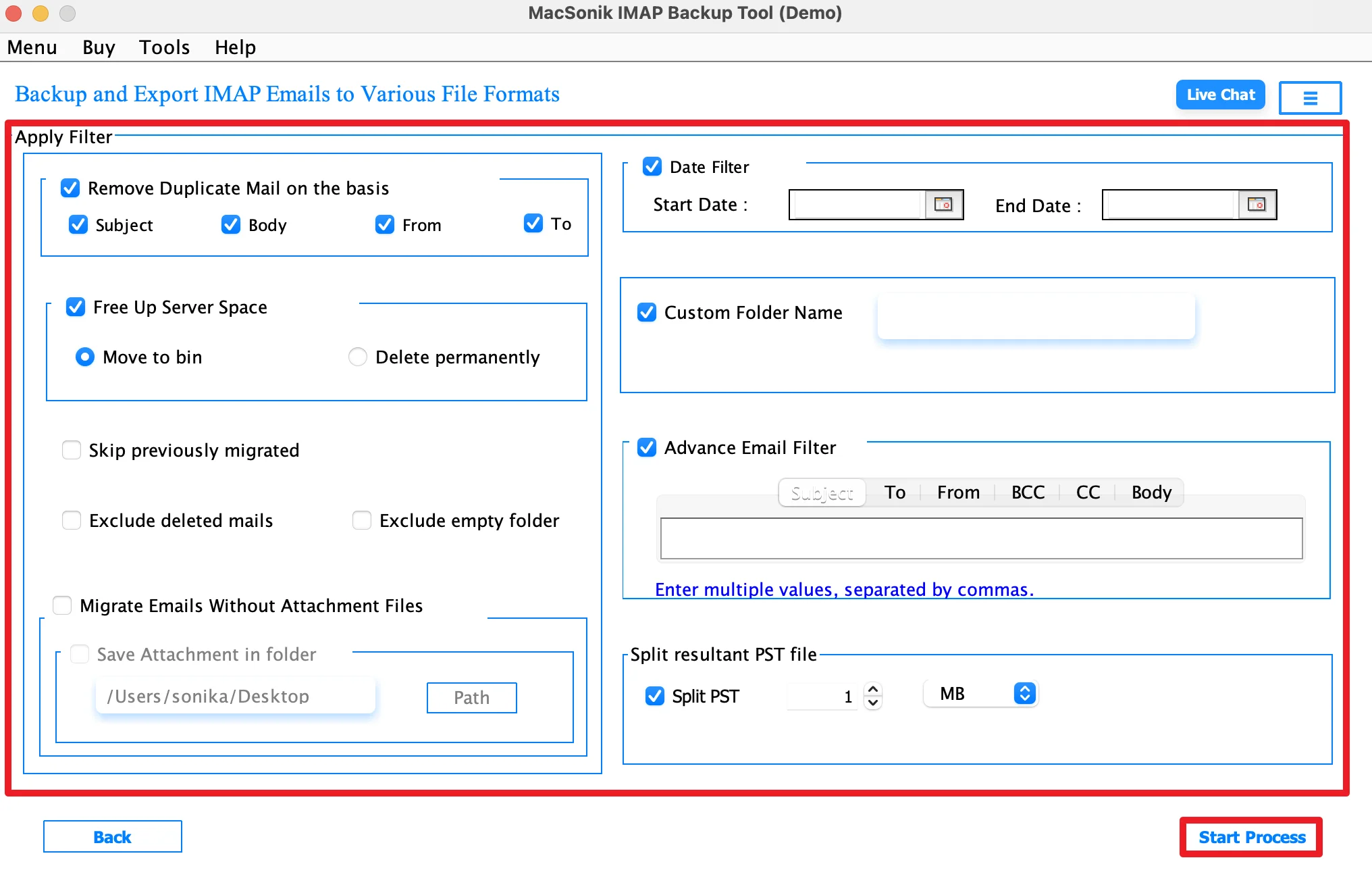
- Finally, apply filters as needed and start the export process.
Real-Life Scenario: Legacy Business Archive Migration
A law firm had years of archived emails stored in Netscape Mail and needed to migrate them to Outlook for better accessibility and compliance management. Manual migration through Thunderbird was too slow and complicated. The IT team used the MacSonik IMAP Backup Tool to migrate Netscape Mail to Outlook. As a result, all business emails, attachments, and folders were migrated successfully without data loss.
Conclusion
In this blog post, converting Netscape Mail to PST is the best way to preserve legacy email archives while moving to Outlook. Although manual methods exist, they involve multiple applications and higher risk of errors. Therefore, using the IMAP backup tool to convert Netscape Mail to Outlook is the most reliable solution. Besides, it offers an accurate, secure, and complete Netscape Mail to PST conversion.
Frequently Asked Questions
Ans. Not always. While some manual methods require Outlook during the migration process, a professional IMAP backup tool can save Netscape Mail data directly into PST format without needing Outlook installed. This makes the process easier and faster, especially for old archived mailboxes.
Ans. Yes, a reliable Netscape Mail conversion tool preserves all email attachments during the migration. Documents, images, PDFs, and other attached files remain linked with their original emails, ensuring complete data integrity after importing the PST file into Outlook.
Ans. Yes, the advanced MacSonik IMAP Backup tool supports bulk or batch conversion, allowing multiple Netscape mailbox files to be converted into PST format in a single process. This is especially useful for businesses or users managing large email archives.
Ans. The conversion time depends on the size of the mailbox, number of emails, and attachments. Small mailboxes may convert within minutes, while large or enterprise-level archives can take longer. The MacSonik IMAP backup tool generally speeds up the process significantly compared to manual methods.
About The Author:
I am Neeru Kuchhal, a Technical Content Writer who focuses on turning complex ideas into clear, engaging, and impactful content. I combine creativity with strategy to write blogs, web content, and technical articles that connect with the right audience and support brand goals. I believe great content is not just written. It is thoughtfully created to inform, build trust, and drive action.
Related Post
