How to Easily Convert Pegasus Mail to CSV Format in Bulk?

Neeru Kuchhal

May 18th, 2026
User-Query:
“I have multiple Pegasus Mails that contain important contact and email information. I need to convert multiple data sets into CSV format so I can manage and use them. What is the easiest and safest way to convert Pegasus Mail to CSV?”
— Posted by “William Carter”
Introduction: Pegasus Mail is an established email client used for managing emails and mailbox data. However, Pegasus Mail data may not always integrate smoothly with modern spreadsheet applications, CRM systems, or database platforms. On the other hand, CSV is one of the widely supported formats for storing tabular information. It can be easily opened in spreadsheet tools and business applications. Thus, converting Pegasus Mail data to CSV allows users to organize, analyze, and migrate mailbox information efficiently.
In this guide, we explain the easiest ways to export Pegasus Mail to CSV. Also, covers how MacSonik Pegasus Mail Converter Tool simplifies the entire process.
Pegasus Mail or CSV? How to Choose the Right Format Every Time
|
Important Features |
Pegasus Mail |
CSV Format |
|
Email mailbox data |
Spreadsheet text file |
|
Email client dependent |
Opens in spreadsheets |
|
Email management |
Data analysis and migration |
|
Limited modern support |
Broad application support |
|
Email and mailbox records |
Rows and columns |
|
Application dependent |
Highly portable |
The Hidden Benefits of Switching from Pegasus Mail to CSV
There are the following main reasons why users prefer to convert Pegasus Mail to CSV:
- Importing data into spreadsheet tools.
- Prepare contact records for CRM systems.
- Organize mailbox information efficiently.
- To preserve legacy email data.
- For simplifying reporting and analysis.
- Moreover, to enable easier data migration.
How to Extract Pegasus Mail Data Manually: A Walkthrough
If you don’t want to use the external applications anymore, you can convert Pegasus to CSV manually. Therefore, note that this solution has some limitations and works slowly.
Method: Export Data Manually
- Firstly, open Pegasus Mail.
- Now, locate the mailbox or contact data.
- Export available information into a text-based format if supported.
- Open the exported file in spreadsheet software and organize manually.
- Lastly, save the file in CSV format.
Limitations to Manually Convert Pegasus Mail to CSV
- It is time-consuming for bulk conversion.
- This requires manual data organization.
- Also, there is a risk of formatting inconsistencies.
- Difficult for large mailbox records.
- There is a possibility of missing information.
- Additionally, it is not suitable for enterprise workflows.
How to Bulk Export Pegasus Email to CSV Using Professional Tools
For a quick and instant conversion experience, try the MacSonik Pegasus Mail Converter Tool. This advanced utility enables users to complete this task while maintaining data integrity intact. Built for Mac users and organizations, the tool ensures secure bulk conversion with no technical expertise. Apart from this, it helps users convert Pegasus Mail to Outlook PST and more supported formats.
Step-by-Step Instructions to Convert Pegasus Mail to CSV
- Firstly, install and launch the ‘MacSonik Pegasus Mail Converter Tool’.
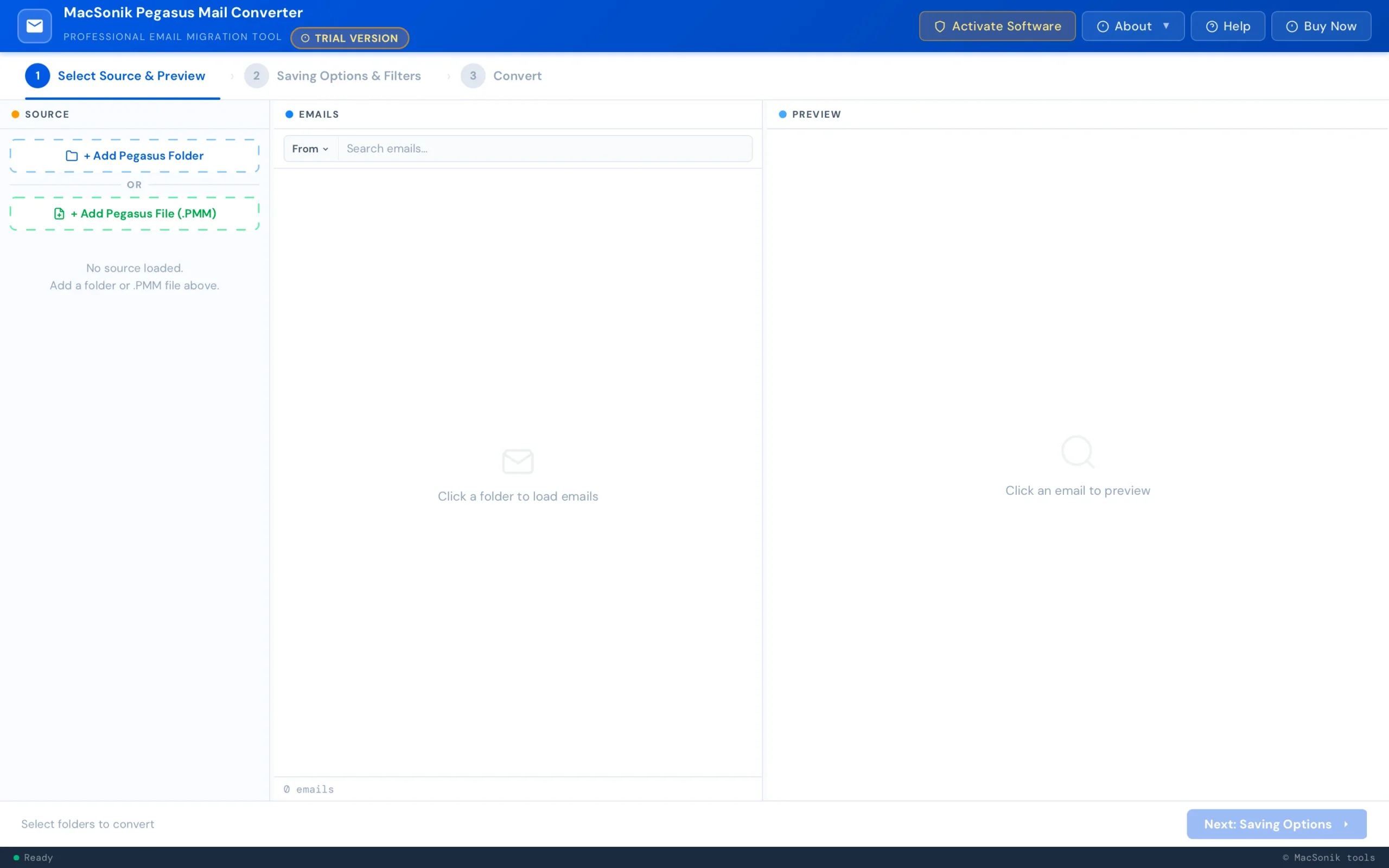
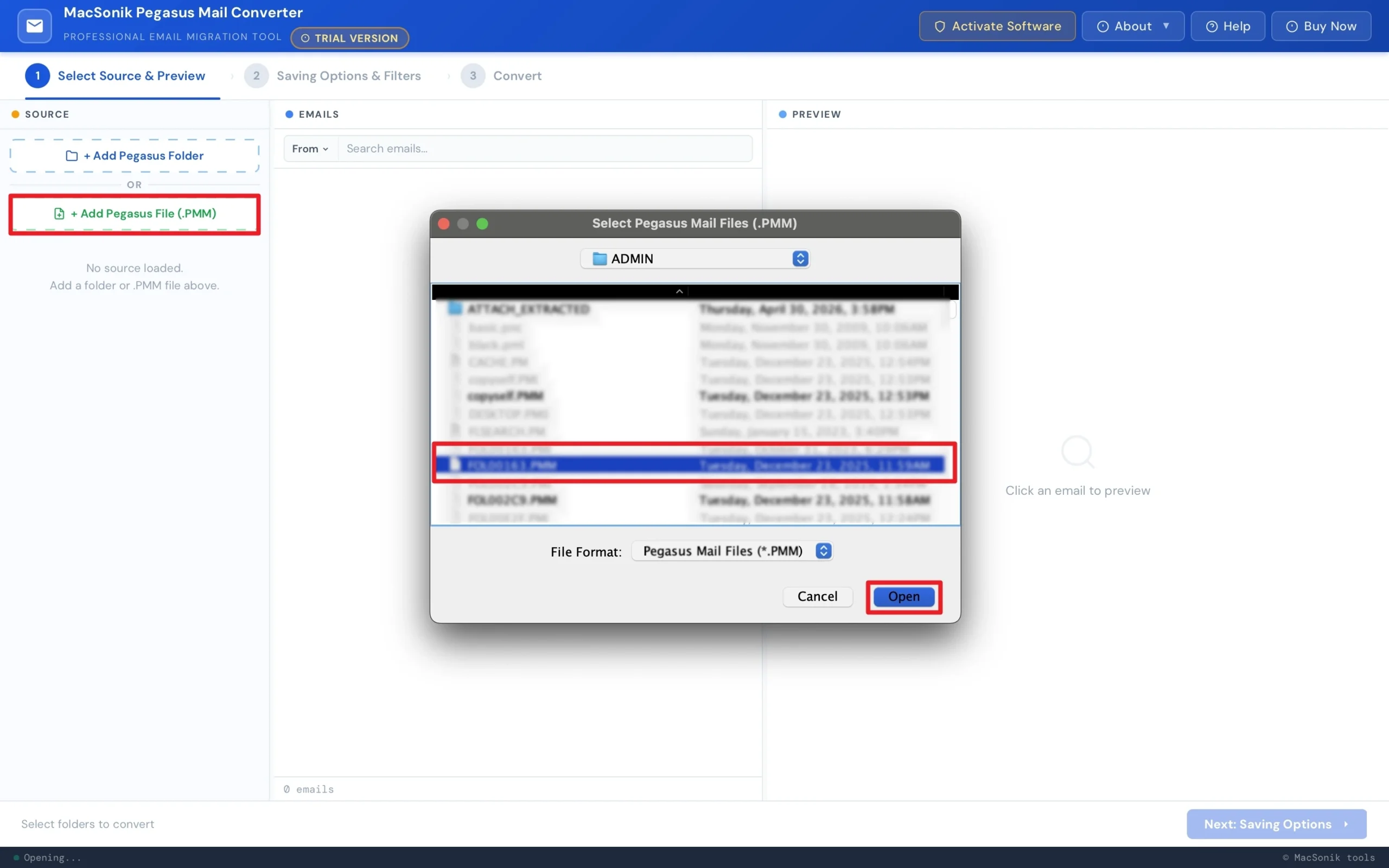
- Click ‘Add Pegasus File’ and ‘Open’ the file that you want to convert.
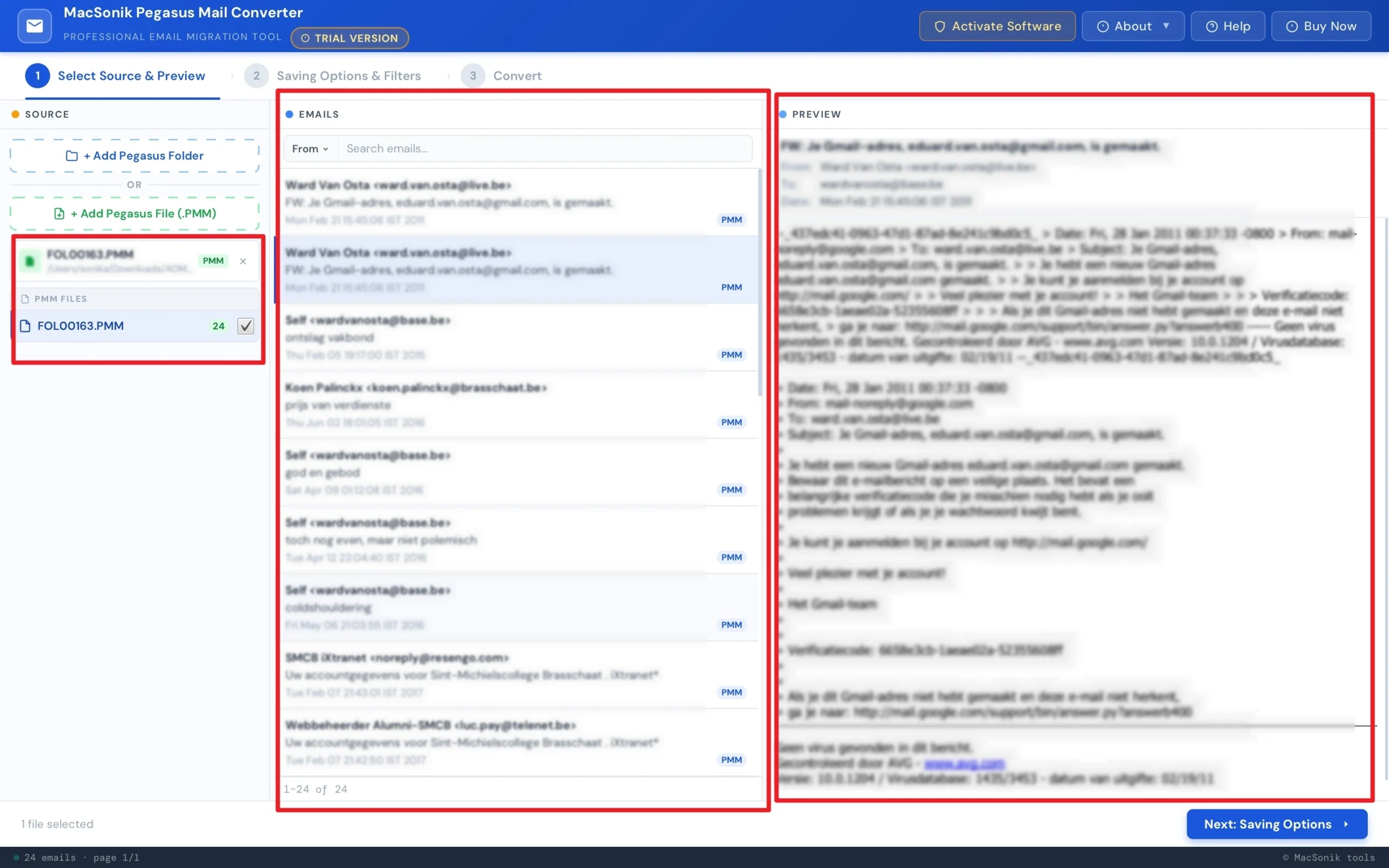
- ‘Preview’ to cross-check the entire mailbox folder and data, and move ahead to ‘saving options’.
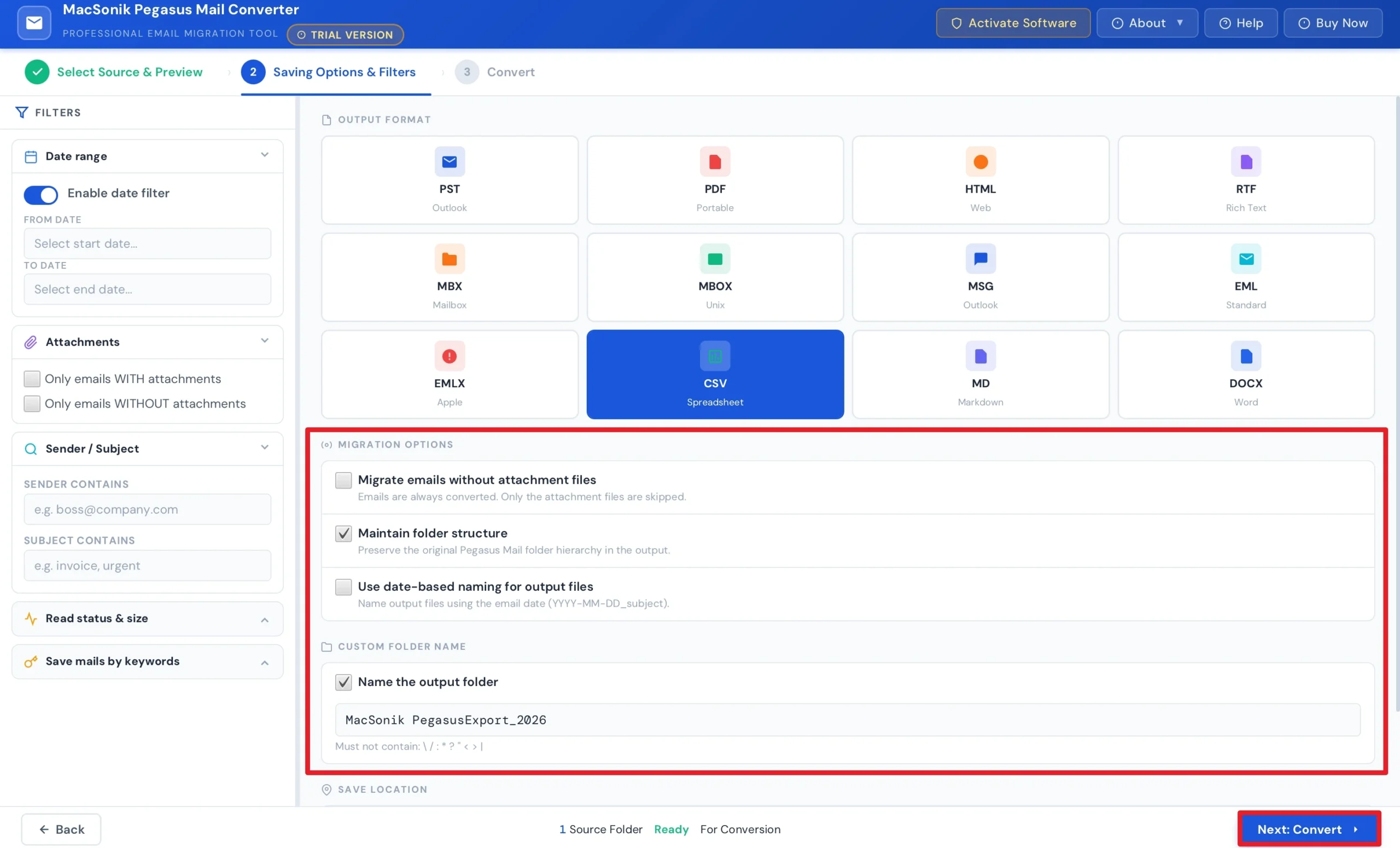
- After that, choose ‘CSV’ as the saving file format, and ‘apply filters’ as per your needs
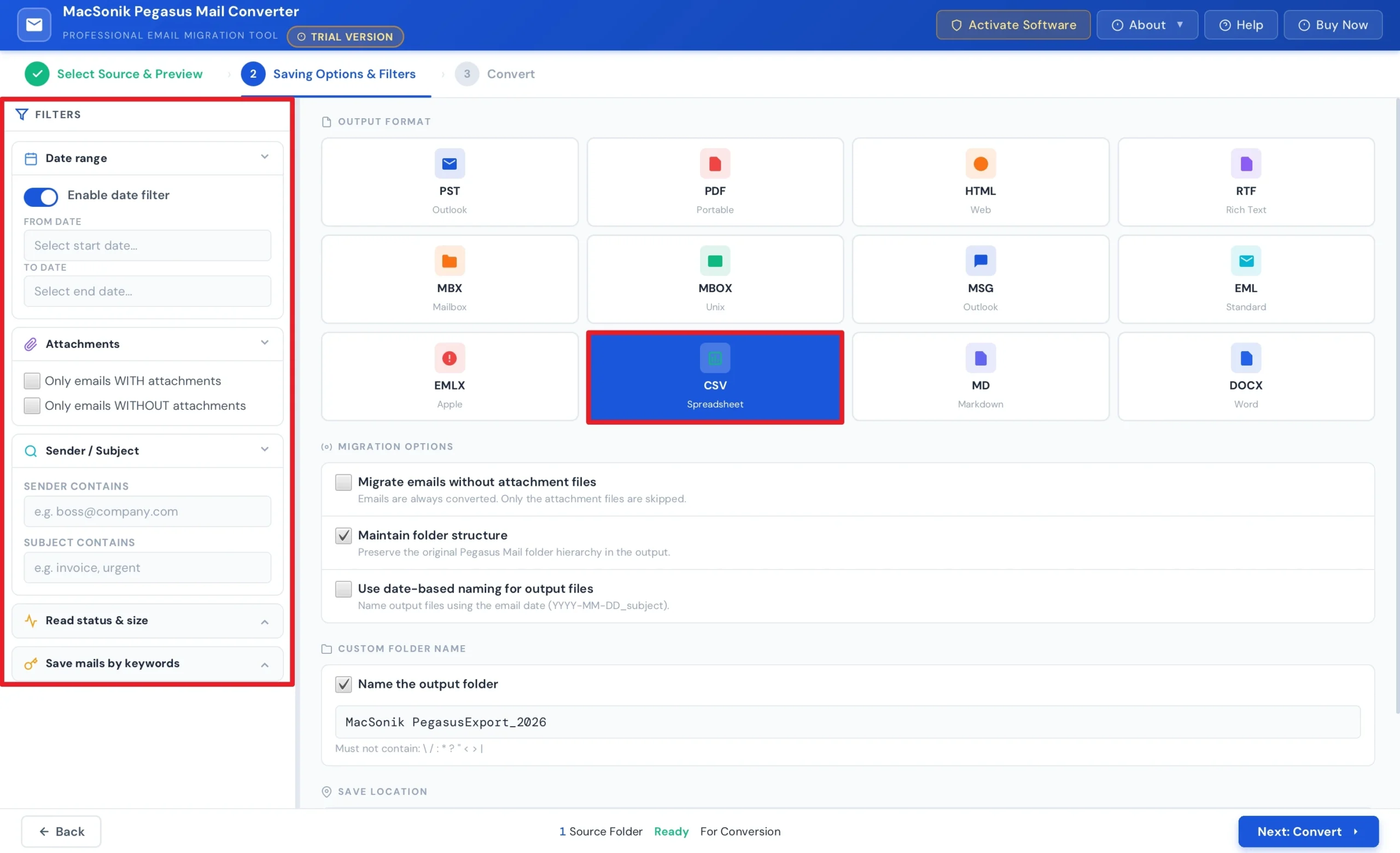
- Select the ‘Migration options’ and ‘path’ to save the file, and hit ‘Convert’ to start the process.
Real-Life Scenario: Legacy Contact Database Migration
A consulting company had years of client communication and contact records stored in Pegasus Mail. The team needed the data in CSV format for importing into a CRM platform. But the manual exports were slow and disorganized. They then used the MacSonik Pegasus conversion solution to export data from Pegasus Mail to CSV in bulk. As a result, the company successfully converted records into CSV format and imported them into their CRM system without losing important information.
Final Words
In the end, converting Pegasus Mail to CSV is an effective solution for managing legacy mailbox information. However, the manual methods are available, but they work for small data sets. They become difficult for bulk conversion tasks. The best solution to convert Pegasus Mail to CSV is to use a Pegasus Mail converter software. It guarantees a secure and accurate conversion on Mac. Moreover, if you face any kind of issues related to the software, reach out to our support team.
Frequently Asked Questions
Ans. Direct CSV export from Pegasus Mail depends on the available export options within the application. In many cases, users may need to export data first and then convert it into CSV format. For a smoother and faster process, the dedicated MacSonik conversion tool provides direct CSV export support.
Ans. CSV files are mainly designed to store structured text data. However, a professional Pegasus conversion solution can preserve email information and maintain attachment references during export. This helps users manage related data more efficiently.
Ans. Yes, your data is generally safe when using the trusted MacSonik Pegasus Mail converter tool. It uses secure processing methods and typically performs conversion locally without sharing mailbox content.
Ans. The best method depends on the amount of data and conversion requirements. Manual methods may work for small tasks, but often become slow and complex for bulk conversion. An advanced Pegasus Mail Converter is usually recommended for faster, more accurate, and large-scale conversion.
Ans. Yes, Pegasus Mail contacts and selected email information can be exported into CSV format depending on the conversion method used. CSV files are especially useful for importing data into spreadsheet applications, CRM systems, and databases. The MacSonik tool simplifies this process and helps maintain data accuracy.
About The Author:
I am Neeru Kuchhal, a Technical Content Writer who focuses on turning complex ideas into clear, engaging, and impactful content. I combine creativity with strategy to write blogs, web content, and technical articles that connect with the right audience and support brand goals. I believe great content is not just written. It is thoughtfully created to inform, build trust, and drive action.
Related Post
