Convert Google Takeout to PST in Simple Steps – 2026 Guide

Neeru Kuchhal

May 22nd, 2026
User-Query:
“I exported my Gmail data through Google Takeout and received MBOX files. Now I need to open these emails in Outlook. How can I convert Google Takeout to PST safely and easily?”
— Asked by ‘Robert Mitchell’
Introduction: Google Takeout allows users to download Gmail and other account data as backups. When exporting Gmail emails, Google Takeout usually saves mailbox data in MBOX format. While MBOX is useful for backup purposes. PST is Outlook’s native file format. This allows users to store and access emails, contacts, calendars, and attachments directly within Outlook. However, MBOX is not directly supported by Microsoft Outlook. This is why many users convert Google Takeout MBOX to PST. This 2026 guide explains simple methods to complete this task via the MacSonik MBOX to PST Converter Tool.
MBOX vs PST: Comparing Google Takeout and Outlook File Formats
|
Major Functions |
Google Takeout MBOX |
PST File |
|
Gmail backup |
Outlook mailbox storage |
|
Limited email clients |
Outlook-supported |
|
Single mailbox archive |
Outlook data file |
|
Requires import tools |
Direct Outlook access |
|
Supported |
Fully supported |
How Converting Google Takeout to PST Simplifies Email Access?
Below are the key reasons users choose to convert Google Takeout to PST format.
- Accessing Gmail backups in Outlook.
- Preserve important emails for long-term storage.
- For simplifying email management.
- Maintain mailbox organization and folders.
- Transfer Gmail data during migration.
- Create secure offline Outlook archives.
- Also, preserves attachments and email formatting.
Export Google Takeout to Outlook Manually Without Any Tools
Since Outlook does not directly migrate Google Takeout MBOX files, users often depend on a manual workaround using Thunderbird.
Method: Thunderbird + Outlook Conversion
- Firstly, install Mozilla Thunderbird on your system.
- Import Google Takeout MBOX files into Thunderbird.
- Configure an IMAP email account inside Thunderbird.
- Then, upload mailbox data to the configured account.
- Furthermore, open Microsoft Outlook.
- Sync the same email account with Outlook.
- Lastly, export mailbox data to PST format.
Challenges to Manually Convert Google Takeout to PST
- There are multiple complicated steps.
- Requires Thunderbird configuration.
- Internet dependency for synchronization.
- Time-consuming for large mailboxes.
- Possibility of missing emails or folders.
- It is not suitable for bulk conversion.
- Moreover, it requires technical expertise.
Because of these challenges, many users prefer a more direct solution.
Convert Google Takeout MBOX to Outlook PST with MacSonik MBOX to PST Converter
The MacSonik MBOX to PST Converter Software provides a reliable way to complete this task. The tool directly processes MBOX files and converts them into Outlook-compatible PST files without lengthy manual configuration. It offers complete migration with high-end privacy and no data leakage. Additionally, it supports users to import Google Takeout to Office 365 seamlessly.
What Makes This Software the Ideal Choice?
- Direct Google Takeout to PST conversion.
- Maintains original folder hierarchy.
- Preserves email formatting and attachments.
- Supports bulk mailbox conversion.
- User-friendly interface for every user.
- Secure and reliable conversion process.
- Also, it is compatible with large mailbox files.
A Complete Roadmap to Convert Google Takeout to PST
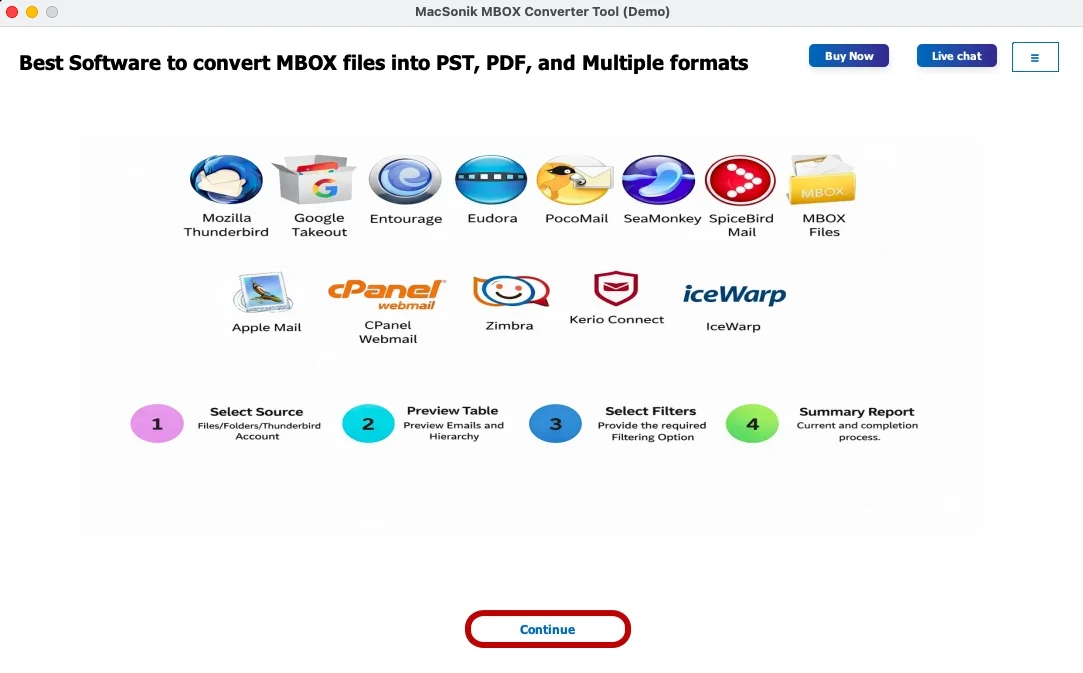
- Firstly, start installing the ‘MacSonik MBOX to PST Converter Tool’.
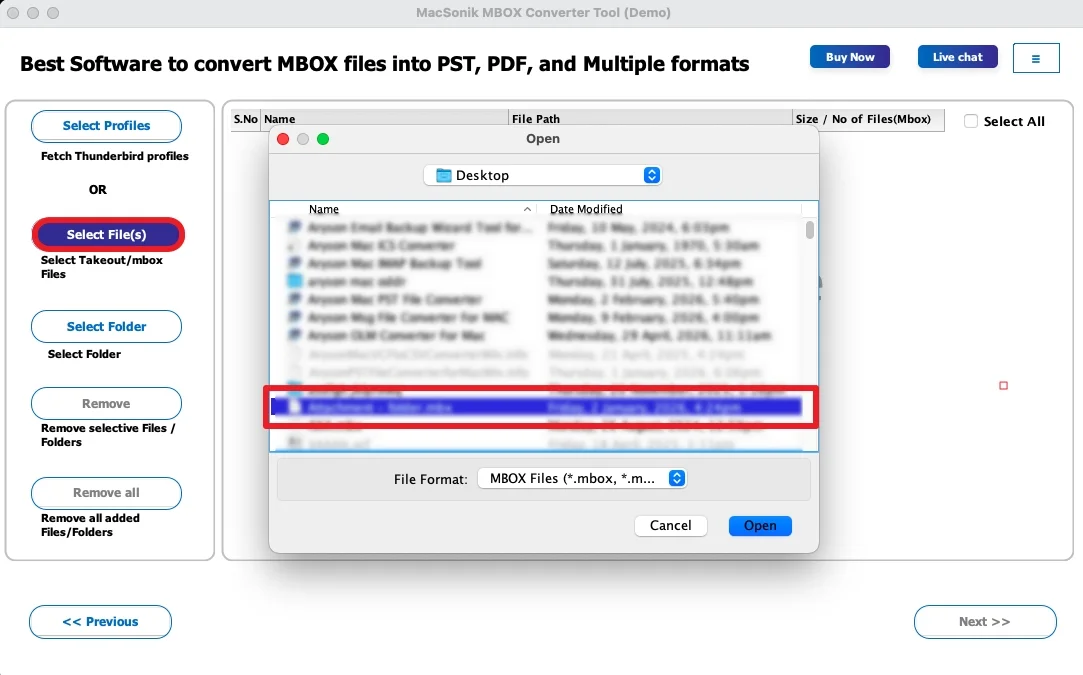
- Click ‘Select Files’, upload the MBOX file that you wish to convert.
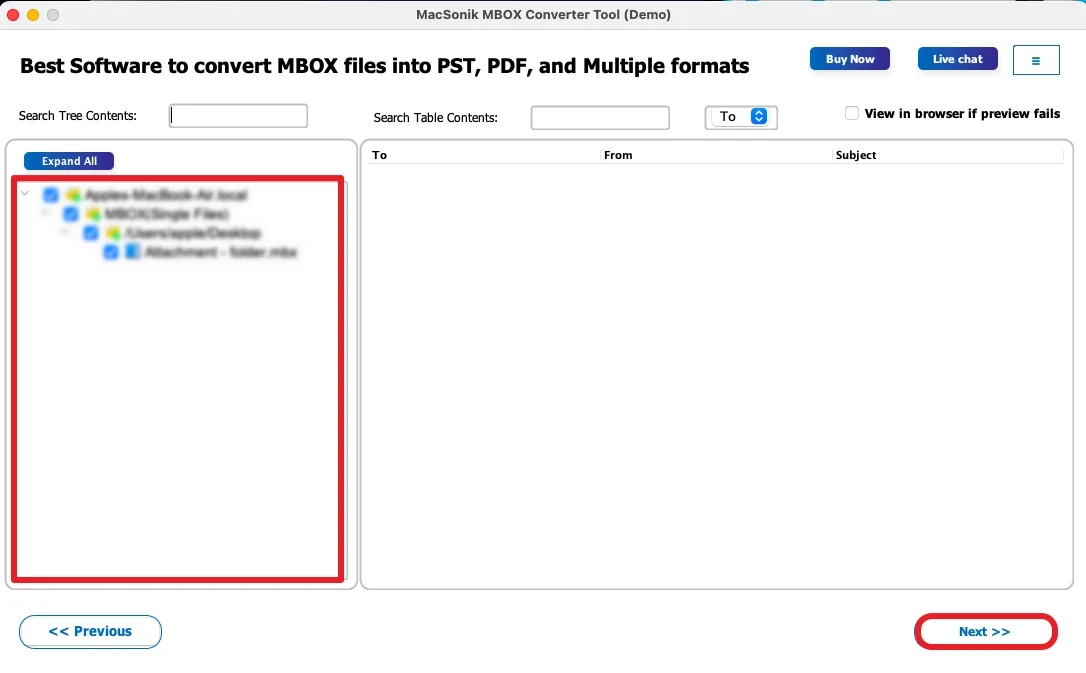
- Now, ‘expand’ the hierarchy, ‘preview’ the complete folder, and click ‘Next’.
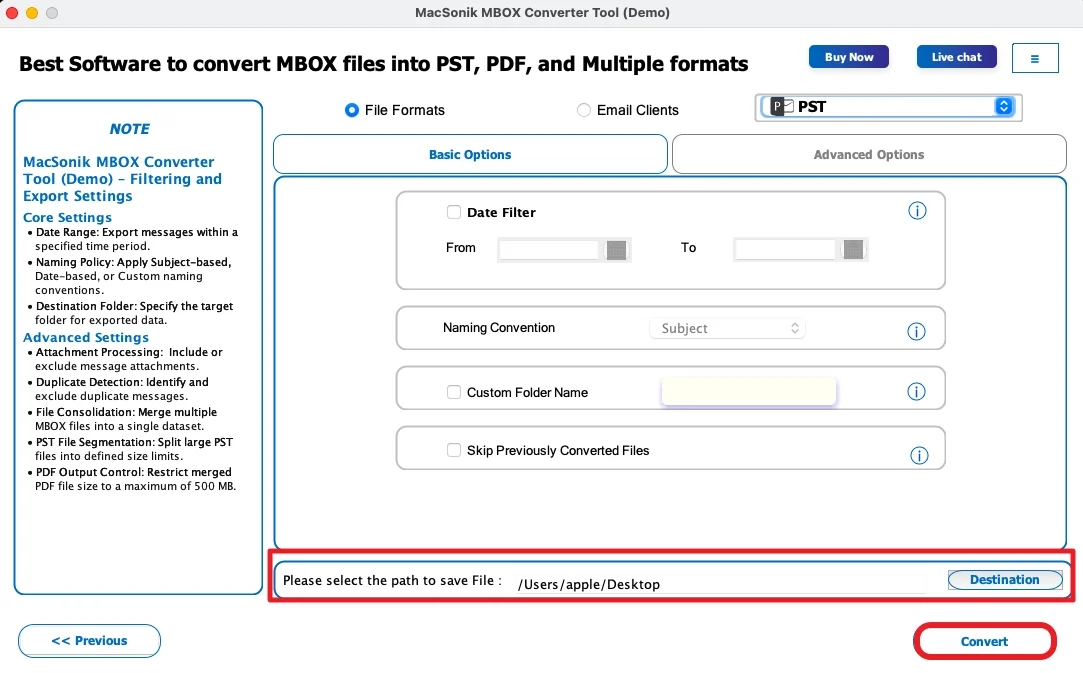
- Then, choose ‘PST’ as the saving file format, and ‘set filters’ accordingly.
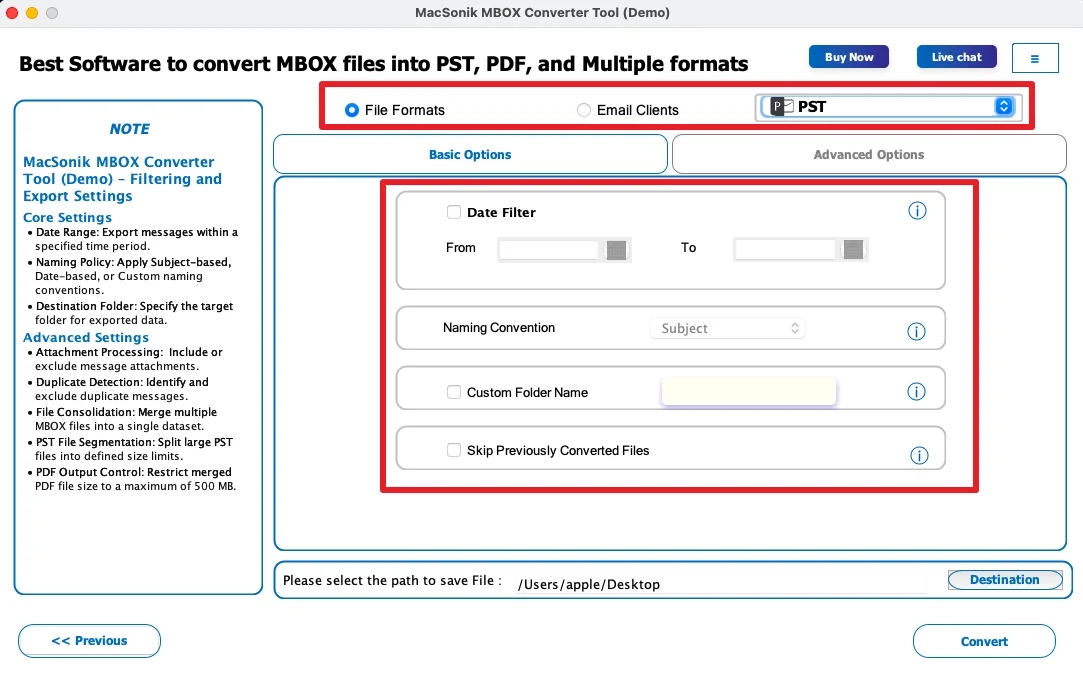
- In the end, select the ‘path’ to save the file, and tap ‘Convert’ to start the process.
Real-Life Case Study
An HR consultant exported Gmail archives using Google Takeout before moving to an Outlook-based workflow. However, the manual Thunderbird migration caused delays and folder inconsistencies. By using a MacSonik MBOX to PST conversion tool, the consultant quickly moved years of email data into Outlook while maintaining folder hierarchy and attachments.
Conclusion
At last, Google Takeout creates valuable Gmail backups. But MBOX files are not directly compatible with Outlook. While manual conversion using Thunderbird is possible, it often involves complex steps and technical challenges. For a faster and more reliable experience, the MBOX to PST Converter offers a secure method to convert Google Takeout to PST. It preserves mailbox integrity and attachments with complete accuracy.
Frequently Asked Questions
Ans. No, Microsoft Outlook cannot directly open Google Takeout MBOX files. Since Google Takeout exports Gmail data in MBOX format, users typically need to import the files into a compatible email client or convert them into PST format for Outlook access.
Ans. The easiest method is to use a dedicated MBOX to PST converter. While manual methods involving Mozilla Thunderbird are available, a professional conversion tool provides a faster and more straightforward process with fewer configuration steps.
Ans. Yes, the professional MacSonik conversion tool supports bulk processing and allows users to merge or convert multiple Google Takeout MBOX files into a single PST file while maintaining mailbox structure and organization.
Ans. Yes, when using a reliable MBOX conversion method, email attachments typically remain intact during the conversion process. A professional tool is designed to preserve attachments, formatting, metadata, and folder hierarchy.
Ans. Yes, Google Takeout to PST conversion is generally safe for large mailbox files when performed using dependable conversion software. The Advanced MacSonik tool is built to process large mailboxes efficiently while preserving data integrity and minimizing the risk of corruption or data loss.
About The Author:
I am Neeru Kuchhal, a Technical Content Writer who focuses on turning complex ideas into clear, engaging, and impactful content. I combine creativity with strategy to write blogs, web content, and technical articles that connect with the right audience and support brand goals. I believe great content is not just written. It is thoughtfully created to inform, build trust, and drive action.
Related Post
