How to Easily Convert ICS to EML File Format?

Amelia James
August 11th, 2026
Introduction: ICS (Internet Calendar Scheduling) files are widely used to organise and manage calendar events, meetings, appointments, etc., across devices. But they are not suitable for long-term storage or email communications. That’s why when users need to archive the calendar data, share it as individual messages, or use it for compliance purposes, they convert ICS to EML. This particular requirement is explained in detail here with appropriate free methods and an ICS Converter Tool for the best results.
User Concern:
“Hi, I am Matthew, and I have some iCalendar files that I need to access on my Windows OS. Also, I need to share the data with my colleagues, but they require it in the EML file format. How am I supposed to save ICS calendars to EML without altering the contents and attachments within them?”
What Makes Users Convert ICS File to EML?
ICS files are supported by several applications, like Google, Outlook, Apple Calendar, etc. Also, it stores all kinds of event details and participants’ information. But, individual email message (.eml) files are better for making data movable. With the ICS to EML conversion, you get many more benefits, like:
- Store message body, attachments, and sender/receiver info preserved.
- Access calendar data across MS Outlook, Thunderbird, Windows, and Apple Mail.
- Keep the calendar data (subject, organizer, date, time, and description) and structure archive intact for future use.
- Get improved accessibility to the events and meetings without calendar applications.
- Use the EML files for compliance, legal archive, and long-term audit trails and storage.
Understanding the benefits, let’s move to the top ways for conversion.
Conventional Guide to Free Convert ICS to EML
The conversion can be done manually with two different approaches, but it is only suitable for users with a few iCalendar files. You can go through their detailed stepwise process as follows:
Approach 1: Convert iCalendar to EML on Windows
On Windows, using the MS Outlook application for calendar export to EML is the only optimal way available. The steps are:
- Initially, start Outlook and from the File, click the Open and Export option.
- Then, choose the Import/Export, and a dialog box appears.
- Further, opt for Import an iCalendar (.ics) file and click Next.
- Browse your ICS file from the PC, choose it, and click Next.
- Complete the upload with on-screen instructions and go back to File.
- After that, choose Save As and select EML file format from the file type options.
- Finally, pick a destination for your file, enter a name, and click Save.
Approach 2: Convert ICS Calendar files to EML on Mac
On Mac, Apple Calendar is best suited for the ICS file to EML conversion. Use these steps:
- Double-click your iCalendar file on Mac and open it with Apple Calendar.
- Then, right-click the particular event to convert and choose Share.
- Opt for Mail and go to the File tab in it and select Save As.
- At last, select the EML format, pick a destination, and click Save.
Strategic Guide to Easily Convert ICS to EML
The manual methods are available, but they are not ideally suited for large-scale error-free conversions. The MacSonik ICS Converter Tool ensures that all your ICS files of any size and number are converted to EML effectively without data loss. Additionally, it keeps the data hierarchy and formatting preserved and accessible across all Windows and Mac OS with its user-friendly interface. Moreover, it allows you to remove duplicates, migrate with or without attachments, and for a specific period.
Also Read: Import ICS to Office 365
One-Time ICS Conversion
Compatible with multiple clients and requiring no application dependency, this tool makes your conversion smooth and scalable. But if you want to go without software installation, avail the One-Time Service and let the experts complete the customized conversion for you based on your requirements with guaranteed 100% accuracy and precision.
Simple Steps to Convert ICS File to EML
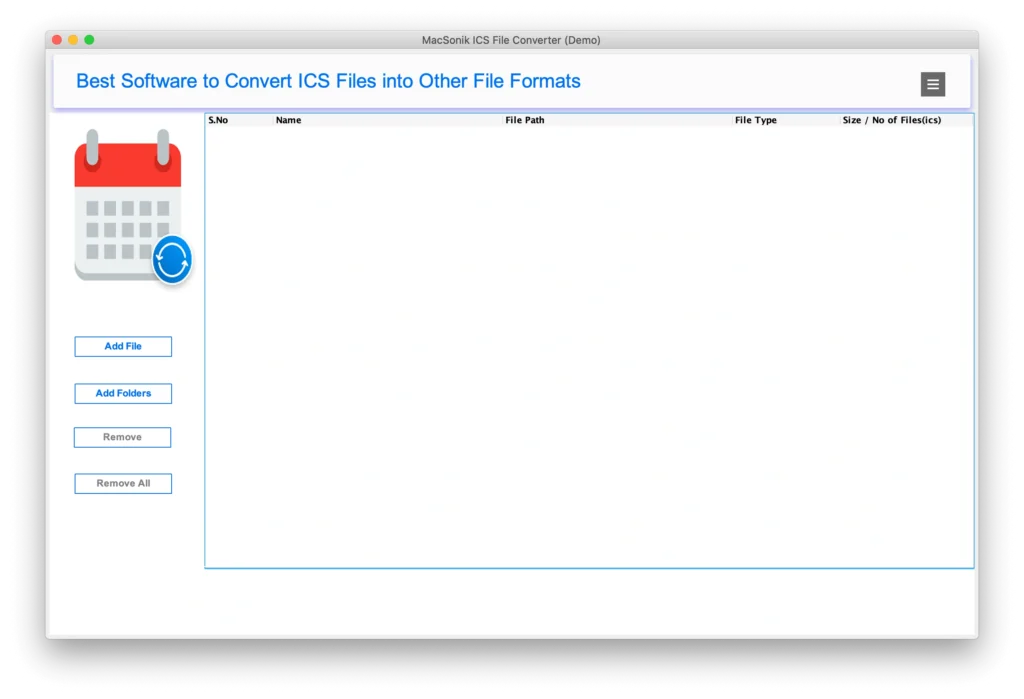
- Launch the iCalendar Converter on your PC as an administrator.
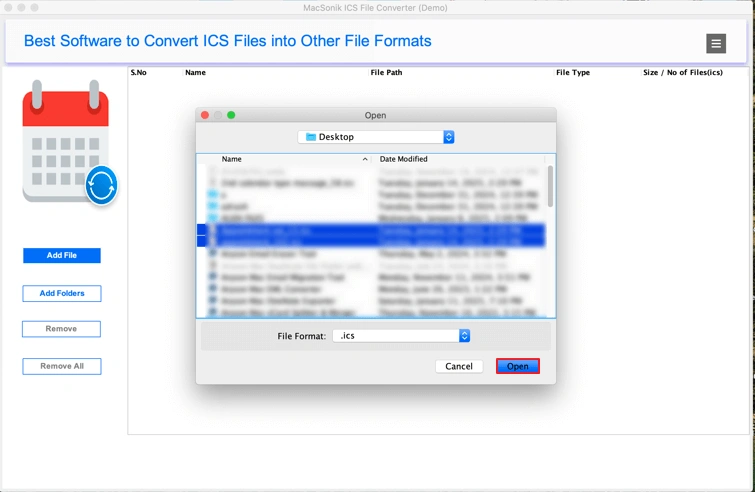
- Then, choose Add File or Add Folder and upload the ICS from the PC.
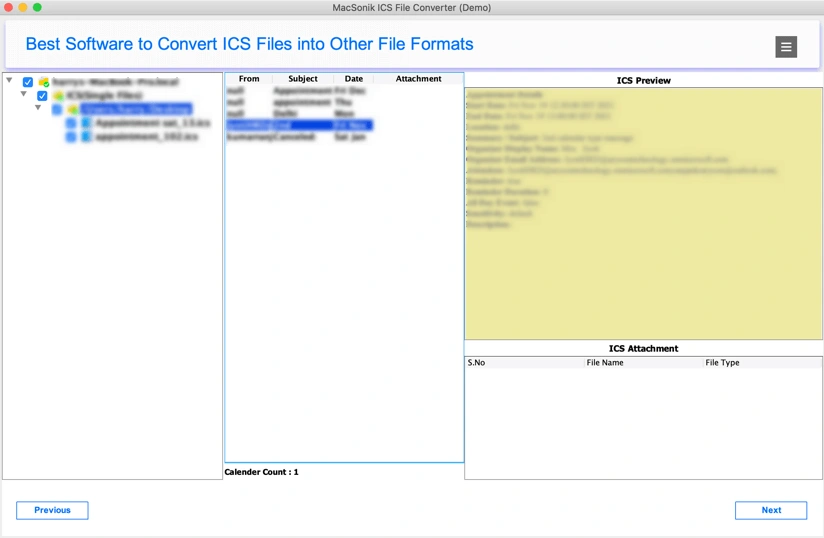
- Click Next and check the preview for calendar data and attachment.
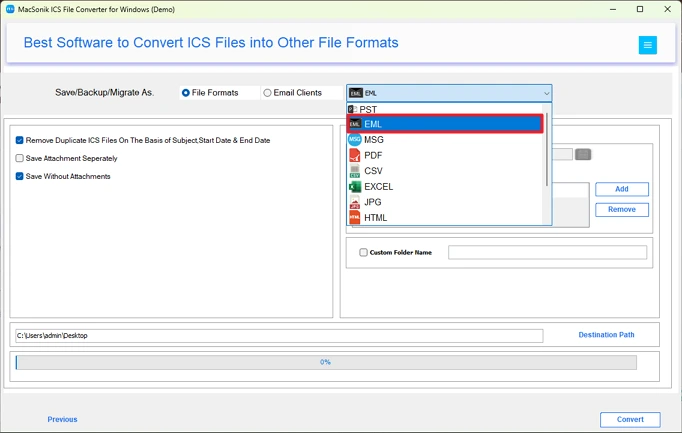
- Further, select folders to export and click Next. Select EML format.
- Lastly, apply the filters, pick a Destination Path, and tap Convert.
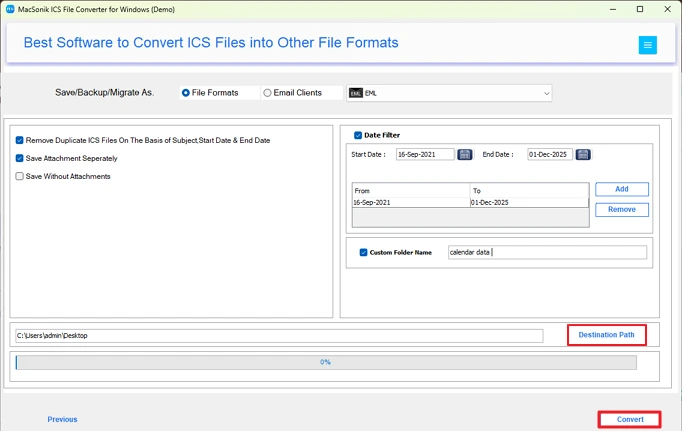
Note: If you want your ICS calendar files in plain text format, then you can refer to convert ICS to TXT. For evaluation, you can first try out the Demo Version and convert up to 50 ICS per folder at no cost.
Which Method is Ideal to Convert ICS to EML?
After a clear understanding of the manual and professional methods, let’s compare them to identify which is best suited for this conversion. You can do so with the pointers mentioned here:
- Manual methods are time-intensive and provide no support for bulk conversion. Whereas the software enables batch processing in minimal time.
- Manually, data, attachments, formatting, and structure are altered. With the smart tool, they are preserved as in the original calendar file.
- Manual ways require multiple applications and technical skills, but with the expert software, everything is done at once with ease.
So, undoubtedly, professional software has the upper hand as compared to the traditional conversion methods. Also, you get Technical Suport 24*7 for all your special requirements related to the conversion!
Conclusion
To simplify calendar management, make data accessible by changing the event-based files into universally accessible email messages. This blog briefs over all the manual ways and a specialized ICS File Converter to convert ICS to EML file format scalably, reliably, efficiently, flexibly, and accurately. It can handle large bulk iCalendar files in a matter of minutes and convert them swiftly to EML for global accessibility and more. Hence, the software is a preferred choice for most users managing extensive calendar archives.
Frequently Asked Questions
Q1- How can I convert an ICS file to EML?
Ans- Convert iCalendar to EML with MS Outlook, Apple Calendar, or the best ICS to EML Converter Tool. All the methods are appropriate for conversion and will provide you with the desired results. Just make sure that for small-scale, manual methods are fine, and for large-scale, get the software.
Q2- Why do I need to convert ICS to EML?
Ans- You need to change ICS to EML to archive calendar events as emails, share event data in a readable format, and maintain records for documentation purposes.
Q3- Can I convert ICS Files to EML without Microsoft Outlook?
Ans- To convert ICS Calendar files to EML without Outlook, either use Apple Calendar on a Mac. Or, download the ICS Converter Software that works on both Mac and Windows and converts data straightforwardly with no loss.
Q4- Can I change ICS file to EML in bulk?
Ans- Yes. The ICS File Conversion Software enables you to batch process large volumes of iCalendar files and save them as EML in bulk without restrictions.
About The Author:
Amelia is the mistress of the webmail clients like Office 365, Gmail, Yahoo, Hotmail, and Opera Mail. Her research on downloading emails from webmail is outstanding. She has given the solution to download emails from webmail clients to a Mac device with all the mailbox items. She’s been into webmail solutions since 2010. In her free time, she reads books and writes technical blogs.
Related Post
