How to Convert ICS to TXT File Format in Bulk?

Amelia James
December 12th, 2025
User-Query:
“I manage multiple project calendars, and I have around 200 ICS files exported from Google Calendar. I need to convert all ICS files into a readable TXT format for documentation. How can I bulk convert ICS to TXT without losing event details?”
Introduction: ICS files are widely used for storing calendar data such as events, reminders, schedules, and meeting information. They work well with apps like Google Calendar, Apple Calendar, Outlook, and Thunderbird. However, when users want to view or use this data in a simple, text-based format, converting ICS to TXT becomes necessary. TXT files are easier to read, share, and store as documentation. In this blog, you’ll learn a step-by-step manual method and a professional MacSonik ICS File Converter. Everything is explained in simple language so that any user can follow the process without confusion
Reasons to Convert iCalendar to Text
- TXT files are easier to read than ICS files.
- You can quickly use the data for reports or documentation.
- TXT opens on any device without a calendar app.
- Easy to share and edit event details.
- Useful for creating lightweight backups.
- Helps you extract only the needed information.
- Additionally, it is faster to manage when working with multiple ICS files.
How to Convert ICS to TXT Manually?
This method works if you have only one or two ICS files. It’s not ideal for bulk conversion. Here is how you can perform it:
- Firstly, right-click your ICS file.
- Now, select Open With and choose Notepad or any text editor.
- The ICS file content will appear in plain text form.
- After that, go to File and click Save As.
- In the end, select TXT as the file extension and save it.
Limitations: Manually Migrate ICS to TXT
- Works only for one file at a time.
- Time-consuming for multiple ICS files.
- It’s challenging to maintain structure when working with large calendar data.
- Moreover, not suitable for professional use.
How to Convert ICS to TXT Professionally?
For a quick and hassle-free conversion, the MacSonik ICS Converter Tool is highly recommended. This tool allows you to convert a single or multiple ICS files at once with no data loss. Preserves the original data formatting, structure, and metadata during the entire conversion. With its simple and user-friendly interface, every user can easily use it without needing any technical skills. Apart from that, you can import ICS to Google Calendar and other formats, including File and Email Clients.
Simple Steps to Convert Multiple ICS Files into TXT
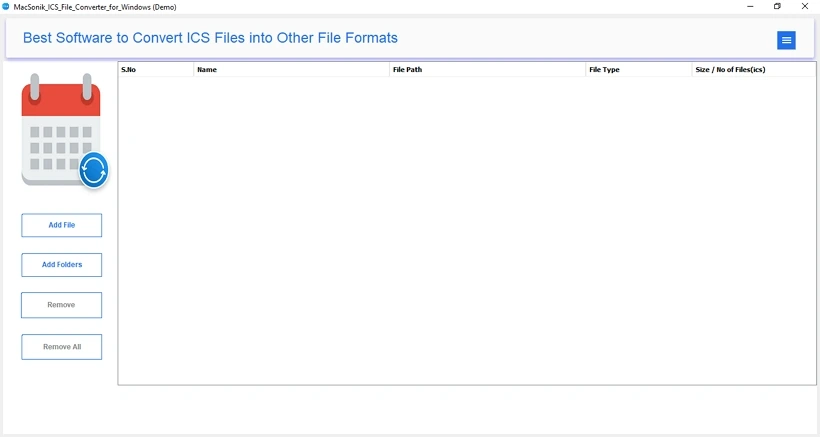
- Primarily, download and install the MacSonik ICS File Converter.
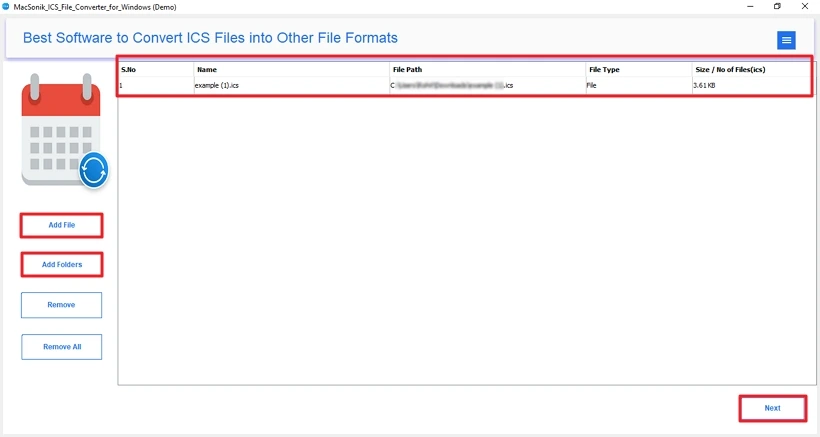
- Now, choose: Add Files or Add Folder to add your ICS files.
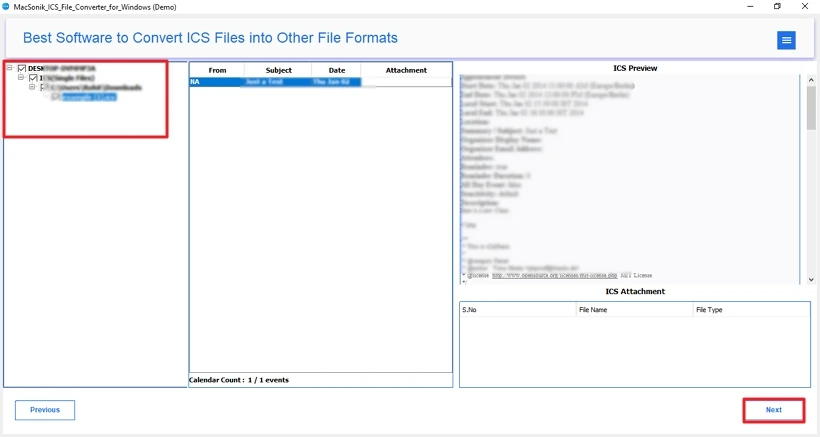
- Preview and select the ICS files to convert. Click Next.
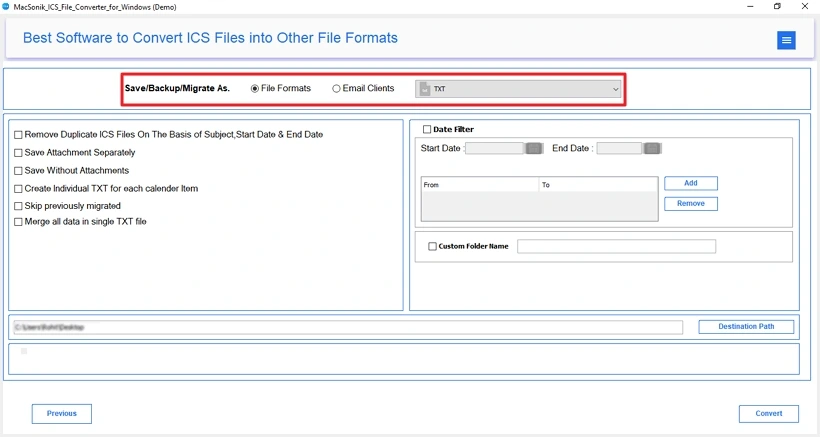
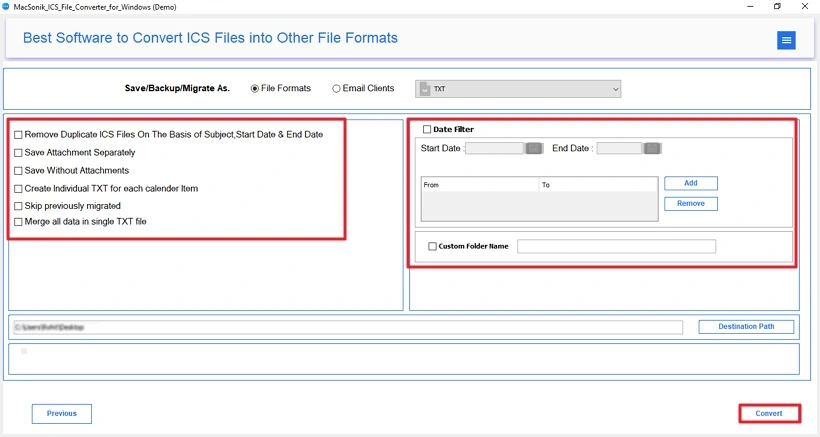
- Afterwards, choose TXT as the Saving Format from the list.
- Lastly, apply advanced features and filters. Click Convert.
Conclusion
In this technical blog post, we explored several methods to convert ICS to TXT. If you only need to open and save a single file, a manual method is enough. But for users who want to convert large or bulk ICS files, a dedicated tool is the most reliable choice. It saves time, keeps your data safe, and delivers clean, readable TXT files without errors. In addition, you can download the free version of this tool to evaluate its features and performance.
Frequently Asked Questions
Q1- Which tool is more reliable for changing an ICS file to TXT?
Ans– The MacSonik ICS File Converter is one of the most reliable solutions. It supports bulk conversion, preserves event details, maintains formatting, and provides multiple saving options, including TXT, CSV, PDF, and more.
Q2- Can I migrate specific ICS files to TXT format?
Ans- Yes. The MacSonik tool allows you to choose individual ICS files or entire folders. You can select only the files you want to convert and export them to TXT without affecting others.
Q3- How do I directly convert ICS to TXT?
Ans- For bulk ICS to TXT conversion, you can use the MacSonik ICS File Converter to export multiple ICS files into TXT format at once.
Q4- Does converting an ICS file to TXT alter the event information or its formatting?
Ans- No. The conversion process preserves the original event details, including title, date, time, location, and description. A professional tool ensures the content remains intact and readable in TXT format.
About The Author:
Amelia is the mistress of the webmail clients like Office 365, Gmail, Yahoo, Hotmail, and Opera Mail. Her research on downloading emails from webmail is outstanding. She has given the solution to download emails from webmail clients to a Mac device with all the mailbox items. She’s been into webmail solutions since 2010. In her free time, she reads books and writes technical blogs.
Related Post
