How to Convert Google Takeout to PDF With Attachments

Neeru Kuchhal

July 28th, 2026
User-Query:
“I downloaded my Gmail backup using Google Takeout and received MBOX files. Now I want to save those emails as PDFs along with attachments for sharing and recordkeeping. How can I convert Google Takeout to PDF easily?”
— Asked by ‘Kevin Roberts’
Introduction: Google Takeout is used to download Gmail and other account data for backup purposes. When users convert Gmail emails through Google Takeout, the mailbox data is generally saved in MBOX format. While MBOX files are useful for storing emails, they are not always easy to view, print, or share. This is where PDF conversion becomes helpful. PDF files are universally accessible, easy to share, and suitable for documentation, legal records, and offline storage. Therefore, many users look for reliable ways to convert Google Takeout MBOX to PDF. Additionally, this article introduces the MacSonik MBOX Converter Tool as a quick and effective solution.
MBOX or PDF? A Quick Google Takeout Comparison
|
Primary Aspects |
Google Takeout MBOX |
PDF File |
|
Email backup archive |
Portable document |
|
Requires an email client |
Opens on almost any device |
|
Limited compatibility |
Easy to share and print |
|
Mail client dependent |
User-friendly viewing |
|
Backup format |
Ideal for archiving |
Why Opt for PDF in Google Takeout Exports?
Users often need to convert Google Takeout to PDF for various reasons:
- Preserves important Gmail conversations.
- To create legal or compliance records.
- Share emails without requiring an email client.
- Maintain offline copies of communications.
- For printing email conversations easily.
- Store attachments together with email content.
- Also, to archive business and personal records securely.
Step-by-Step Manual Conversion of Google Takeout to PDF
Users who do not want to install third-party applications can opt for the manual method to export Google Takeout to PDF. But make sure it requires a significant amount of time and effort.
Method: Import MBOX and Save as PDF
- Firstly, open an MBOX-compatible email client such as Mozilla Thunderbird or Apple Mail.
- Import the Google Takeout MBOX file.
- Open the required email and click Print.
- Choose Save as PDF to save the email locally.
- Download and store attachments separately if required.
Repeat the process for additional emails.
Restrictions to Manually Convert Google Takeout to PDF
Because of these restrictions, many users prefer an automated approach. |
Expert Guide to Convert Google Takeout Data to PDF
The MacSonik MBOX File Converter offers a more convenient way to complete this task with attachments. The tool is designed to process Google Takeout MBOX files directly while maintaining the original mailbox structure and email integrity. It supports bulk and large email conversion with no data loss and accuracy. Also, it preserves every data intact. Along with this, it enables users to convert Google Takeout to PST and other formats.
Practical Steps to Convert Google Takeout to PDF
- Begin by launching the MacSonik MBOX Converter Tool.
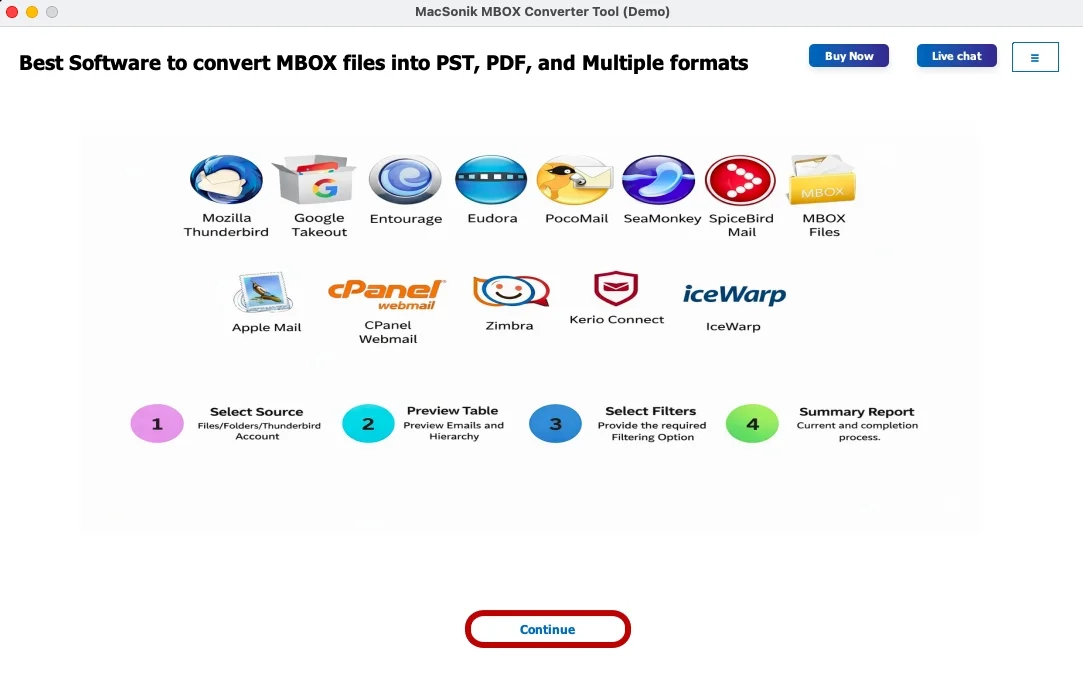
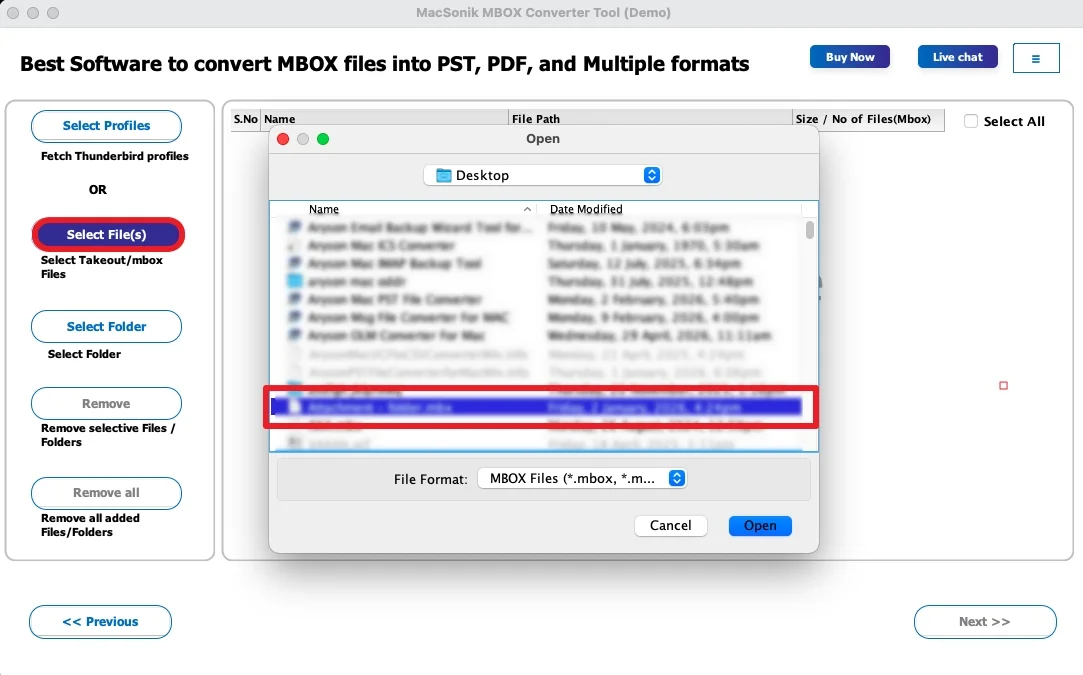
- Click Select Files, then upload the MBOX file you want to convert.
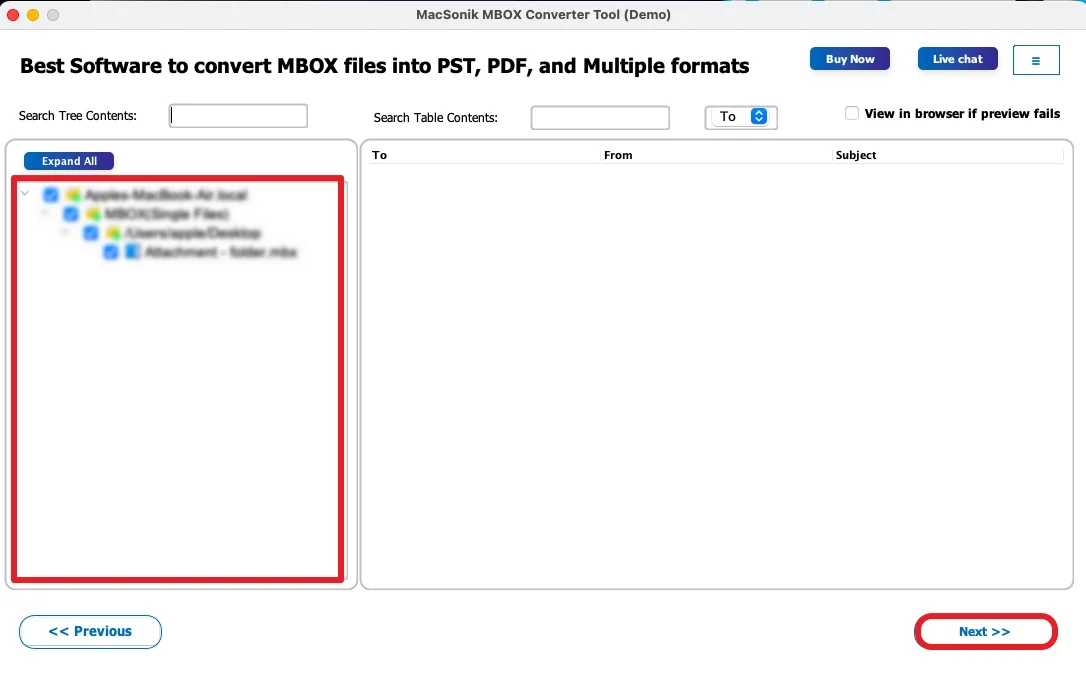
- After that, expand the folder hierarchy, preview the mailbox data, and click Next.
- Now, choose PDF as the desired output format and apply the required filters.
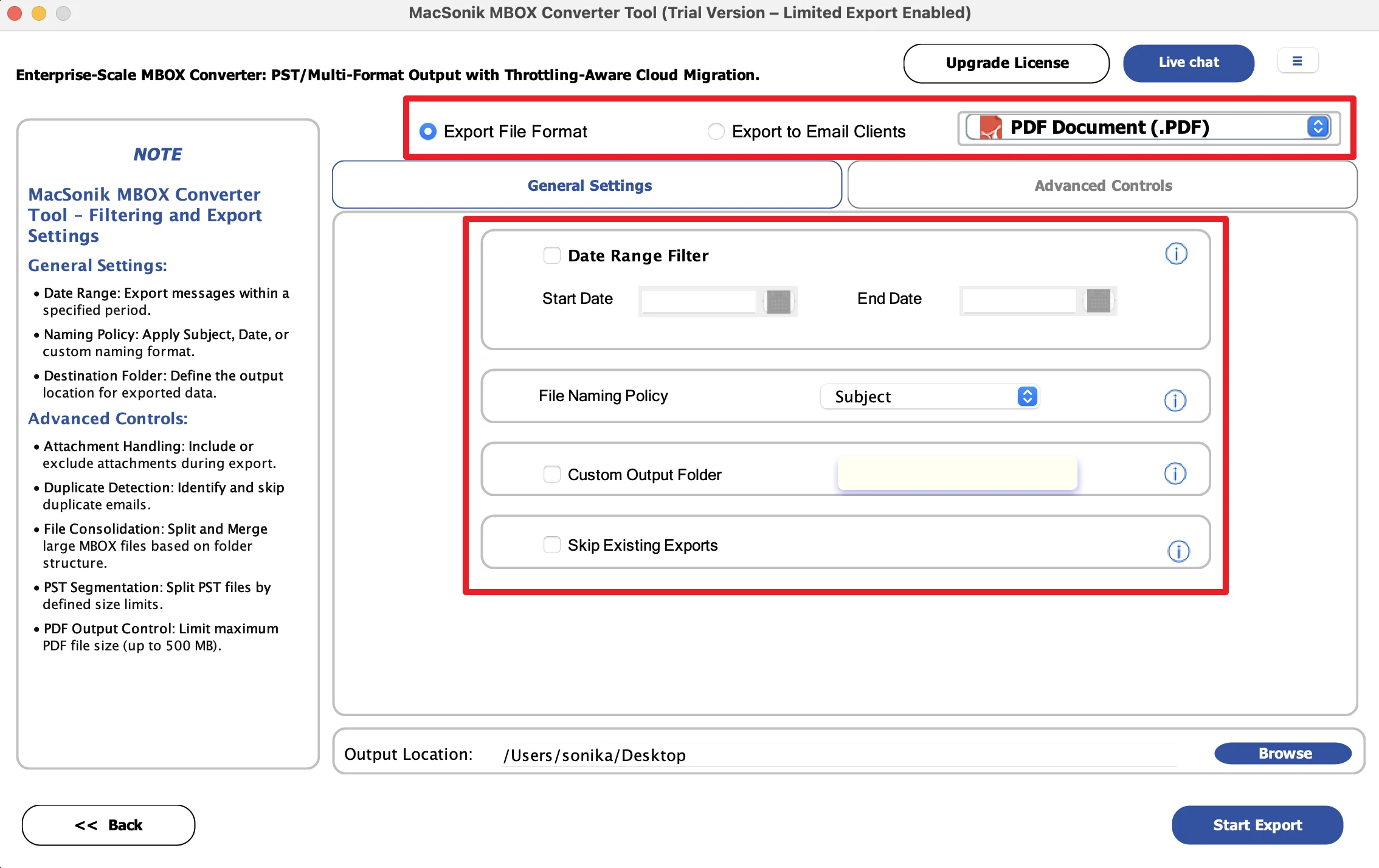
- Finally, select the destination location and click Convert to initiate the conversion process.
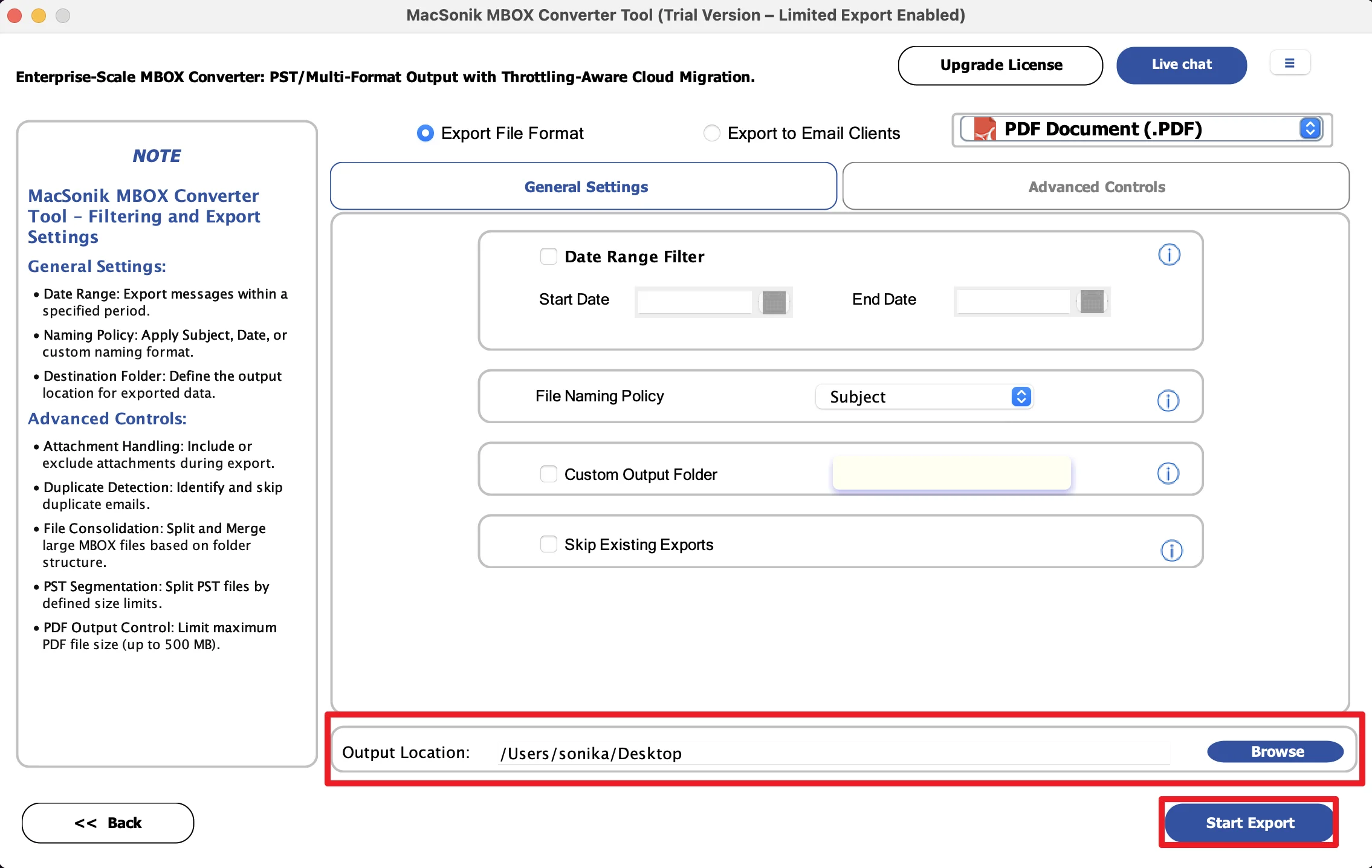
Practical Case Study
A financial advisor exported years of Gmail communication using Google Takeout before changing email platforms. The backup contained important client discussions and attached financial documents. However, the manual PDF saving became overwhelming due to the large mailbox size. Using a dedicated MBOX conversion solution, the advisor successfully save Google Takeout file to PDF with attachments while maintaining proper organization and accessibility.
Read Also: Move Apple Mail Data to New Computer in Simple Steps
Summary
In the end, Google Takeout provides valuable Gmail backups, but MBOX files are not always convenient for viewing or sharing. While manual methods can work for a few emails, they become inefficient for larger mailbox archives and attachment-heavy conversations. Thus, for a quick experience, the MBOX to PDF Converter offers a secure way to convert Google Takeout to PDF. In addition, it preserves the original email structure and content.
Frequently Asked Questions
Ans. Yes, the professional MBOX conversion tool supports bulk conversion, allowing users to convert multiple Google Takeout MBOX files into PDF format simultaneously. This saves time and simplifies handling large Gmail backups.
Ans. Yes, selective conversion is possible with advanced MBOX conversion tool. Users can choose particular folders or mailbox items instead of converting the entire Google Takeout archive, making the process more organized and efficient.
Ans. The best software depends on your conversion needs and mailbox size. Many users prefer MacSonik MBOX to PDF conversion tool because it provides secure processing, preserves email structure, and supports attachment handling during conversion.
Ans. To preserve formatting, use an email client or Macsonik MBOX conversion tool that maintains original email layout, metadata, timestamps, and attachments during the PDF creation process. Manual copy-and-print methods may sometimes alter formatting, especially for large or complex emails.
About The Author:
I am Neeru Kuchhal, a Technical Content Writer who focuses on turning complex ideas into clear, engaging, and impactful content. I combine creativity with strategy to write blogs, web content, and technical articles that connect with the right audience and support brand goals. I believe great content is not just written. It is thoughtfully created to inform, build trust, and drive action.
Related Post
