Note: You don't need a PayPal account to complete your purchase. Just follow these simple steps to securely pay with your credit or debit card through PayPal as a guest.
Step 1:
Go to MacSonik Solutions Buy Page and Click the Pay With Paypal button to proceed to checkout.

Step 2:
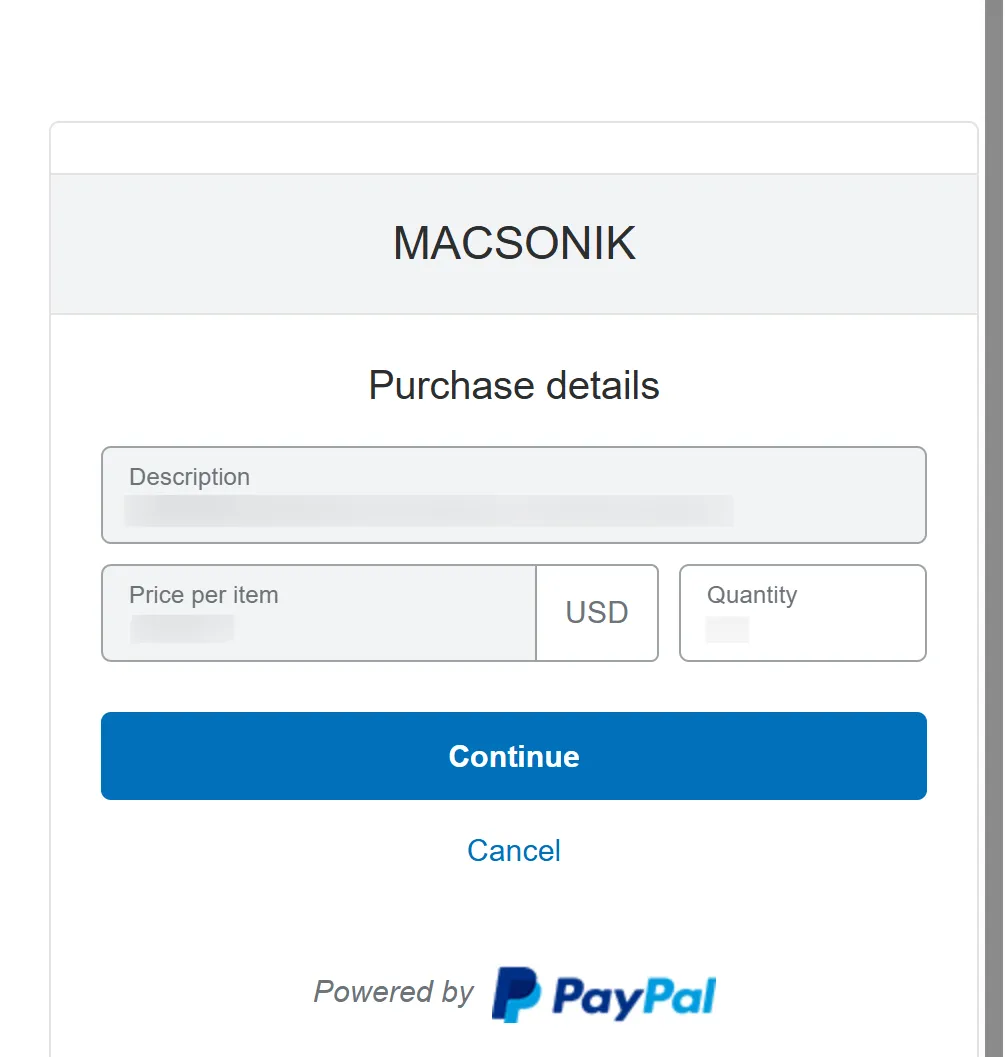
You will be redirected to PayPal's secure payment page. Click on the Continue button to go further.
Step 3:
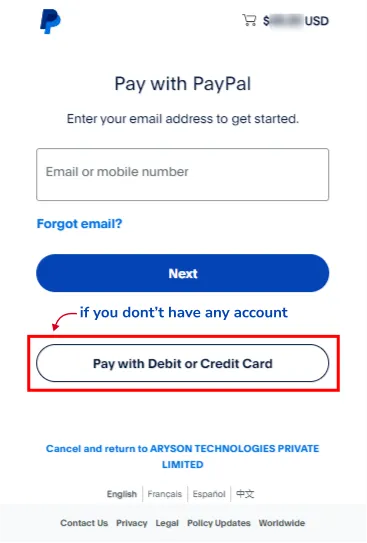
Select Pay with Debit or Credit Card instead of logging in to a PayPal account.
Step 4:
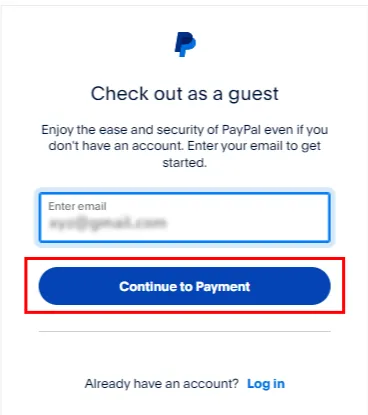
Now, enter your email account and click the Continue to Payment button.
Step 5:
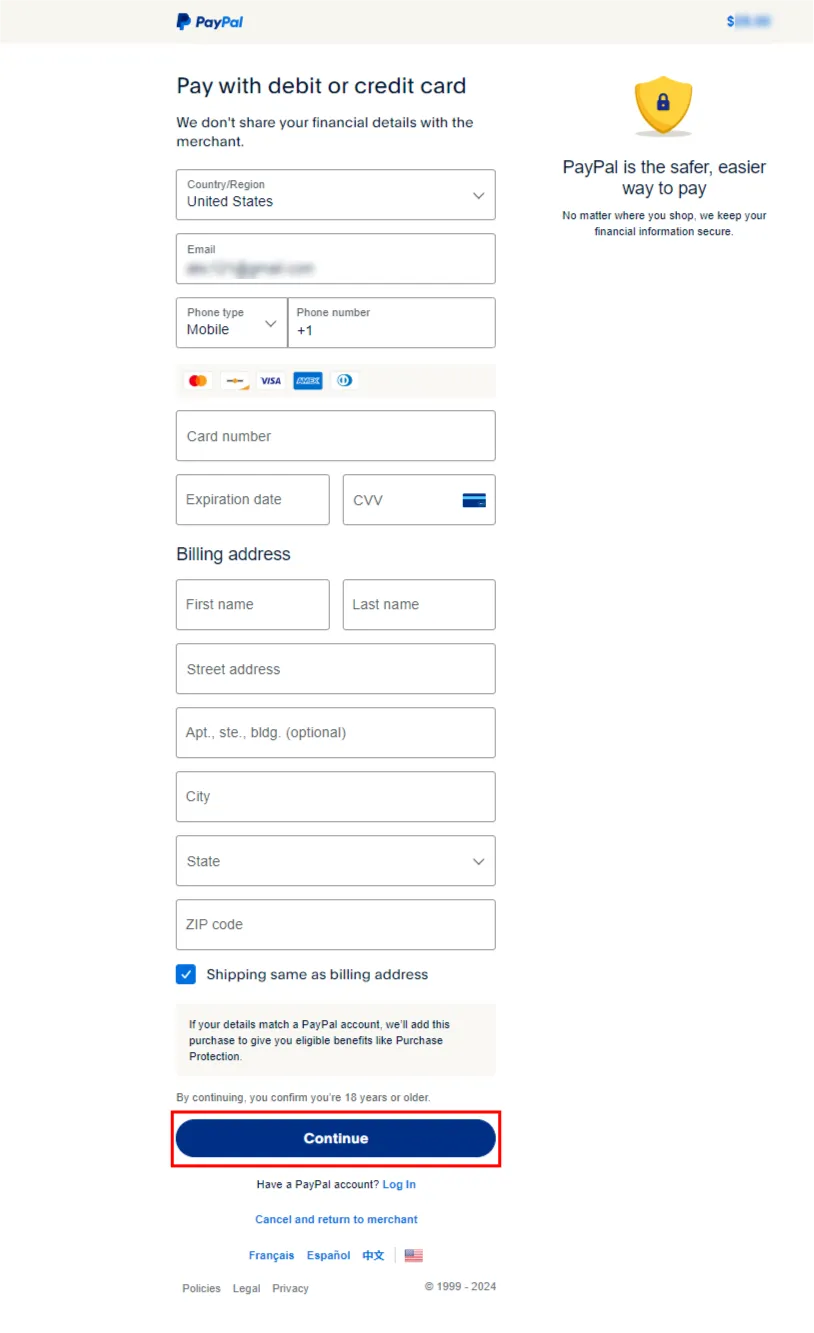
Enter your card details, billing address, and other necessary information, and click Continue to complete your purchase.
Thank You for Your Purchase!
That's it! Your payment will be processed securely via PayPal, and you'll receive a confirmation shortly.
Feel free to contact us if you have any questions or need assistance with your purchase.
Contact Support