How Businesses Can Import PST Files to New Outlook Efficiently

Mohd Kaif

May 13th, 2026
User-Query:
“Our company has multiple PST files from old Outlook environments. We now need to import them into the new Outlook setup without losing emails, attachments, or folder structure. Also, need a fast and secure business-friendly solution for handling large mailbox data efficiently. What is the best way to import PST to New Outlook?”
— Posted by “Kevin Matthews”
Introduction: PST is the primary mailbox file format used by MS Outlook. It is used to store emails, contacts, calendars, notes, and attachments. Therefore, many businesses maintain PST archives for employee records, compliance, backups, and long-term email storage. With organizations shifting to the new Outlook environment, many users now need to export PST into new Outlook. In this guide, we explain how businesses can efficiently do this while preserving mailbox integrity. Besides, cover how MacSonik Outlook PST Converter Tool simplifies large-scale PST management on Mac.
Classic PST Reliability vs. New Outlook PST Efficiency
|
Major Points |
Classic PST File |
New Outlook PST |
|
Local mailbox archive |
Modern Outlook environment |
|
Emails, contacts, calendars |
Cloud-connected mailbox access |
|
File-based access |
Cross-device synchronization |
|
Backup and archive |
Daily communication |
|
Supported |
Fully supported |
|
Legacy and offline data |
Modern business workflow |
Key Obstacles in Managing Legacy PST Files
Businesses often have years of archived PST files created from old Outlook versions. However, importing them into new Outlook environments can become difficult when dealing with large mailboxes and multiple accounts.
Common issues include:
- Large PST files are causing slow imports.
- Folder hierarchy is getting disturbed.
- Missing attachments or metadata.
- Duplicate emails during migration.
- Manual import is becoming time-consuming.
- Also, difficulty in handling bulk PST archives.
Who Needs This Guide to Import PST to New Outlook?
This guide is useful for:
|
IT administrators managing Outlook migration |
Businesses upgrading to New Outlook |
Enterprises handling archived PST files |
|
HR and legal departments preserving records |
Teams consolidating employee mailboxes |
Mac users managing Outlook data migration |
Why Companies Are Moving Local PSTs to the New Outlook?
There are the following reasons why users add PST to New Outlook:
- Centralize archived business communication.
- Move from old Outlook versions to the new one.
- Preserves historical employee email records.
- To improve accessibility across devices.
- Maintain compliance and audit readiness.
- Moreover, simplifying long-term mailbox management.
The DIY Transition: Import PST File to New Outlook Without Tools
If you want to complete this task without using any external software, then you are at the right place. You can manually perform this task, but keep in mind that this process is quite slow and has some barriers.
Method: Import PST Using Outlook Import Option
- Firstly, open Microsoft Outlook.
- Go to File, Open & Export, then Import/Export.
- Choose Import from another program or file.
- After that, select Outlook Data File (.pst).
- Now, browse and select the PST file.
- Choose the destination mailbox folder.
- In the end, start the import process.
Limitations: Import PST to New Outlook Manually
- This process is slow for large PST files.
- Time-consuming for multiple users.
- There is a high risk of duplicate emails.
- Sometimes the folder hierarchy may change.
- Difficult for enterprise-scale imports.
- Additionally, it requires technical supervision.
How to Efficiently Batch Import PST to New Outlook Mac?
For a faster and more reliable solution, use the MacSonik PST Converter Tool. This professional software helps organizations import and manage bulk PST files in one go. While preserving emails, attachments, folder structure, and metadata, it handles everything with no data leakage. It is specially designed for all types of users with large Outlook archives on Mac. Apart from this, it can import PST to online Archive as well.
The 2026 Handbook: Import PST to New Outlook
- Firstly, download and start the MacSonik PST File Converter Tool.
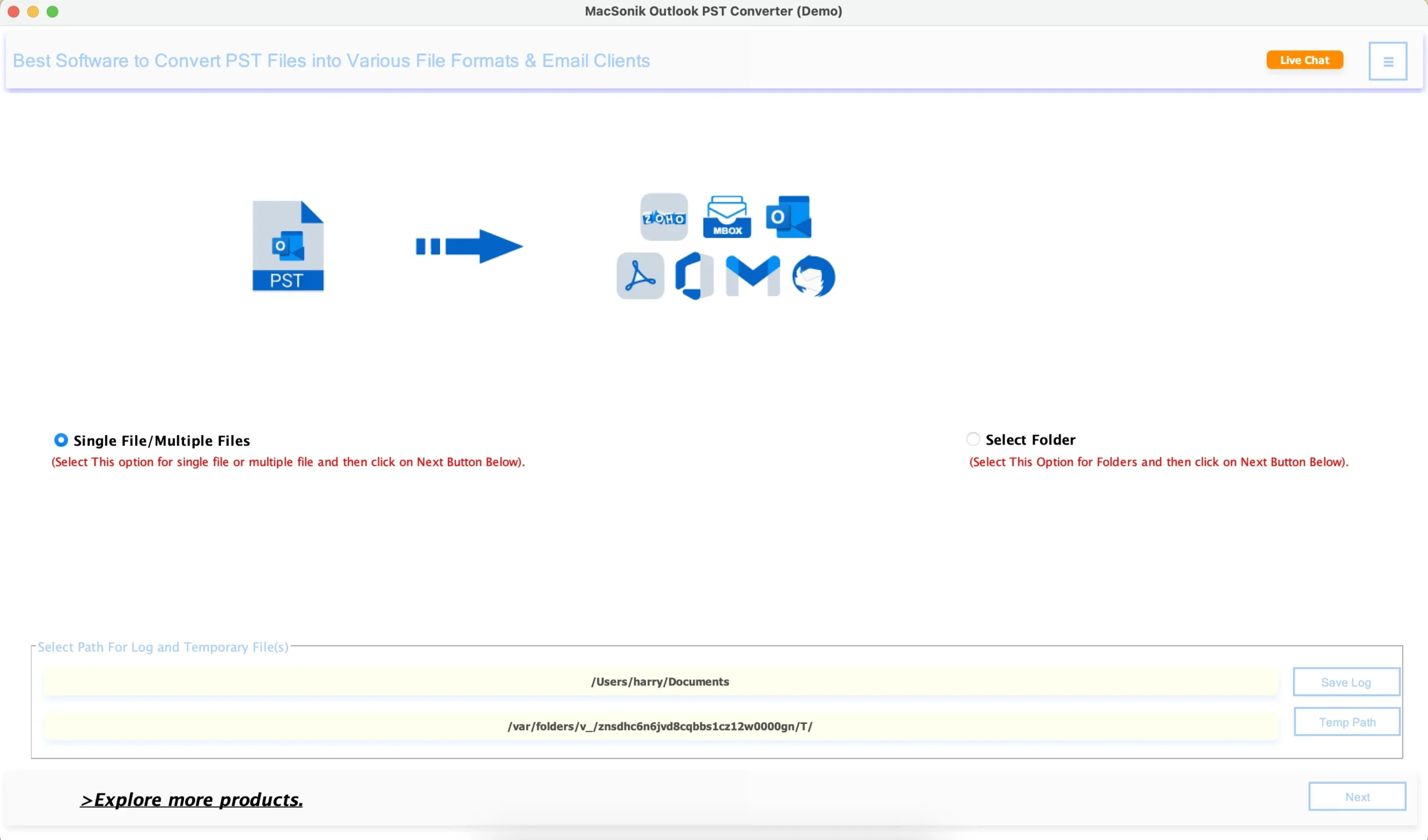
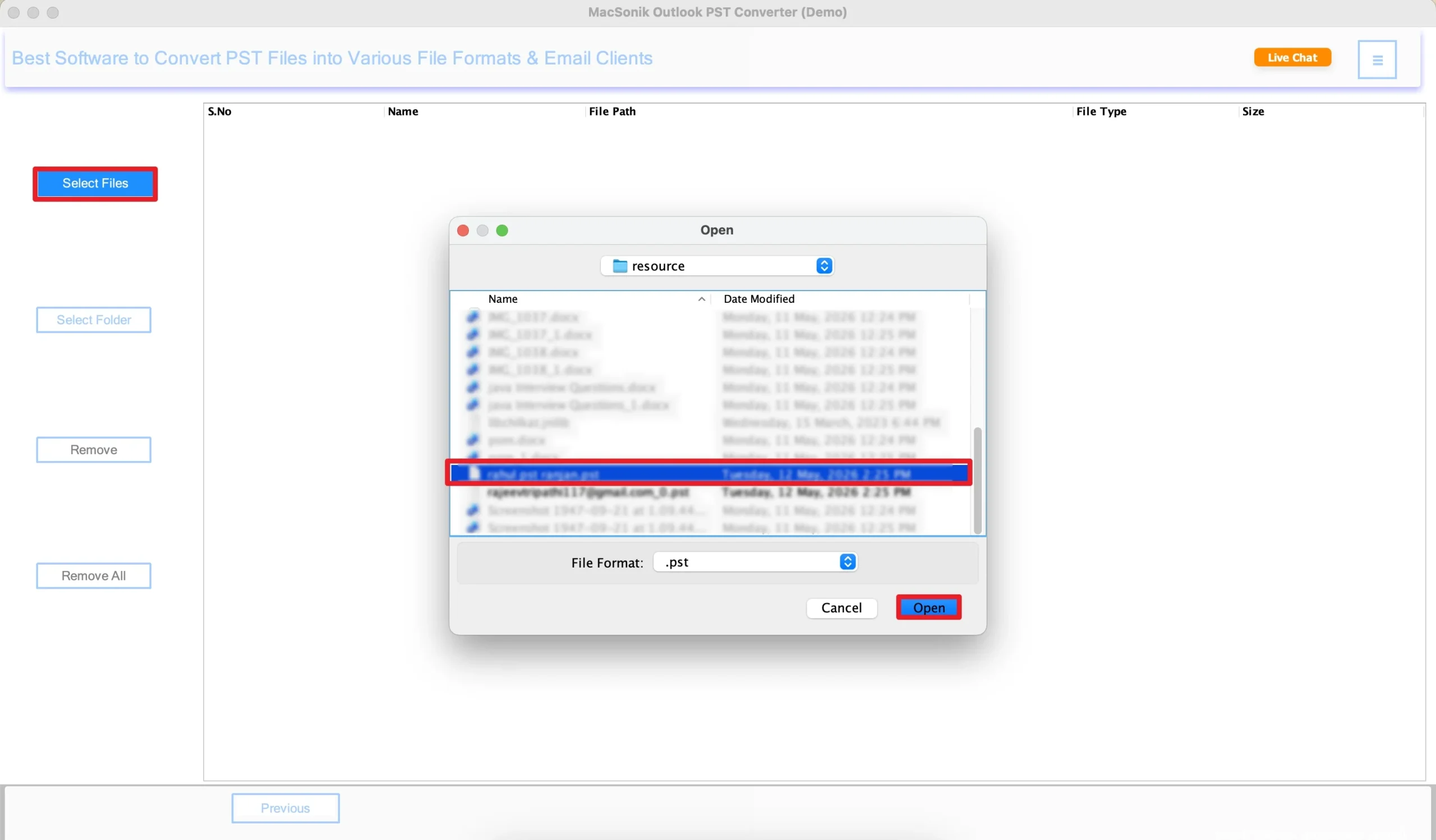
- Click Select Files to insert the PST file that you want to import, and click Open.
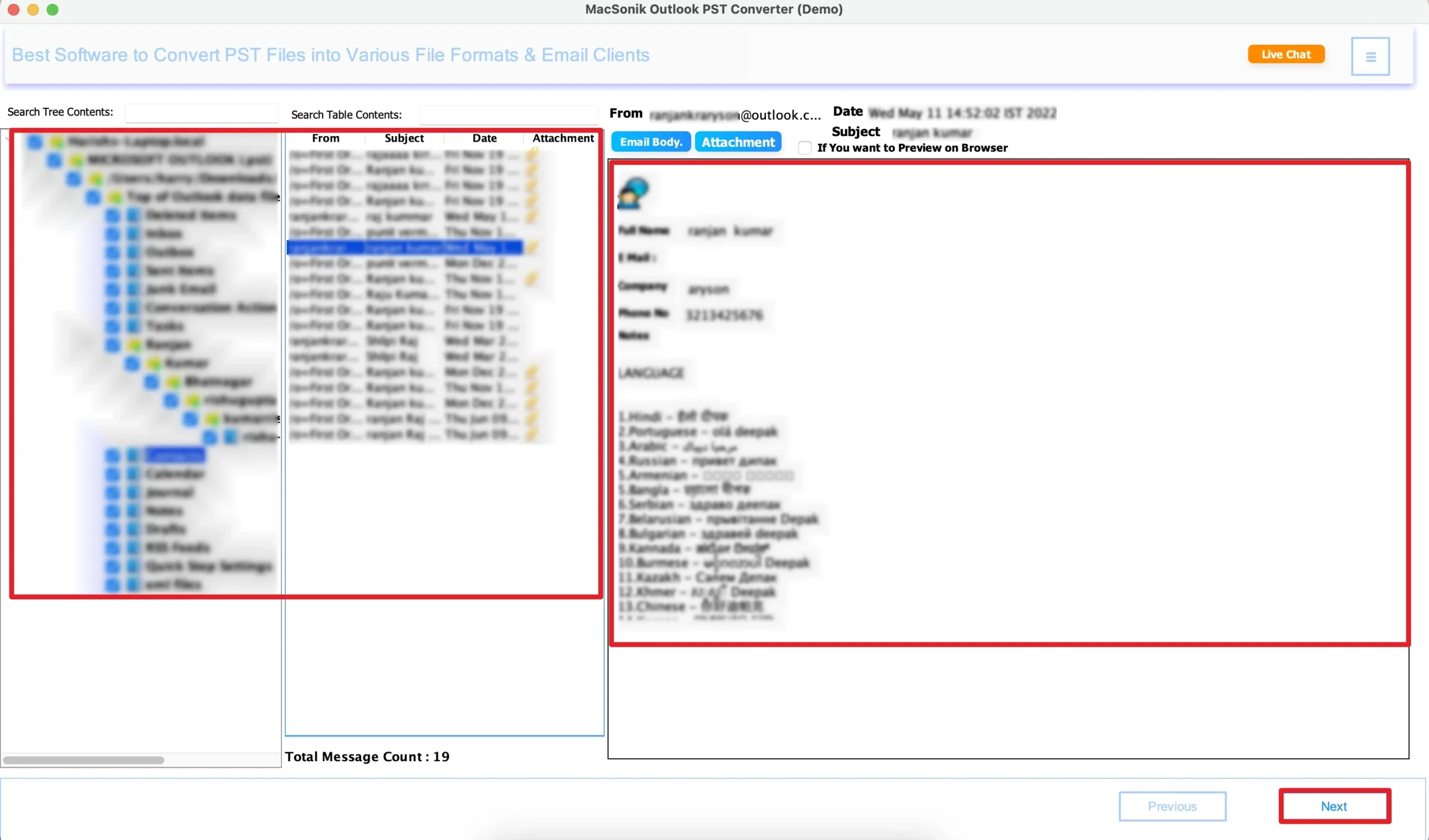
- Now, expand the folder hierarchy, preview the entire mailbox of the selected file, and hit Next.
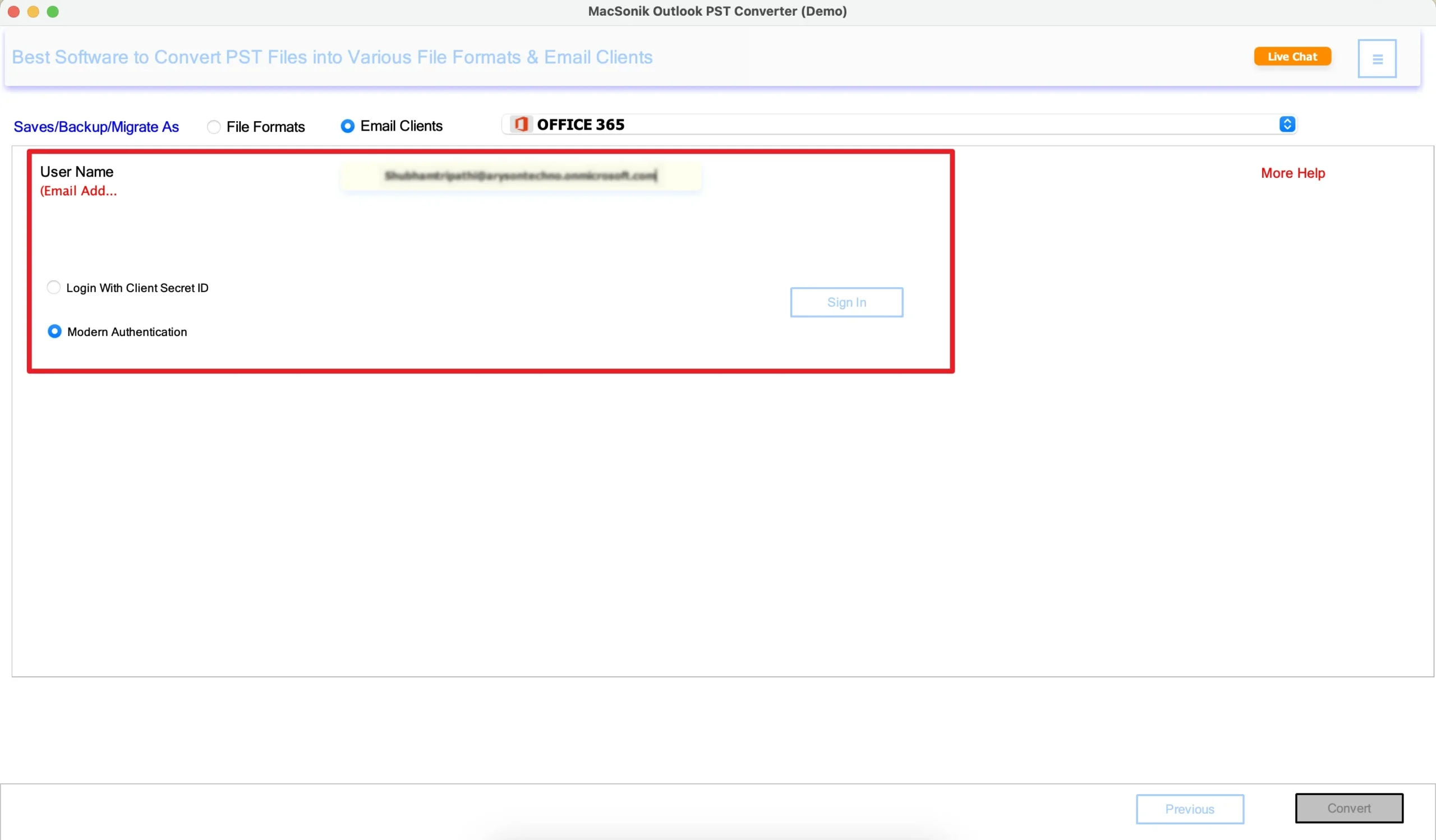
- Furthermore, choose Office 365 (Microsoft 365) as the saving email platform.
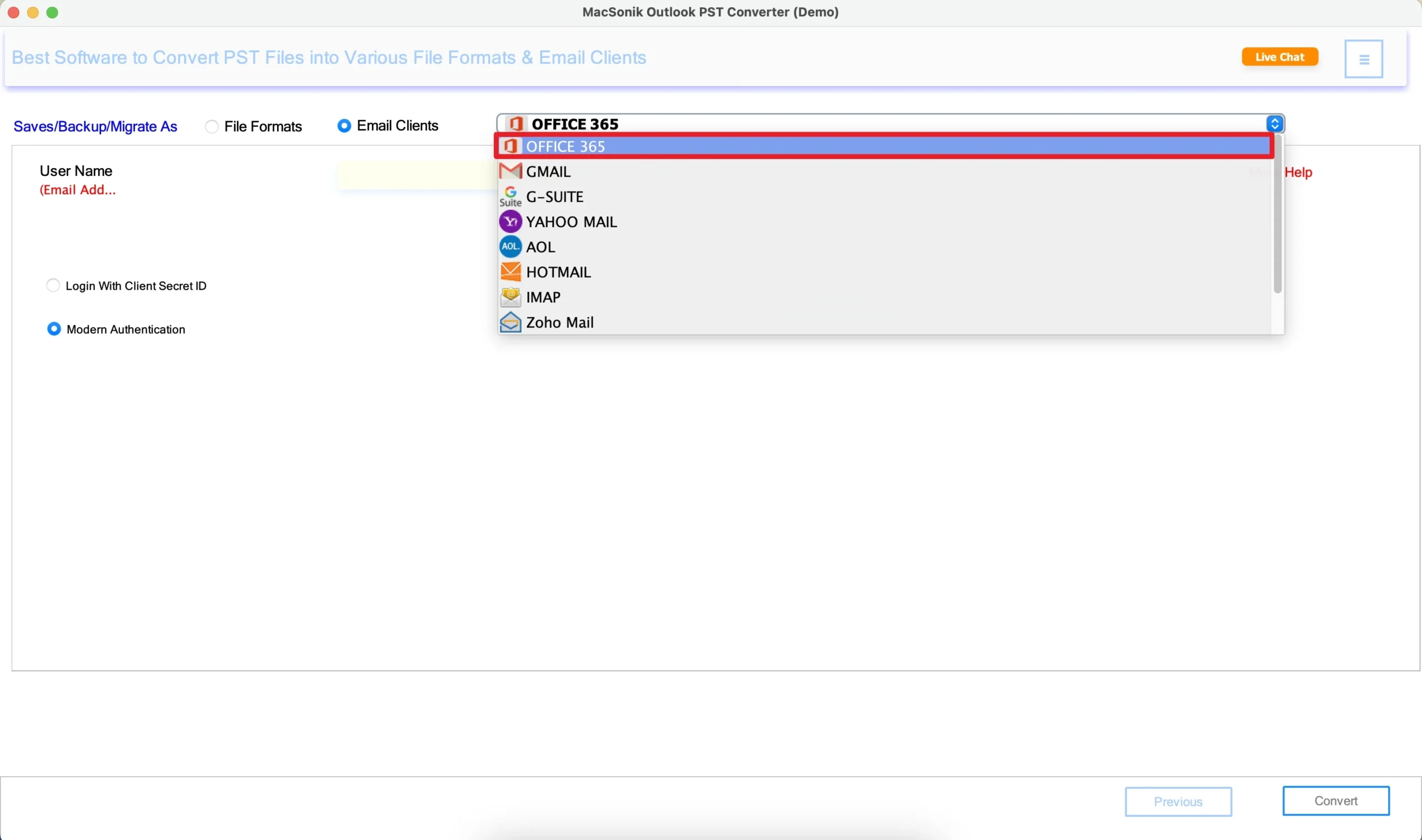
- Afterwards, authenticate using the Microsoft 365 account credentials and sign in.
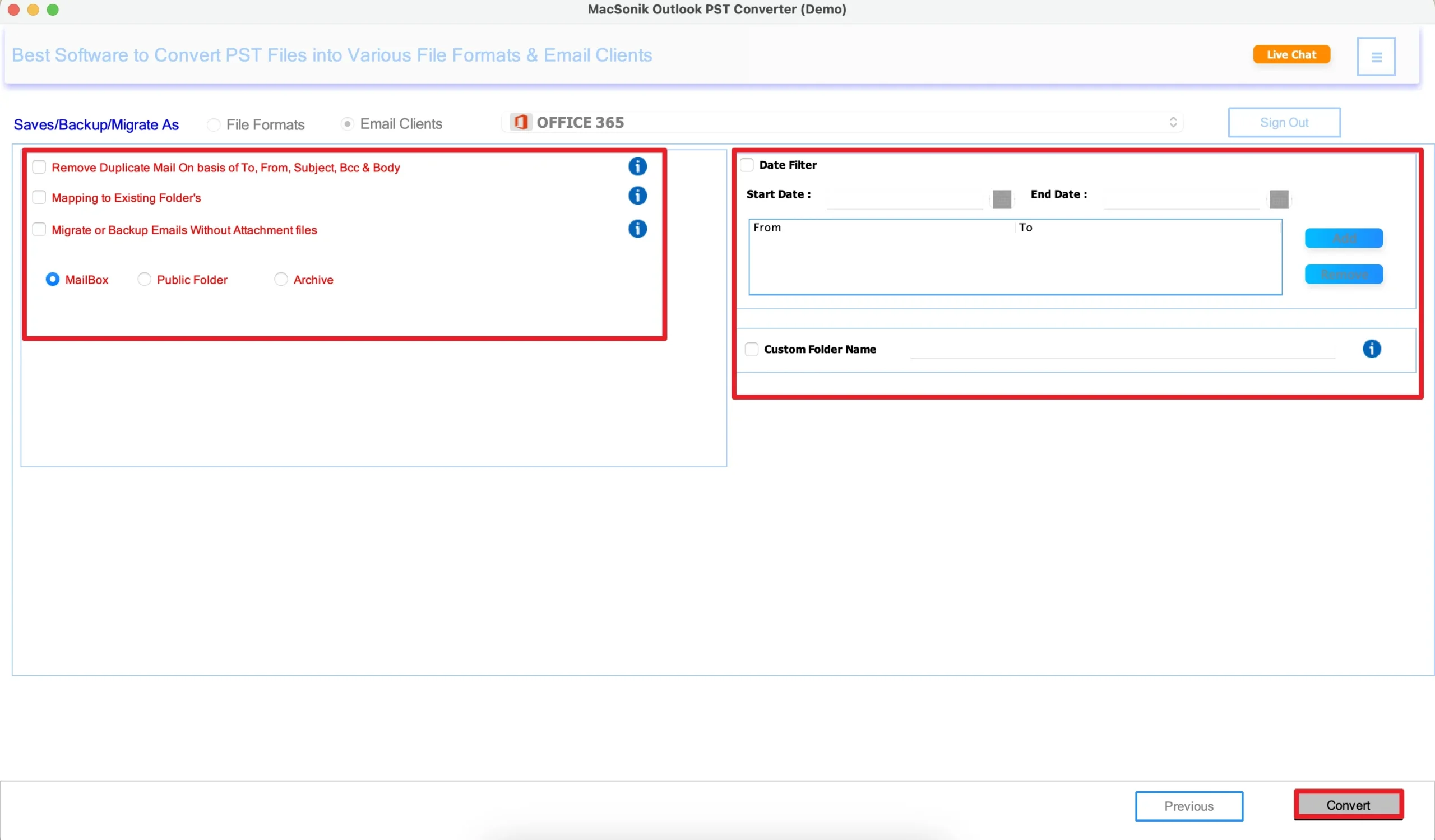
- Finally, apply the additional filters’ as per your needs, and click ‘Convert’ to start the process.
Real-Life Scenario: Enterprise Outlook Upgrade
A financial company upgraded from an older Outlook environment to the new Outlook platform. They needed to import years of archived PST files from multiple departments. However, the manual conversions were taking too long and creating duplicate folders for several users. To streamline the migration, the company used the MacSonik PST File Converter. As a result, all PST files were imported successfully, the folder hierarchy remained intact, attachments were preserved, and employees gained organized access to historical mailbox data.
Why Choose MacSonik Software?
- Trusted by businesses and professionals worldwide.
- It simplifies enterprise PST management.
- For fast and most accurate import results.
- Secure handling of mailbox archives.
- Dedicated customer support assistance.
Conclusion
In this blog, we have discussed that moving PST files into New Outlook is an important step for modernizing users’ email infrastructure. However, the manual methods may work for a smaller mailbox. But they become difficult to apply to large enterprise archives. The best approach to import PST to New Outlook is to use an advanced Outlook PST file converter software. This solution ensures fast, secure, and efficient PST management on Mac.
Frequently Asked Questions
Ans. You can add a PST file through the import or data file management option available in Microsoft Outlook. Users typically browse and select the PST file, then import it into the required mailbox folder. For large mailbox data, a professional PST converter tool provides a more organized and efficient process.
Ans. The direct PST handling may vary depending on the Outlook version and the environment configuration. Some users can open or import PST files directly, while others may need migration or conversion assistance. A dedicated MacSonik PST converter tool simplifies this process for better compatibility and mailbox management.
Ans. Businesses generally use the MacSonik PST migration solution that supports bulk PST processing. This helps import multiple employee mailboxes together while preserving folders, attachments, and metadata. Bulk import significantly reduces manual workload for IT administrators.
Ans. Large PST files can sometimes slow down the import process or create performance issues, depending on system resources and Outlook configuration. Enterprise users usually split oversized PST files or use an advanced PST import solution for smoother processing. This tool is better suited for handling large mailbox archives efficiently.
About The Author:
Mohd Kaif is an experienced technical content writer who specializes in researching and presenting dependable solutions to user problems. He offers practical guidance on email migration, data backup, and file conversion for users of all skill levels.
Related Post
