Export Sylpheed to Outlook PST? Here’s the Simplest Method

Neeru Kuchhal

June 17th, 2026
User-Query:
“I have been using Sylpheed for nearly 8 years and have accumulated approximately 25,000 emails across 40 mailbox folders. My mailbox data includes over 12 GB of emails and around 6,500 attachments. I now want to move all of this data to Microsoft Outlook and need it in PST format. Since many emails contain important business correspondence and archived records, I cannot afford to lose any data during the migration. What is the easiest and safest way to export Sylpheed to Outlook PST while preserving all mailbox data and structure?”
— Posted by “Daniel Foster”
Introduction: Sylpheed is an open-source email client used for managing emails efficiently. It stores mailbox data in MBOX-like formats, making it reliable for personal and professional communication. However, many users eventually switch to Microsoft Outlook because of its advanced mailbox management, calendar integration, and enterprise-level features. The challenge is that Sylpheed mailboxes cannot be directly imported into Outlook because Outlook primarily supports PST files. Therefore, users need a proper conversion method to convert Sylpheed MBOX to Outlook PST via the MacSonik MBOX Converter Tool.
Sylpheed vs PST – A Format Comparison Worth Reading
|
Key Elements |
Sylpheed Mailbox |
PST |
|
MBOX-based mailbox |
Outlook Data File |
|
Cross-platform |
Outlook for Windows |
|
Local mailbox files |
Outlook mailbox storage |
|
Supported |
Supported |
|
Supported |
Supported |
|
Lightweight email usage |
Outlook migration and backup |
Reasons to Switch from Sylpheed to PST Format
The following are the reasons why users want to export Sylpheed to Outlook PST:
- Outlook offers better mailbox management.
- Supports enterprise collaboration tools.
- Easier backup and mailbox portability.
- Better integration with Microsoft 365.
- Improved email security and compliance.
- Also, for centralized communication management.
Native Method to Export Emails from Sylpheed to Outlook
The Sylpheed mailboxes can not be directly imported into Outlook; that’s why it is recommended to use the manual workflow.
Method: Import Sylpheed into Thunderbird and Export to Outlook
- Firstly, locate the Sylpheed mailbox files.
- Import them into Mozilla Thunderbird using the ImportExportTools add-on.
- Configure the same mailbox in Outlook using IMAP.
- Drag and move emails from Thunderbird to the IMAP account.
- Sync the mailbox in Outlook.
- Lastly, export the mailbox from Outlook into PST format.
Pitfalls to Manually Export Sylpheed to Outlook PST
- It is multi-step and time-consuming.
- Requires Thunderbird and Outlook installation.
- Complex for non-technical users.
- There is a risk of duplicate emails.
- Possible formatting issues.
- Moreover, not ideal for bulk mailbox migration.
Convert Emails from Sylpheed to Outlook with a Professional-Grade Tool
The MacSonik MBOX File Converter Tool is the only solution to complete this task directly. This solution supports bulk mailbox conversion while preserving every detail intact with no alteration. It guarantees high-end security and metadata integrity with zero data loss. Furthermore, helps users import MBOX to Dovecot Server.
Try Before You Buy: The demo version of the MacSonik MBOX Converter Tool lets you explore its capabilities firsthand.
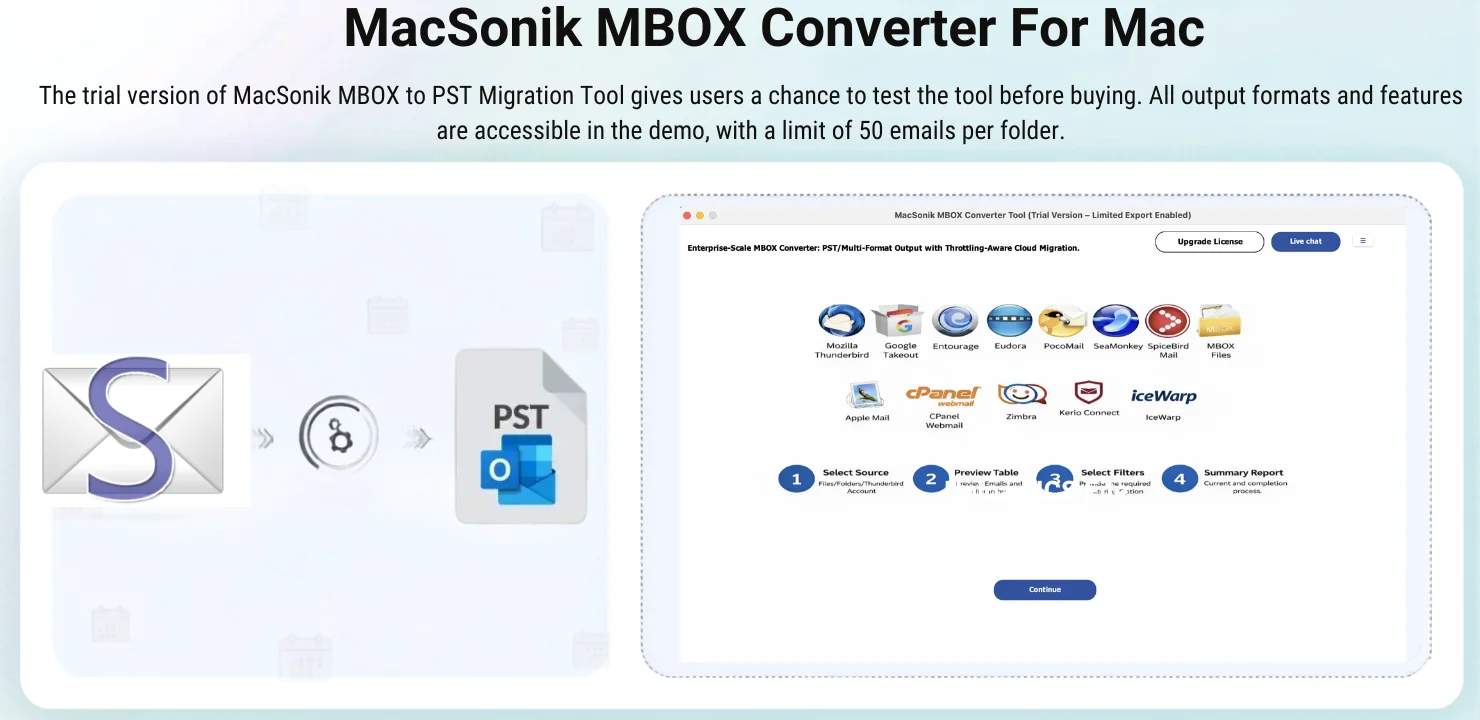
Export Sylpheed to Outlook PST: Step-by-Step Instructions
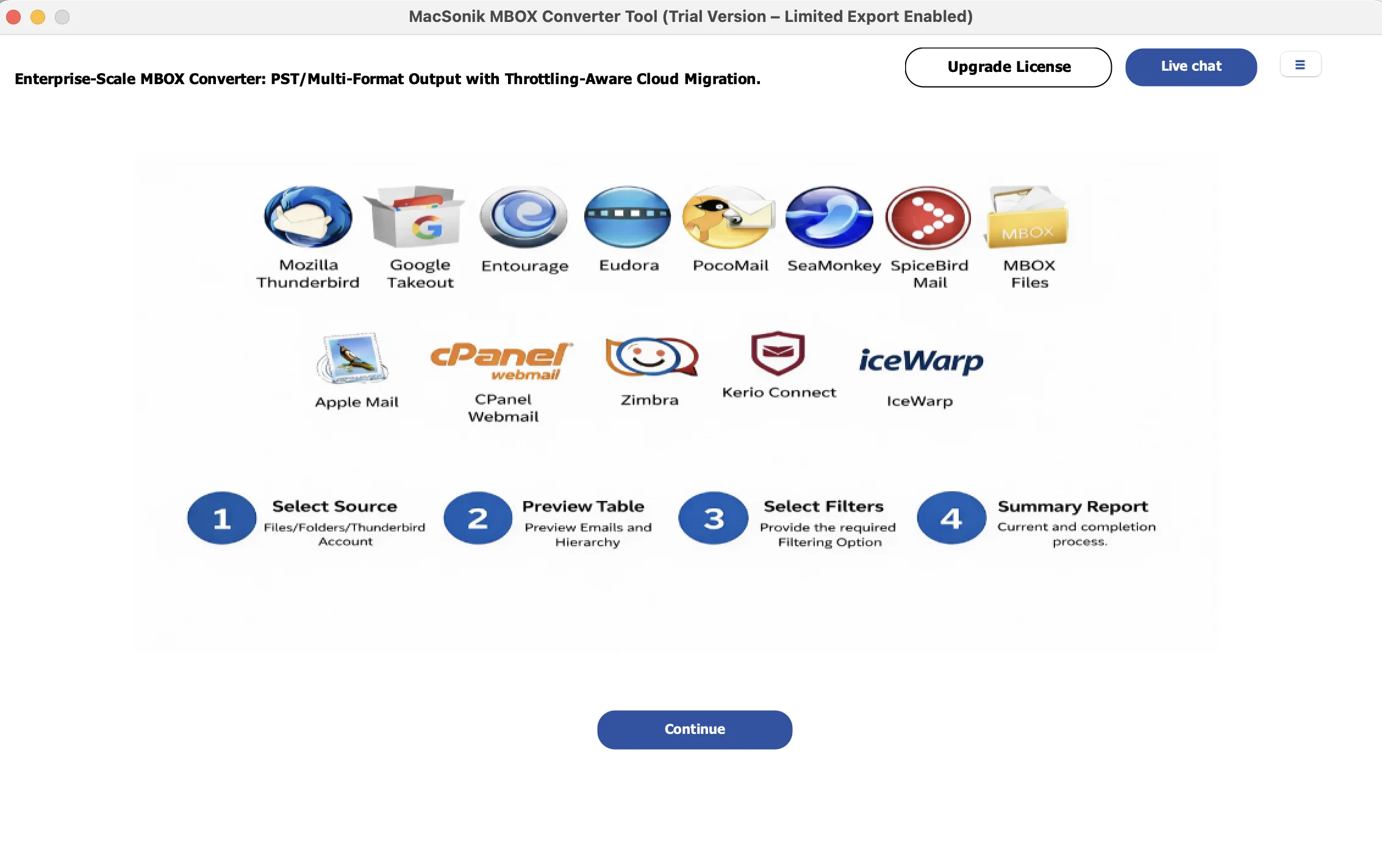
- Start by running the MacSonik MBOX Converter Tool.
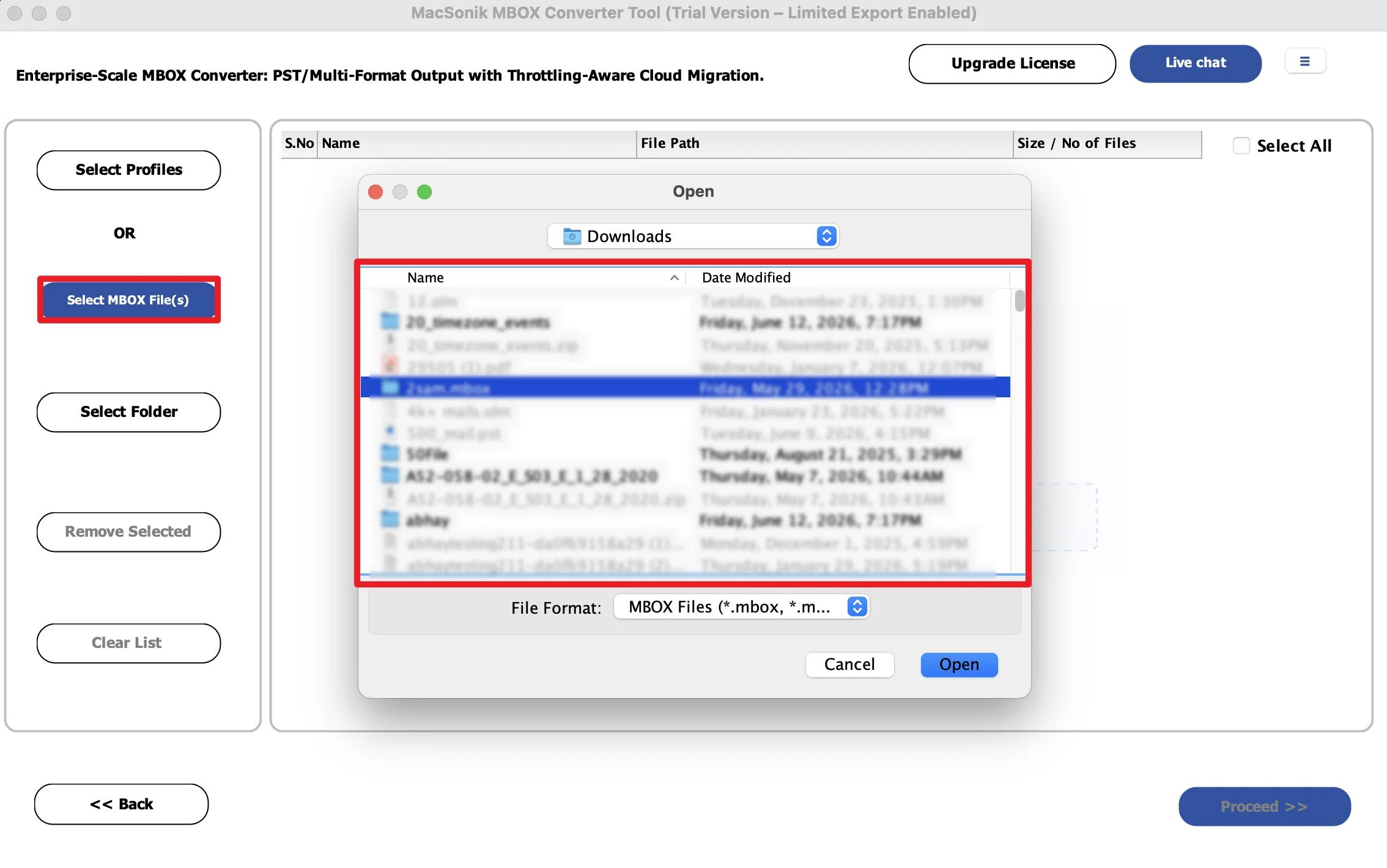
- Now, click Add Files to upload Sylpheed MBOX emails.
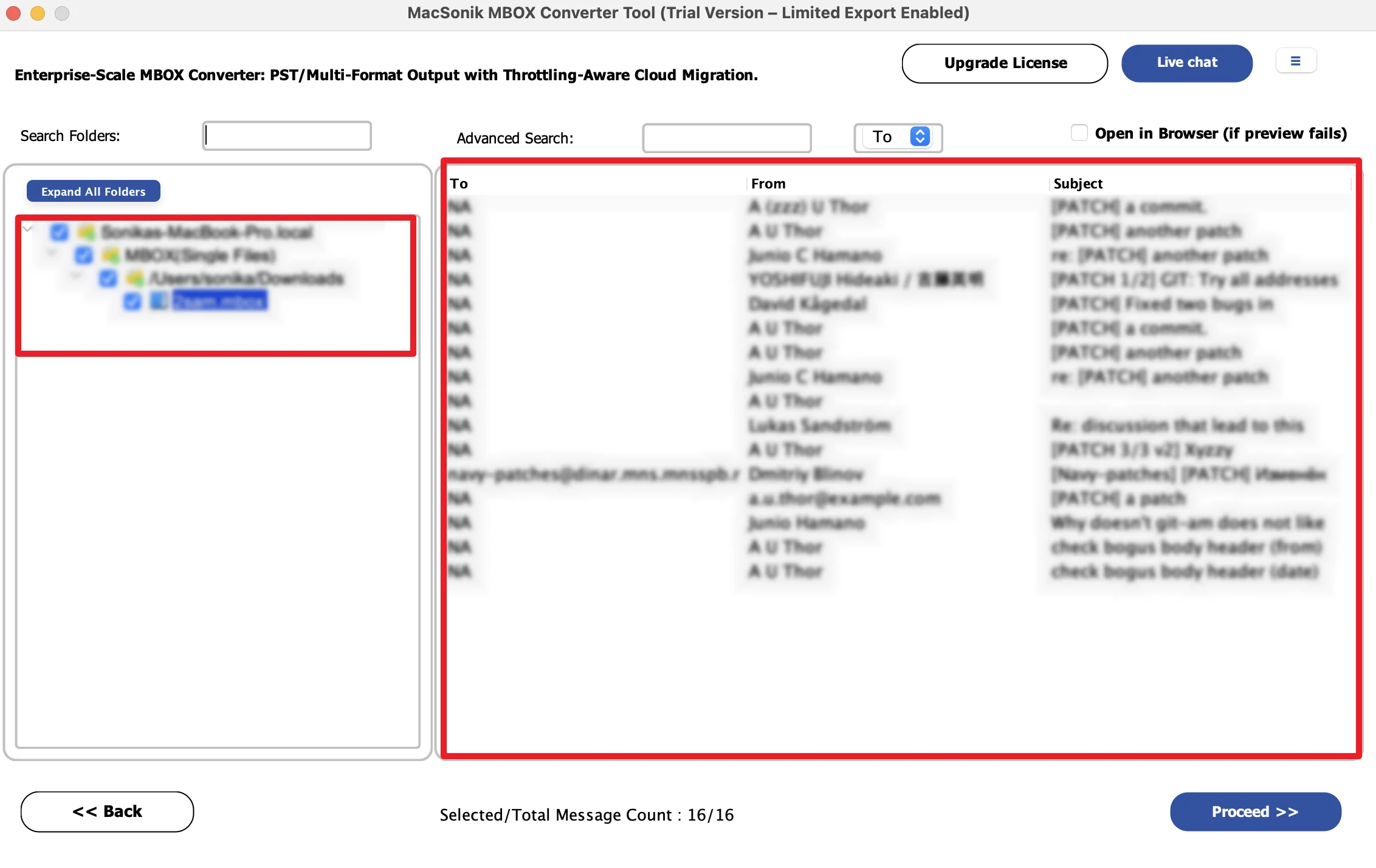
- Drag the structure to preview the entire mailbox folder.
- Further, choose Outlook PST as the saving file format.
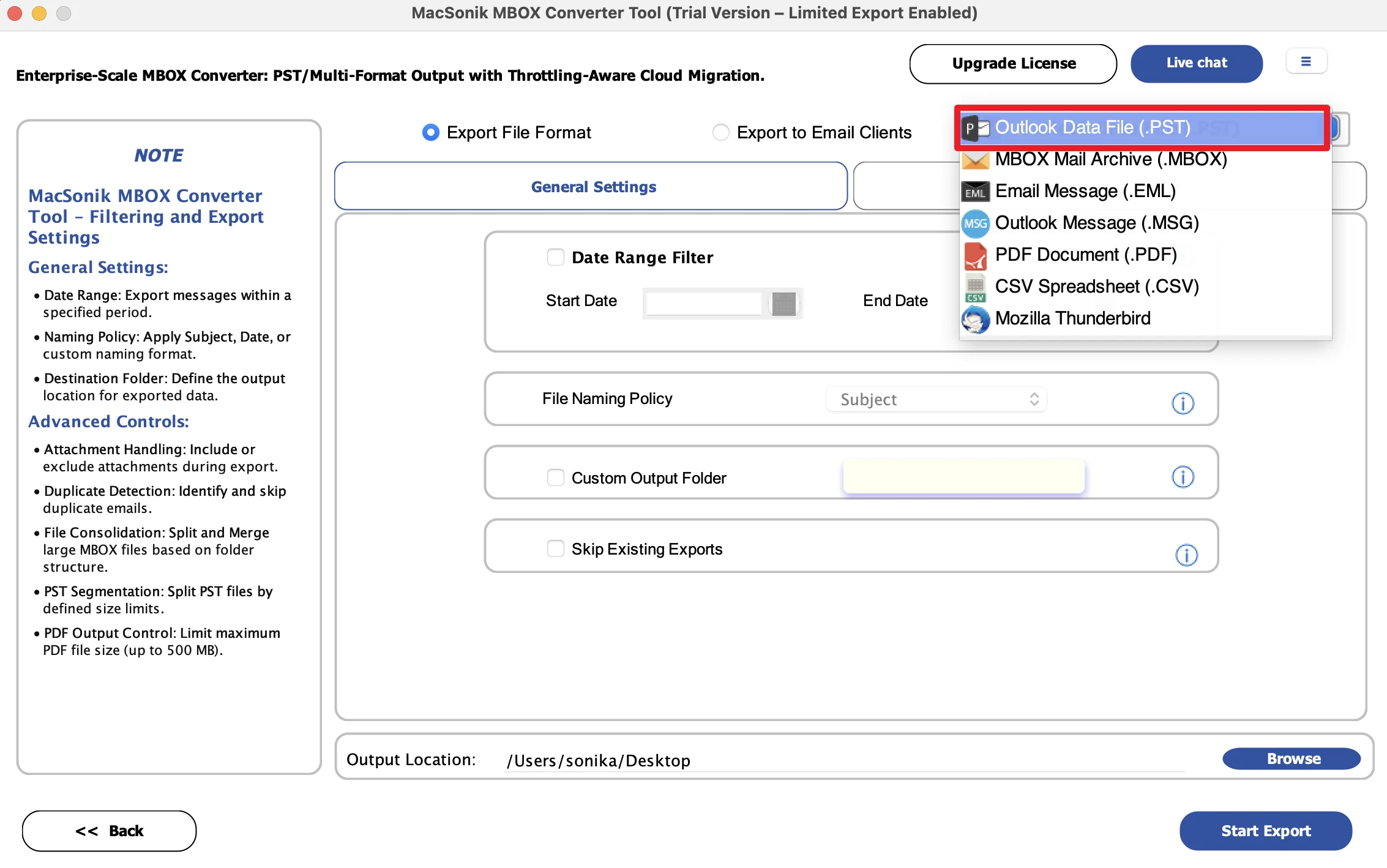
- Then, set the additional filters as per your requirement.
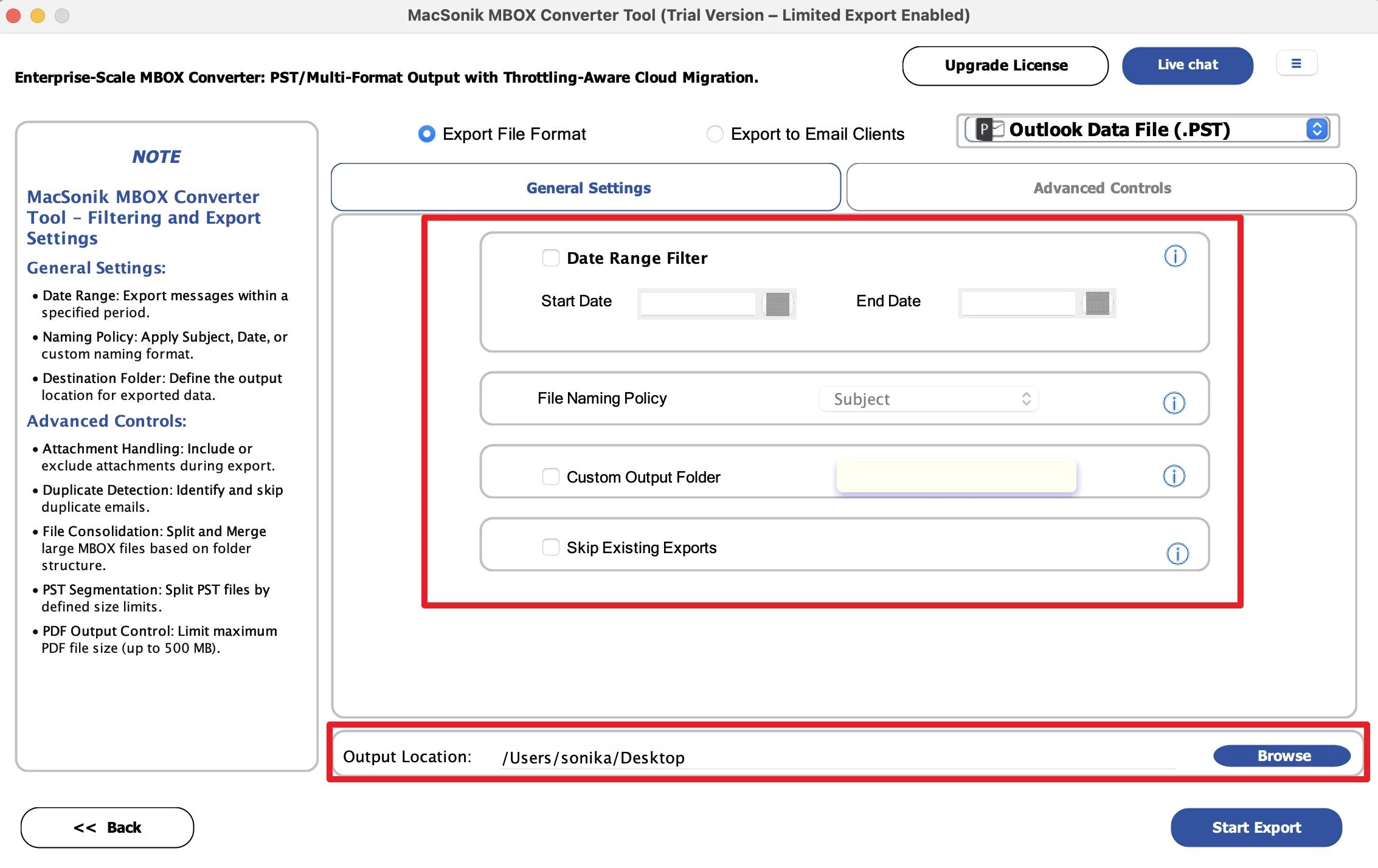
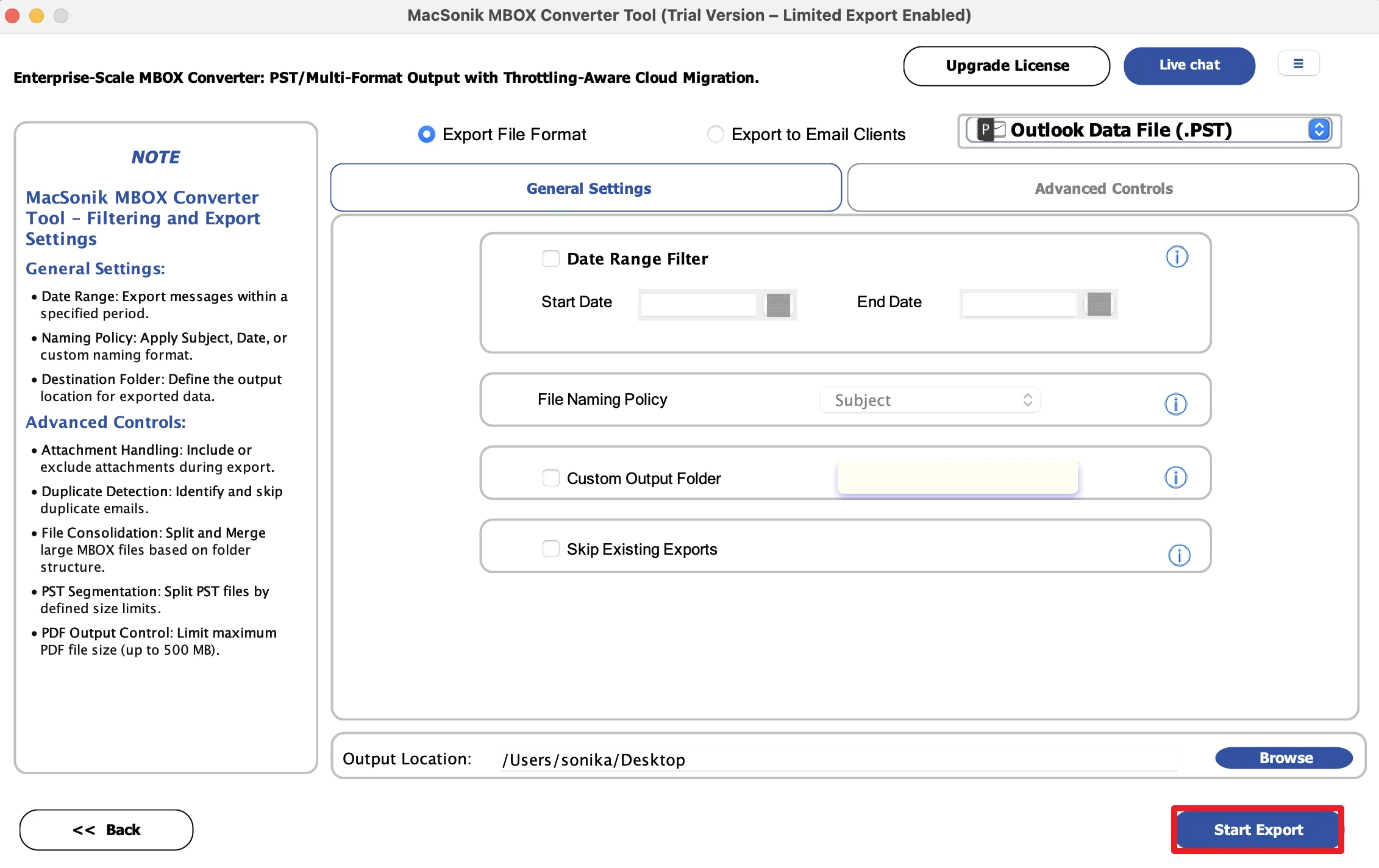
- Finally, choose the path to save the file, and click Convert.
Real-Life Scenario: Business Email Platform Upgrade
A consulting firm had years of archived emails stored in Sylpheed and needed to migrate them to Outlook for better team collaboration and centralized management. Manual migration through Thunderbird was too slow and complicated. The IT team used the MacSonik MBOX Converter Tool to convert all Sylpheed mailbox files into PST format. As a result, all emails, attachments, and folders were transferred successfully without losing any business data.
Additional Info: If you want to explore more, you can convert MBOX to EMLX.
Conclusion
To sum up, exporting Sylpheed mailboxes to Outlook PST can be difficult because of format incompatibility. While manual methods exist, they often involve multiple applications and higher risk of data issues. Therefore, using the MBOX Converter Tool to export Sylpheed to Outlook PST is the most reliable solution for secure conversion. Apart from this, if you need any help, feel free to reach out to our support team anytime.
Frequently Asked Questions
Ans. No, Sylpheed does not provide a direct export option for PST files. Since PST is the native format of Microsoft Outlook, users usually need a conversion method or a professional MBOX converter tool to migrate Sylpheed mailbox data into Outlook-compatible PST format.
Ans. Yes, you can migrate Sylpheed emails to Outlook while preserving attachments if you use a reliable conversion method. A professional MacSonik MBOX converter tool ensures that documents, images, PDFs, and other attachments remain linked with their original emails, maintaining complete data integrity.
Ans. During conversion, important mailbox elements such as emails, attachments, subject lines, sender/receiver details, timestamps, folder hierarchy, and metadata are preserved. This ensures that the Outlook PST file remains structured exactly like the original Sylpheed mailbox.
Ans. Yes, the advanced MacSonik MBOX conversion tool offers selective export options. This allows users to choose specific Sylpheed folders or email categories instead of converting the entire mailbox, making the process faster and more organized for targeted migration.
About The Author:
I am Neeru Kuchhal, a Technical Content Writer who focuses on turning complex ideas into clear, engaging, and impactful content. I combine creativity with strategy to write blogs, web content, and technical articles that connect with the right audience and support brand goals. I believe great content is not just written. It is thoughtfully created to inform, build trust, and drive action.
Related Post
